If you’ve ever needed a quick font for a mockup, a pitch deck, or that “client-wants-it-today” landing page, chances are you’ve already bumped into 1001FreeFonts.
Despite the name, it’s way more than just 1,001 fonts.
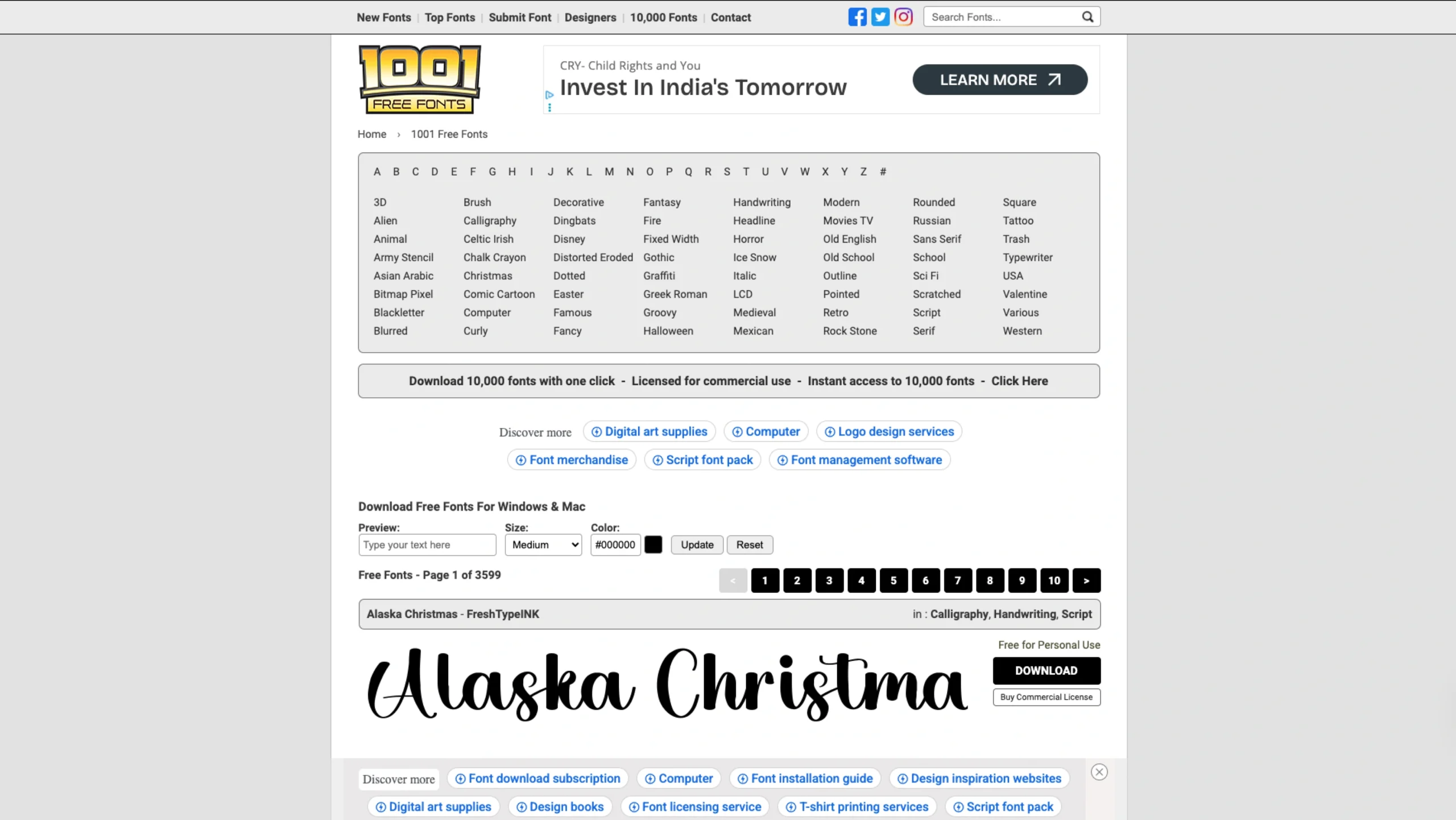
The site gives you access to over 140,000 fonts across styles like serif, sans serif, handwriting, script, retro, graffiti, 3D, and more, all neatly organized into categories so you don’t get lost in the chaos.
The interface is old-school in the best way: simple, fast, and focused on the actual type.
Each font shows a live preview, and you can change the sample text, size, and color right on the page before downloading.
This makes it super practical for designers who want to quickly test a look without opening a design tool first.
You can browse by category, alphabetical lists, or more specific collections such as handwriting, rounded, dotted, fancy, 3D, or graffiti fonts.
Each category comes with pagination, filters for license type (demo, free, free for personal use, commercial, etc.), and sorting options like newest or most downloaded—handy when you’re hunting for something popular or fresh.
One thing we really like from a UX perspective is how licensing info sits right next to the download.
When you open a font detail page, you’ll often see tags like “Free for Personal Use” plus links to the designer’s site for commercial licenses.
That reduces confusion and helps you respect type designers’ work while still moving fast on your project.
For UI/UX designers, 1001FreeFonts works well as:
- A rapid exploration tool when you’re still in the moodboard / visual direction phase.
- A backup library when system fonts and Google Fonts aren’t giving you the personality you want.
- A playground for experiment-heavy projects like posters, hero typography, thumbnails, or social graphics.
It’s not trying to be a polished “design brand” platform. Instead, 1001FreeFonts leans into utility: lots of fonts, fast previews, clear downloads, and just enough structure to keep you from drowning in options.
If you work with typography often—and especially if you love exploring expressive display fonts—it’s a bookmark worth keeping.