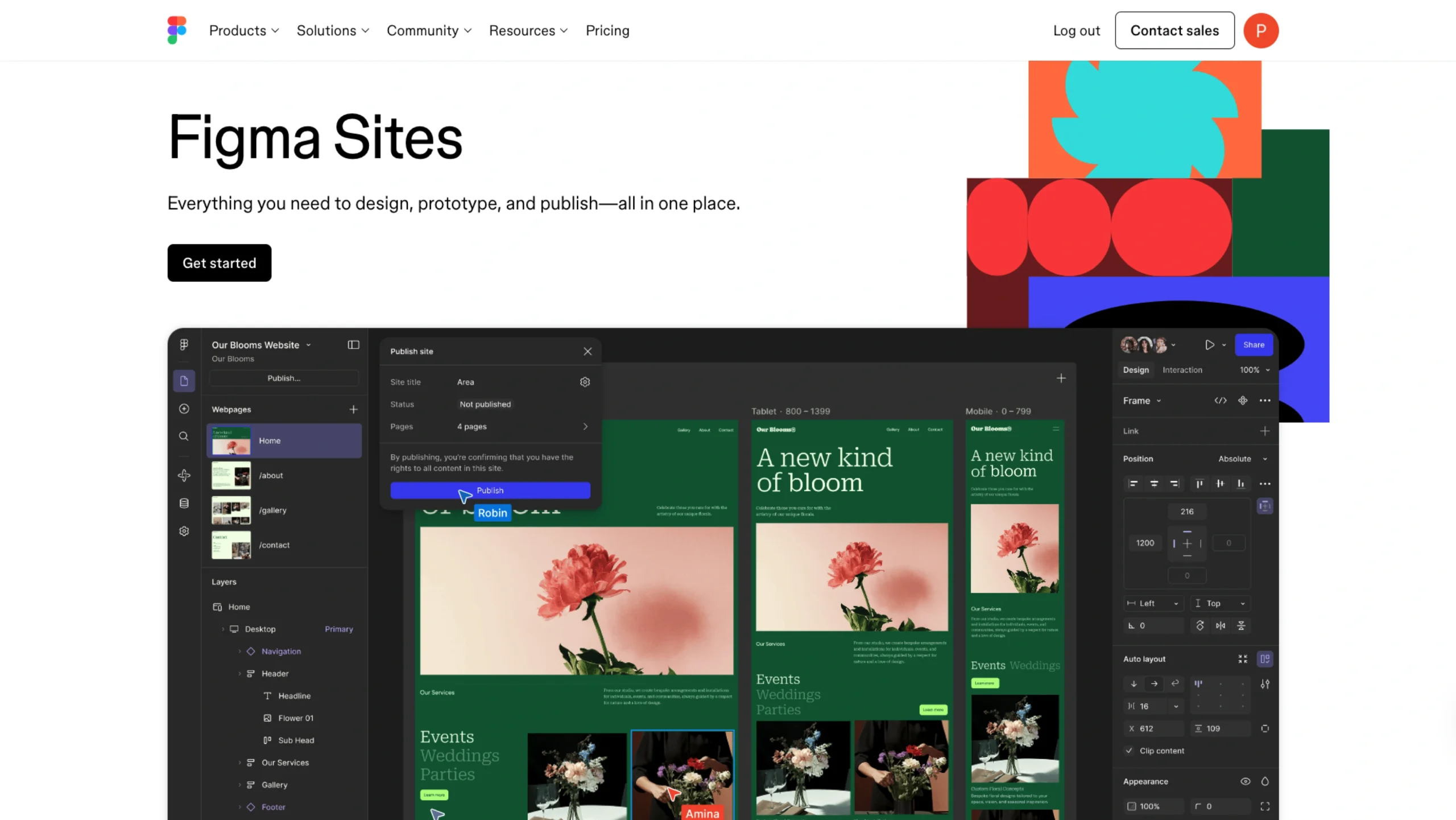
Figma Sites lets teams design, prototype, and publish responsive websites directly from Figma—closing the gap between design and launch.
Perfect websites. Every time. On pretty much any screen you throw at them.
Phone, tablet, laptop, giant monitor you didn’t plan for—it holds up.
Launching a live site doesn’t feel heavy anymore. It’s actually… simpler than you’d expect.
You design it the way you want, and it shows up that way. No strange compromises. No “close enough.”
Turn your Figma frames into layouts that actually flex
You don’t start over. You paste your existing designs straight into Figma Sites and build from there. Responsive components, text, and auto layout—already working together.
It’s fast. Almost surprisingly so. And yes, it still feels like Figma.
Get a head start with pre-built blocks
Some structure is helpful. Especially when it’s done well.
Use components that already have auto layout baked in, then tweak, stretch, restyle—whatever you need—to make the page feel like yours. No two sites have to look the same. And they won’t, if you don’t want them to.
Add interactions. No ceremony required
Want motion? Hover effects? A custom cursor that feels intentional, not gimmicky?
You add interactions with a click. Marquee scrolling, subtle animations, and small moments that make the site feel alive. It’s easy enough that you’ll probably experiment more. Which is usually a good thing.
Add, edit, publish—without touching the layout
Content changes all the time. Layouts shouldn’t have to.
With Sites CMS, everything lives in one place. A clean, dedicated view where you can add or update content quickly—tables, lists, recipes, whatever you’re managing. The design stays locked, so collaborators can’t accidentally nudge things out of place. Honestly, that alone saves a lot of back-and-forth.
Build your way. Seriously.
If you like code, jump in and customize it exactly how you want.
If you don’t—or you’re not sure where to start—AI can step in and help.
Sometimes you’ll mix both. That’s fine too.
Prompt it to life
Describe the interaction you’re imagining. From an existing design or from scratch. AI helps generate it, and you can refine from there—more prompts, or straight into the code if that’s your comfort zone. It’s flexible in a way that feels… forgiving.
Start with a template (or don’t)
If speed matters, templates help. Professionally crafted, thoughtfully structured, and ready to bend in whatever direction you take them.
- Landing pages.
- Personal sites.
- Portfolios.
- Business sites.
- Event pages.
You can start there and end up somewhere completely different.