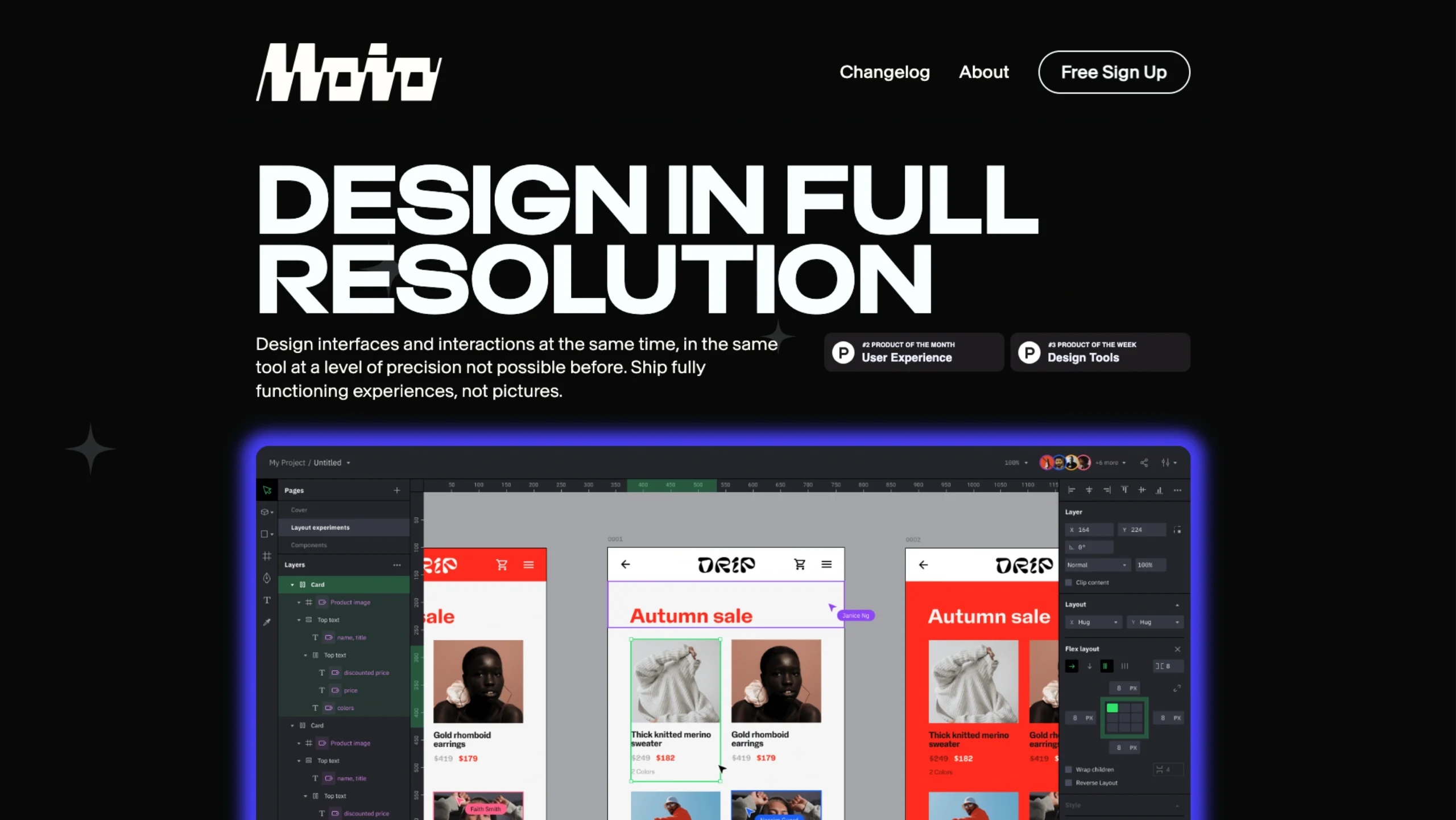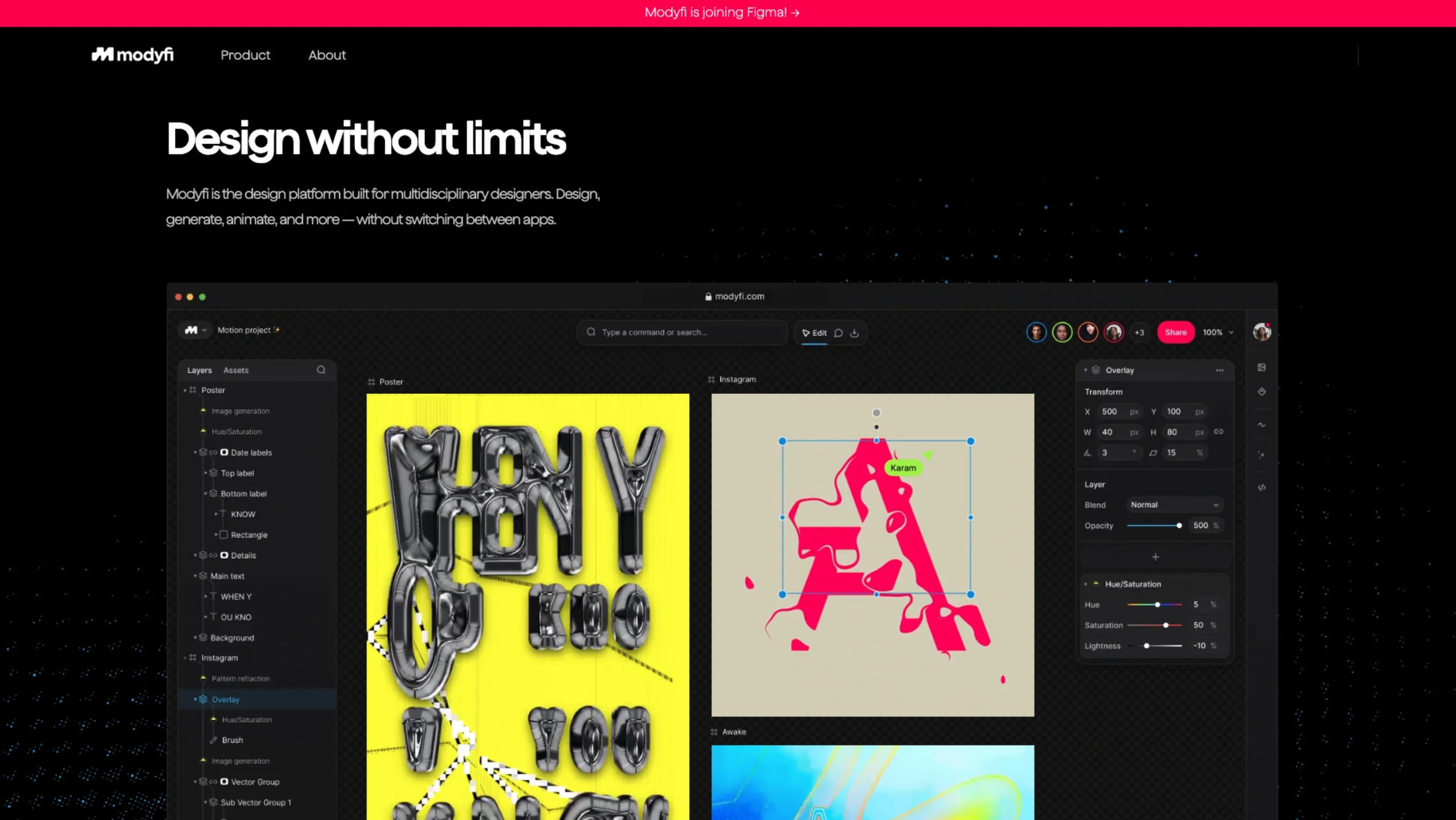
Modyfi is what happens when you take Photoshop-level power, After Effects-style motion, and modern AI—and put it all into a single, browser-based canvas for multidisciplinary designers.
No tab juggling, no “export → import → export again” loops. Just one place to design, generate, animate, and collaborate.
Design without limits (literally in one app)
Modyfi calls itself “the design platform built for multidisciplinary designers”, and that’s exactly how it behaves. Designers can:
- Work with images, vectors, motion, and AI in one editor
- Design static visuals, generate new assets, and animate them
- Stay entirely in the browser, powered by WebGPU for serious performance
Instead of bouncing between a photo editor, a vector app, a motion tool, and an AI site, they let you do it all in a single, always-live UI.
That’s a significant quality-of-life upgrade if you’re used to stacking timelines, layers, and exports across different products.
Remixable community projects
One of the most fun parts of Modyfi is the community gallery. The homepage showcases designs from artists and designers—vibrant posters, experimental type, glitchy textures, loops, and more.
You can click on any piece and remix it inside Modyfi, treating it as a starting point rather than a static inspiration screenshot.
That “click → remix” flow does a few things really well:
- It lowers the barrier to experimentation (you don’t have to start from a blank canvas).
- It turns community work into living templates.
- It nudges designers to learn by deconstructing: you can see how effects, modifiers, and animations are built up layer by layer.
For UIUXshowcase readers, that’s a great example of how a product can make inspiration instantly actionable.
Scroll-stopping loops at lightning speed
Modyfi leans hard into motion. They make it very easy to turn a static composition into a perfectly looped animation—the kind of thing that performs well on social feeds, landing pages, and hero sections.
The motion side includes:
- Keyframes for animating properties over time
- Variables so you can reuse logic across scenes and templates
- Non-destructive effects that you can tweak without ruining your base setup
- An always-live UI, where playback and editing feel fluid rather than stop–edit–render–preview
For marketing and social teams, Modyfi even offers designer-defined templates—motion graphics setups where non-designers can safely swap text, colors, images, or video while the layout and animation stay locked and on-brand.
Vector, raster, and AI in one workspace
Modyfi is designed for designers who don’t fit neatly into “just vector” or “just photo” buckets.
Inside a single editor, you get:
- World-class image editing – adjustment layers, effects, and non-destructive image processing
- Intuitive vector tooling – for logos, type-heavy layouts, UI elements, or illustration
- AI-driven art direction – text-to-image, image-to-image, and stylistic generation are tightly integrated into the canvas
Their AI focus is very deliberate: AI is there to support designers, not replace them. They describe it as “designer-focused AI with fine-tunable controls”, so you can:
- Use AI to generate variations, textures, or background ideas
- Guide the output with precise settings and prompts
- Fold AI-generated content into a non-destructive workflow, where you can still tweak, mask, and animate as usual
In practice, that means AI becomes another tool in the belt—not a separate mysterious website.
Non-destructive by design
A big technical and UX pillar for Modyfi is non-destructive editing. Instead of flattening or baking in every effect, the platform keeps workflows flexible:
- You can stack “modifiers” (effects, distortions, transformations) and re-order or tweak them any time.
- You can iterate aggressively on a look without losing your original.
- You get the benefits of parametric design—change one setting and watch the entire composition update.
This is especially important in a collaborative context: when multiple people touch the same file, you don’t want fragile, one-shot edits. You want structured, reversible steps.
Lightning-fast, browser-based editing
Under the hood, Modyfi is browser-based and WebGPU-enabled, which lets it handle heavy image and motion work in real time.
For designers, that translates to:
- No big install or OS lock-in – you open it in a modern browser
- Real-time previews of complex effects and animations
- Collaborative editing without shipping huge PSD files around
They aim to be for graphic designers what Figma became for product designers: a truly collaborative, web-native environment for image-heavy work.
Collaboration without the export headache
Modyfi treats collaboration as a first-class feature:
- Projects and assets live in one place, so teams can keep everything organized.
- You can share work-in-progress without exporting giant files or recording screen videos.
- Feedback loops speed up because everyone looks at the exact source of truth in the browser.
That’s especially useful for multidisciplinary teams where art direction, design, marketing, and motion live close together.
They remove a lot of the “Can you export that for me?” friction from design workflows.
Extensibility and code (coming soon)
For designers and dev–designer hybrids who like to push tools further, Modyfi is also exploring an in-app code editor. The idea is to give people a way to:
- Customize behavior and visual effects at a deeper level
- Build procedural or generative systems inside their projects
- Achieve hyper-specific looks that are hard to get from sliders alone
It supports their broader principle of connectivity—the belief that their tools should plug into existing workflows and ecosystems, rather than operate as a sealed box.
The people and principles behind Modyfi
On their About page, Modyfi is very explicit about what they stand for:
- Creativity
They believe nothing beats human creativity. Their products are built to empower creatives, streamline workflows, and unlock new modes of play and exploration. - Collaboration
They know great work rarely happens in isolation. Their platform makes it easy and enjoyable to create, share, and iterate on work with others. - Community
They see the future of design as something the creative community shapes together. Modyfi is built for and by creatives, and they treat users as collaborators, actively seeking feedback. - Connectivity
They recognize that designers live in an ecosystem of tools and teams. Their goal is to build products that adapt to and connect with existing workflows, rather than forcing people into one rigid way of working.
They’re backed by well-known investors like NEA, General Catalyst, Craft Ventures, Red Antler, WndrCo, and others—another signal that they’re thinking about this as a long-term, ecosystem-level platform.
A quick note: joining Figma
In April 2025, Modyfi announced that it would join Figma and eventually wind down the standalone app.
For now, that makes Modyfi an even more interesting case study for UI/UX and product designers:
- As a reference for what browser-based, collaborative, AI-powered image editing can look like
- As an example of how motion, AI, community, and non-destructive workflows can live inside one coherent UI
- And as a glimpse of what “design without limits” might mean, as tools like Figma absorb these capabilities
For designers exploring the next wave of creative tools, Modyfi is an excellent product to study: it shows how vector, raster, motion, AI, and collaboration can come together in a single, thoughtful, web-native platform—built around the way multidisciplinary designers actually work today.