AI Interaction Atlas: Designing AI Systems That Actually Make Sense
There’s a growing problem in how we design AI products today.
We talk about “adding AI,” “using an LLM,” or “building an agent” — but rarely stop to ask the deeper questions:
- Where should humans stay in control?
- What decisions are predictable vs probabilistic?
- What constraints actually matter?
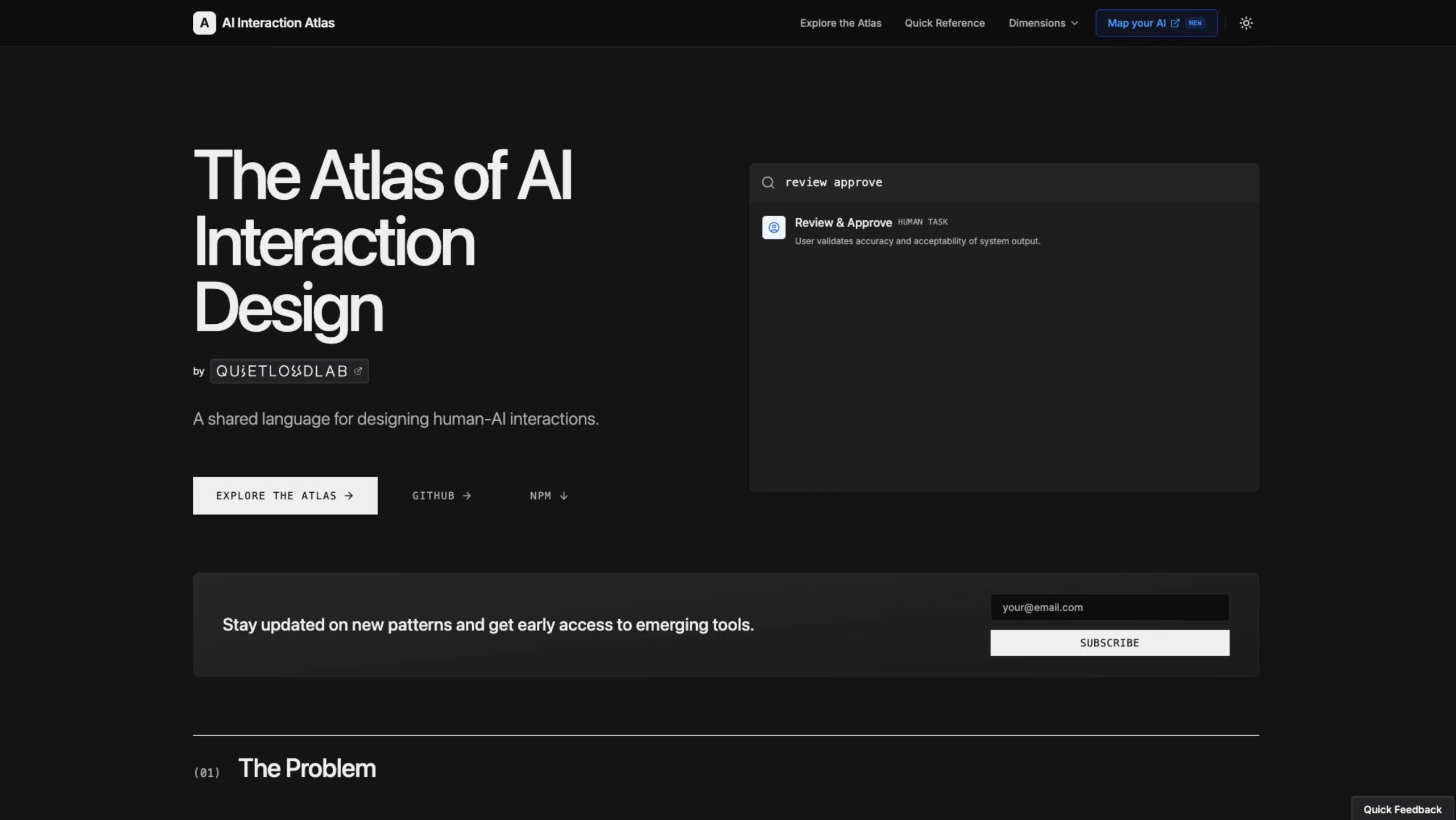
This is exactly where the AI Interaction Atlas by quietloudlab steps in — not as a tool, but as a thinking system for designing AI products properly.
And honestly, it feels like something the AI design space has been missing.
The Core Idea: Make AI Systems Visible
Most AI systems today feel like black boxes.
They might look magical in demos, but once they hit production:
- Things break unpredictably
- Teams can’t explain outcomes
- Accountability becomes blurry
The AI Interaction Atlas flips this.
It introduces a shared language that helps teams design AI systems as:
- Transparent
- Inspectable
- Structured
Instead of guessing how AI behaves, you start mapping how it should behave.
That shift alone is powerful.
Why This Matters (More Than You Think)
Many teams design AI at the wrong level of abstraction.
They jump straight to:
- “Let’s use GPT.”
- “Let’s add a chatbot.”
- “Let’s automate this.”
But skip:
- Who is responsible for decisions?
- Where does human judgment matter?
- What constraints (privacy, latency, accuracy) shape the system?
This leads to products that:
- Work on prototypes
- Fail in real-world scenarios
- Create confusion across teams
The Atlas addresses this by making systems legible by design — not after things go wrong.
The 6 Dimensions of AI Interaction Design
At the heart of the Atlas is a simple but powerful framework.
It breaks AI systems into six core dimensions:
1. AI Patterns
These are probabilistic capabilities like:
- Detect
- Classify
- Generate
- Transform
Think of them as tools — not intelligence.
2. Human Actions
This is where real agency lives:
- Review
- Approve
- Decide
- Configure
The Atlas makes one thing clear:
👉 Humans should stay in control of what matters.
3. System Operations
These are deterministic layers like:
- Routing
- Logging
- Caching
They quietly define reliability and system behavior.
4. Data Modalities
What flows through the system:
- Inputs
- Outputs
- Context
This is the raw material AI works on.
5. Constraints
Often ignored, but critical:
- Privacy
- Latency
- Accuracy
These aren’t limitations — they’re design boundaries.
6. Touchpoints
Where users actually experience the system:
- UI screens
- Notifications
- Voice interactions
This is where invisible AI becomes tangible.
Together, these six dimensions create a complete map of an AI system — something most teams never fully visualize.
From Chaos to Clarity: How Teams Use It
The Atlas isn’t just theory — it’s designed to be applied.
Here’s how teams actually use it:
Explore
Browse 100+ interaction patterns across all dimensions.
Search
Find patterns using keywords or semantic search.
Apply
Use these patterns in:
- PRDs
- Design docs
- Technical specs
Align
Share a common language across:
- Designers
- Developers
- Product managers
This is where it gets interesting — it doesn’t just help you design better, it helps teams think together more clearly.
A Visual Way to Think About AI
Alongside the Atlas, there’s also AI Interaction Studio — a visual workspace where teams can:
- Map workflows
- Define dependencies
- Identify touchpoints
- Understand system behavior
Instead of scattered discussions, you get a structured visual representation of the system.
That’s a big upgrade from whiteboard chaos.
Open Source (And Why That Matters)
One of the strongest signals of credibility here:
👉 The Atlas is free and open source
- Apache 2.0 licensed
- Fully inspectable
- Community-driven
- No vendor lock-in
You can:
- Use it commercially
- Modify it
- Contribute patterns
- Build on top of it
This aligns perfectly with its philosophy:
If AI systems need transparency, the design framework should be transparent too.
What Makes This Different
There are plenty of AI tools out there.
But the AI Interaction Atlas is not:
- A UI kit
- A design system
- A code library
It’s something deeper.
It’s a language layer — the foundation that sits before design and development.
It helps answer:
- What are we actually building?
- Who owns what?
- Where are the risks?
- How does the system behave?
That’s rare.
Final Thoughts
If you’re working on AI products — whether as a designer, PM, or developer — this is worth your time.
Because the biggest challenge in AI right now isn’t capability.
It’s clarity.
The AI Interaction Atlas helps you:
- Design responsibly
- Think systematically
- Build with intention
And most importantly —
👉 make AI systems understandable, not mysterious