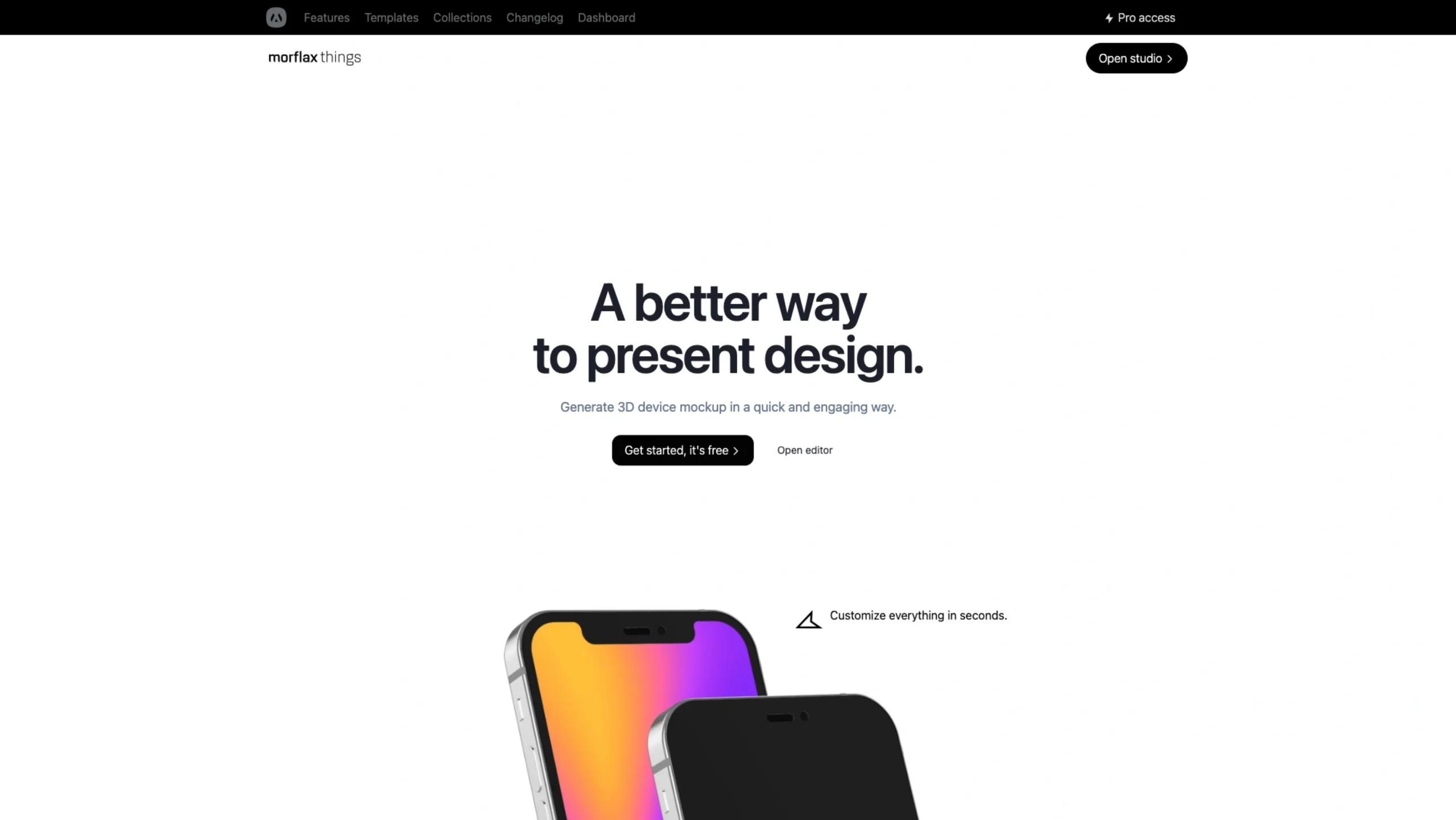
Morflax THINGS isn’t trying to replace your design tools. It sits after them. You bring your UI. THINGS helps you present it like a pro.
If you’ve ever spent more time presenting your design than actually designing it, this one’s going to feel familiar.
Screenshots in Figma. A quick drop into Photoshop. Some shadow tweaks. Then another version. And another.
All just to make your UI look presentable.
THINGS, a product by Morflax, is designed to eliminate that friction completely.
It’s a browser-based 3D device mockup creator that helps designers, marketers, and creators present their work in a polished, engaging, and modern way—without touching complex 3D software.
And yes, it really is as easy as it looks.
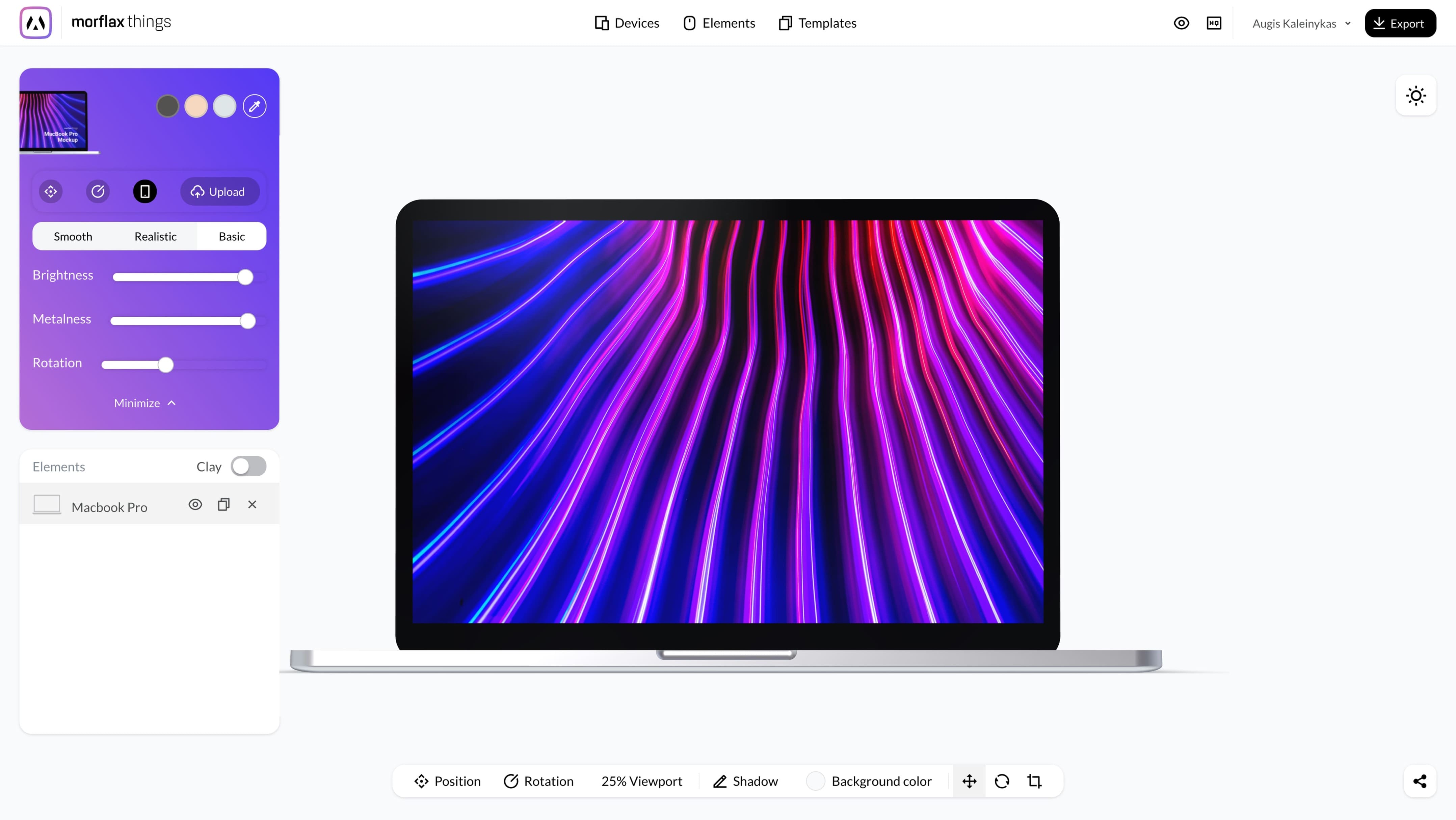


A better way to present design (not just decorate it)
From landing pages and portfolios to product launches and marketing visuals, the platform is built around one idea:
Great design deserves great presentation—fast.
You open the editor, choose a device, drop in your screen, and instantly see it come alive in 3D.
No downloads. No plugins. No steep learning curve.
3D device mockups, directly in your browser
The magic of THINGS lies in its real-time 3D rendering, all happening inside the browser.
You can:
- Rotate and zoom devices freely
- Adjust camera angles in real time
- Control backgrounds, lighting, and environment
- Stack multiple devices in a single scene
- Drag & drop elements without breaking flow
Everything responds instantly, making exploration feel playful rather than technical.
Clay, basic, modern black… and even emoji
One of the strongest reasons designers love THINGS is its range of visual styles.
Instead of forcing one look, THINGS offers:
- Clay style – soft, modern, and perfect for SaaS and portfolios
- Basic style – clean and neutral
- Modern black – bold, premium, and dramatic
- Colorful styles – expressive and eye-catching
- Emoji-style elements – playful and ideal for marketing or social content
Switching styles is often just one click. You’re not rebuilding scenes—you’re re-skinning them.
Templates and collections that actually save time
To speed things up, THINGS includes:
- 100+ pre-made templates
- Curated collections of devices and scenes
- 9+ fully customizable devices
- 10+ customizable scene elements
- Realistic and clay devices in one place
You can start from a polished template or build a scene from scratch. Either way, you’re never locked in.
Unlimited possibilities, without complexity
A few details that quietly make THINGS powerful:
- Unlimited number of devices per scene
- Unlimited scene elements
- Full control over lighting and backgrounds
- Real & clay device variants
- Simple drag-and-drop interactions
This makes it ideal not only for single mockups but also for hero sections, feature visuals, and storytelling layouts.
Built for real workflows
THINGS isn’t a one-off image generator. It’s built like a proper product.
There’s a dashboard where you can:
- Manage projects
- Revisit and refine previous scenes
- Organize experiments vs final outputs
That structure matters if you’re working with clients, teams, or multiple projects at once.
Free to start, easy to upgrade
You can get started with THINGS for free, making it completely risk-free.
For power users, Pro access starts at $9/month, unlocking:
- All devices and scene elements
- Full template library
- Ongoing updates and new releases
For the value it adds to portfolios and presentations, the pricing feels refreshingly fair.
Part of a bigger creative vision
THINGS is part of the wider Morflax ecosystem, a creative technology studio focused on pushing design beyond flat 2D.
Morflax has been building:
- 3D device mockups
- 3D illustrations and animations
- SVG & text-to-3D tools
- Experimental metaverse concepts
- Avatars, clothing, and digital assets
Their philosophy sits in that interesting gray area—between art and technology—and it clearly shows in how THINGS feels to use.
Who is THINGS for?
THINGS fits naturally into many workflows:
- UI/UX designers building case studies and portfolios
- Founders showcasing MVPs
- Marketing teams creating landing page visuals
- Agencies presenting work to clients
- Creators who want standout visuals without 3D headaches
If presentation quality matters to you, THINGS quickly becomes one of those “why didn’t I use this earlier?” tools.
Why THINGS deserves a place on UIUXshowcase
From a UX perspective, THINGS does a lot right:
- Clear mental model
- Immediate visual feedback
- Strong defaults with deep customization
- No intimidation factor
- Designed for speed and quality
It doesn’t try to turn designers into 3D artists.
It simply provides them with better tools to demonstrate their work.
Final thoughts
THINGS proves that 3D presentation doesn’t have to be slow, heavy, or technical. It can be fast, intuitive, and genuinely fun.
If you want your designs to feel more alive, more premium, and more memorable—without adding friction to your workflow—THINGS is absolutely worth exploring.
👉 Get started for free and see how much stronger your design presentations can be when 3D works with you, not against you.