Struggling with the Pen Tool? The Bézier Game helps you understand Bézier curves and improve your Photoshop and Illustrator skills fast.
🎯 The Bézier Game: Master the Photoshop Pen Tool the Smart Way

If you’ve ever opened the Pen Tool in Photoshop and instantly regretted it… You’re not alone.
The Pen Tool is powerful. It can cut out objects with surgical precision. It can create flawless paths. It can turn rough selections into clean vector shapes.
But it also feels unpredictable.
One wrong click.
One misplaced anchor point.
One handle pulled too far.
And suddenly the curve has a mind of its own.
That’s exactly why The Bézier Game exists.
Why The Pen Tool Feels So Hard
Most designers struggle with the Pen Tool not because they lack skill.
They lack clarity.
The tool is built on something called a Bézier curve — and if you don’t understand how Bézier curves work, you’re basically guessing.
You click.
You drag.
You hope the curve behaves.
Sometimes it does.
Often it doesn’t.
The Bézier Game removes the guesswork.

What Is The Bézier Game?
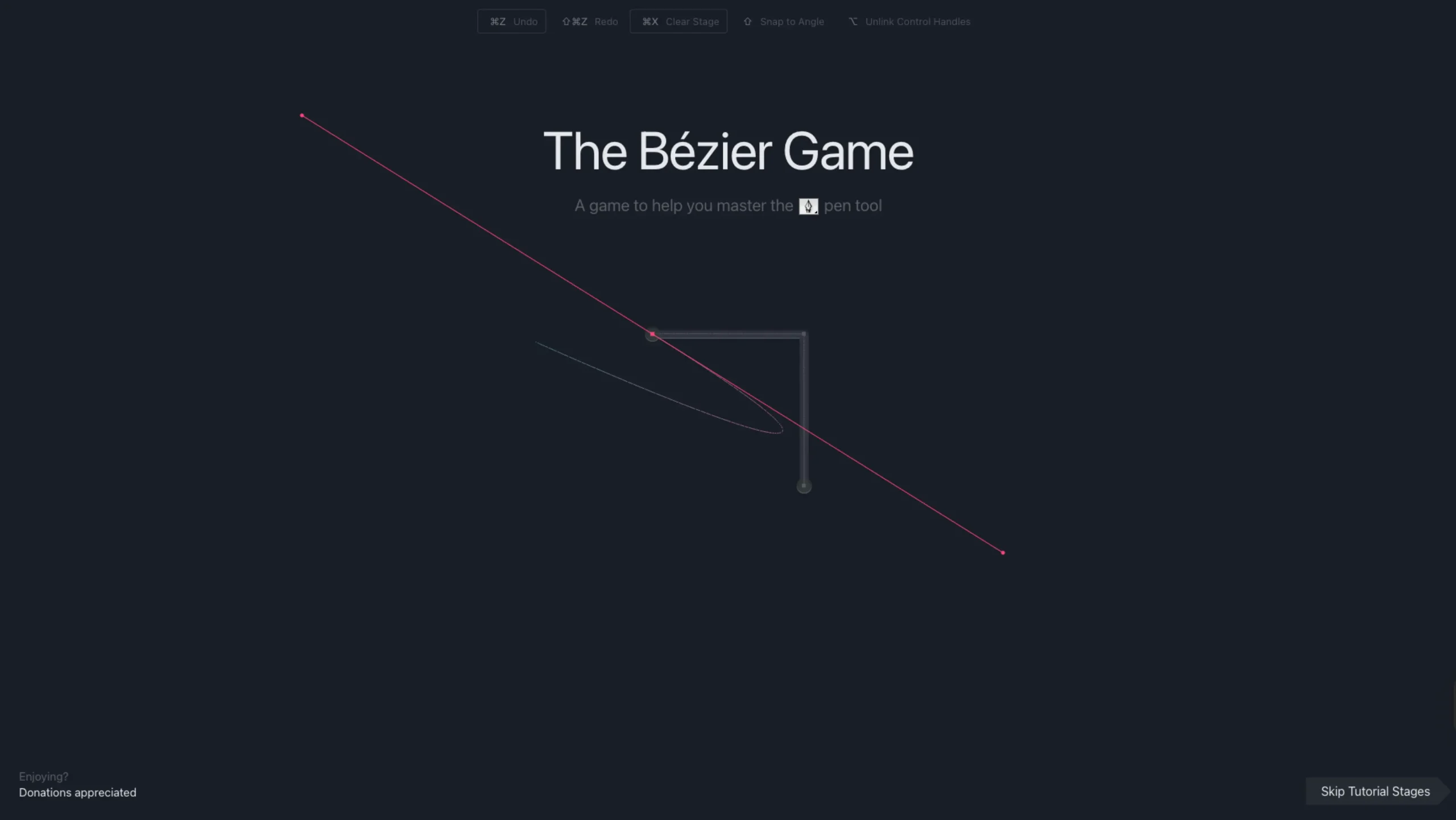
Created by Mark MacKay, The Bézier Game lives on the Method of Action website. It’s a free, browser-based training tool that helps Photoshop and Illustrator users understand how Bézier curves actually work.
No installs.
No signup.
Just practice.
And smart practice.

How the Game Works
The game shows you a shape.
Your job?
Trace it using the Pen Tool.
At first, it guides you. It shows you:
- Where to place anchor points
- How many nodes you should use
- When to hold Alt
- When to hold Shift
- How to manage curve handles
The early levels feel like tutorials. They teach you the logic behind the curve.
Then things get serious.
You start tracing:
- A car
- A spanner
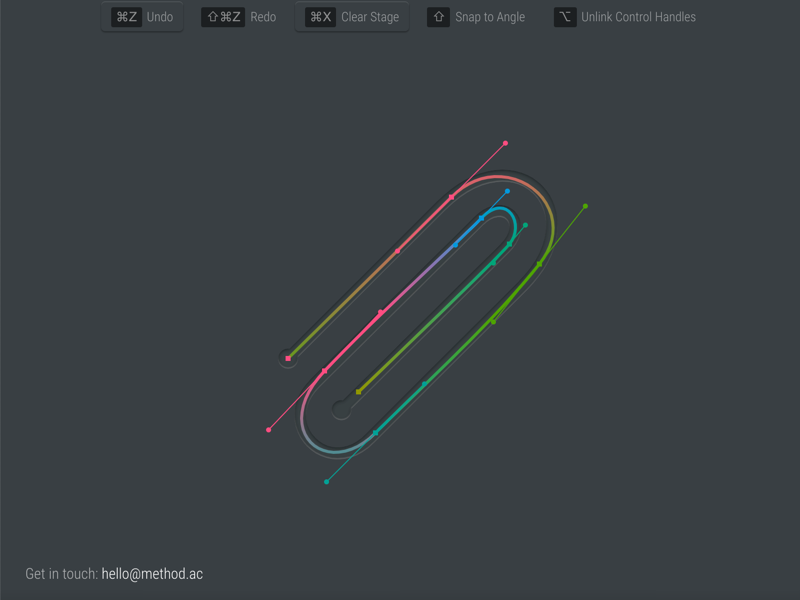
- A paperclip
Now precision matters.
Now efficiency matters.
The game even tells you how many anchor points you should use, which forces you to think strategically instead of randomly clicking around.
That constraint alone changes how you design.
What You Actually Learn
You don’t just “get better” at the Pen Tool.
You start thinking differently.
You learn that:
- Fewer anchor points create smoother curves
- Anchor points belong at directional changes
- Handles control flow, not just shape
- Planning your clicks saves time
You stop fighting the tool.
You start controlling it.
Who Should Play It?
If you use:
- Adobe Photoshop
- Adobe Illustrator
- Any vector-based design tool
You should play this game.
Especially if you:
- Struggle with cutouts
- Avoid the Pen Tool
- Use too many anchor points
- Feel frustrated when curves go wild
This game turns frustration into understanding.
Mark MacKay’s Other Design Games
Mark MacKay didn’t stop with Bézier.
He created a full set of interactive design learning tools:
- The Boolean Game – Practice vector Boolean operations
- ShapeType – Learn to shape letterforms
- Color – Train your eye for color harmony
- KernType – Improve your typography spacing
He also offers Method Draw, a simple and open-source vector editor available on GitHub.
MacKay doesn’t just teach theory.
He builds interactive practice.
And that makes all the difference.
What Is a Bézier Curve (Really)?
A Bézier curve is a parametric curve used in computer graphics.
In simple terms:
You define a few control points.
The math creates a smooth curve between them.
Those little handles you drag?
They control the direction and strength of the curve.
The anchor points don’t shape the curve directly.
The handles do.
Once you understand that, everything changes.
The Pen Tool stops feeling magical.
It starts feeling logical.
Why Every Designer Should Practice This
As a UI/UX or product designer, precision matters.
Clean vector shapes.
Smooth icons.
Accurate masks.
Perfect paths.
You can’t rely on auto-selection tools forever.
The Pen Tool is still the gold standard.
And like any tool, mastery comes from repetition — not theory.
The Bézier Game gives you that repetition.
In a focused, structured way.
Final Thoughts
The Pen Tool isn’t difficult.
It’s misunderstood.
The Bézier Game bridges that gap. It turns confusion into clarity. It makes you think before you click. And it builds real muscle memory.
If you’ve ever said,
“I hate the Pen Tool.”
Play the game.
You might just change your mind.