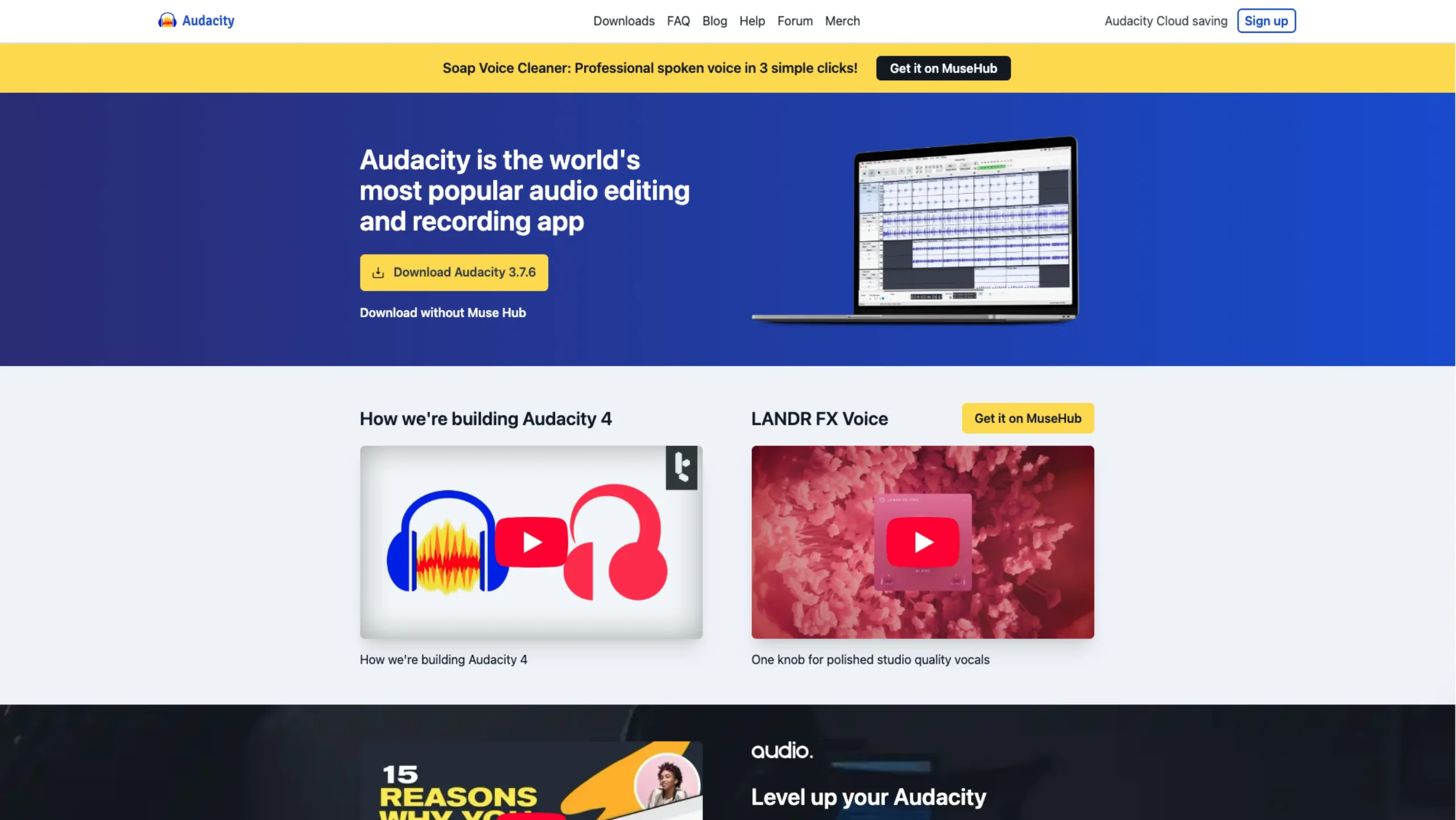
Audacity is a free, open-source audio editor and recorder used by musicians, podcasters, educators, and creators worldwide.
It lets you record multi-track audio, cut and clean clips, apply effects, mix tracks, and export in popular formats—all from a simple, no-nonsense interface on Windows, macOS, and Linux.
Audacity — the open-source audio editor that refuses to disappear
If you’ve ever recorded a podcast, cleaned up an interview, edited voiceovers, or messed around with audio “just to see how it works,” there’s a very good chance you’ve crossed paths with Audacity.
It’s one of those tools that quietly becomes part of your workflow without asking for much in return. No subscriptions. No onboarding circus. Just a solid, open-source audio editor that’s been helping people make sound better for years.
And honestly, that longevity says a lot.

What Audacity is (and what it isn’t)
Audacity is a free, open-source, cross-platform audio editor. It runs on Windows, macOS, and Linux, and it’s built for people who want full control over audio without being locked into expensive, heavyweight software.
It’s not trying to be the flashiest DAW on the market.
It’s not chasing influencers or trends.
Audacity focuses on doing the fundamentals really well:
- Recording audio
- Editing waveforms
- Cleaning up noise
- Applying effects
- Exporting in all the formats you’d expect
And it does all of that without charging you a cent.
A tool that grows with you
One of Audacity’s biggest strengths is how approachable it is at the start—and how deep it can go if you stick around.
You can open it as a beginner and:
- Record a mic input
- Trim clips
- Adjust volume
- Export a clean file
But as you learn more, you’ll discover:
- Multitrack editing
- Time shifting and syncing
- Detailed waveform and spectral views
- Effects chains
- Plugins and extensions
It doesn’t force complexity on you upfront, but it doesn’t block you when you’re ready to go deeper either. That balance is surprisingly rare.
Editing audio, the honest way
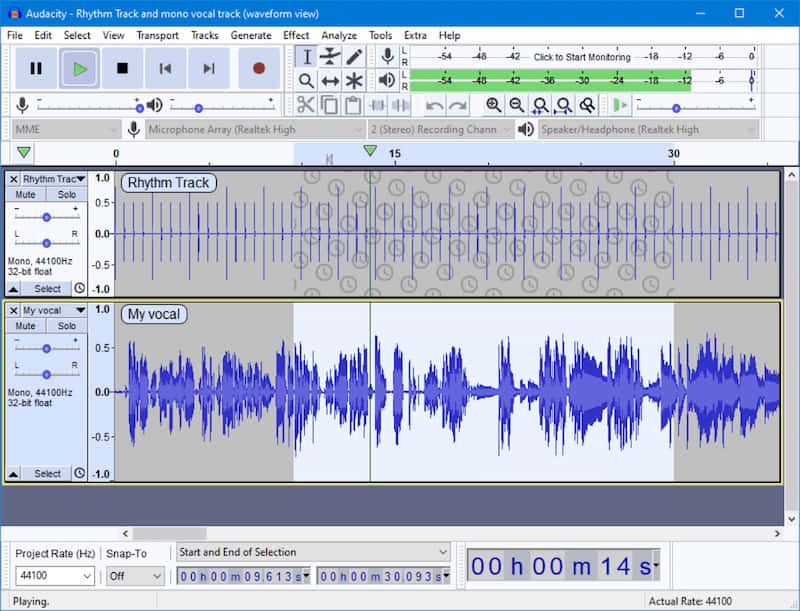
Audacity’s interface is… practical.
Waveforms are front and center. Tools are clearly labeled. Buttons do what they say. There’s no mystery meat UI or hidden gestures you have to discover accidentally.
From a UX point of view, it feels very “tool-first”:
- You select audio
- You apply an action
- You immediately see the result
That directness makes it especially good for tasks like:
- Podcast editing
- Voice cleanup
- Interview prep
- Audio for video
- Educational and research work
It may not win beauty contests, but it earns trust by being predictable and transparent.
Effects, filters, and cleanup
Audacity really shines when it comes to audio cleanup.
Out of the box, you get tools for:
- Noise reduction
- Compression
- Equalization
- Normalization
- Fade-ins and fade-outs
- Pitch and tempo changes
These aren’t gimmicks. They’re practical effects that solve real problems—like removing background hum or making speech easier to understand.
And if you need more, Audacity supports plugins, so you can extend it as your needs grow.
Open source, by design
Audacity isn’t just free—it’s open source, which matters more than it sounds.
That means:
- Anyone can inspect the code
- The community can contribute to improvements
- The project isn’t locked to a single company’s priorities
Over the years, this openness has helped Audacity survive shifts in tech, operating systems, and even controversy. It’s still here because people actually use it—and care enough to keep it alive.
That community-first mindset shows in how the tool evolves: carefully, deliberately, and with a focus on stability.
Audacity is perfect for
Audacity is an excellent fit if you’re:
- A podcaster or content creator
- A student or educator
- A journalist or researcher
- A designer or filmmaker working with sound
- Someone learning audio editing for the first time
It’s also a fantastic “backup” tool—even for pros who use paid DAWs—because it’s fast, lightweight, and dependable.
From a UI/UX perspective
From a design standpoint, Audacity is a reminder that clarity beats polish in many tools.
The interface prioritizes:
- Visibility of data (waveforms)
- Clear cause-and-effect actions
- Minimal abstraction between user and result
It’s not trendy. And that’s okay.
In fact, that’s part of why it works so well for learning. You see what you’re doing. You hear the outcome. Nothing is hidden behind “smart” automation you can’t control.
Final thoughts
Audacity has earned its place as a classic—not because it’s flashy, but because it’s reliable, accessible, and honest about what it is.
In a world full of subscription fatigue and over-engineered tools, Audacity remains refreshingly straightforward:
“Here’s your audio. Let’s make it better.”
For anyone working with sound—or learning how sound works—it’s still one of the best places to start. And often, one of the best places to stay.