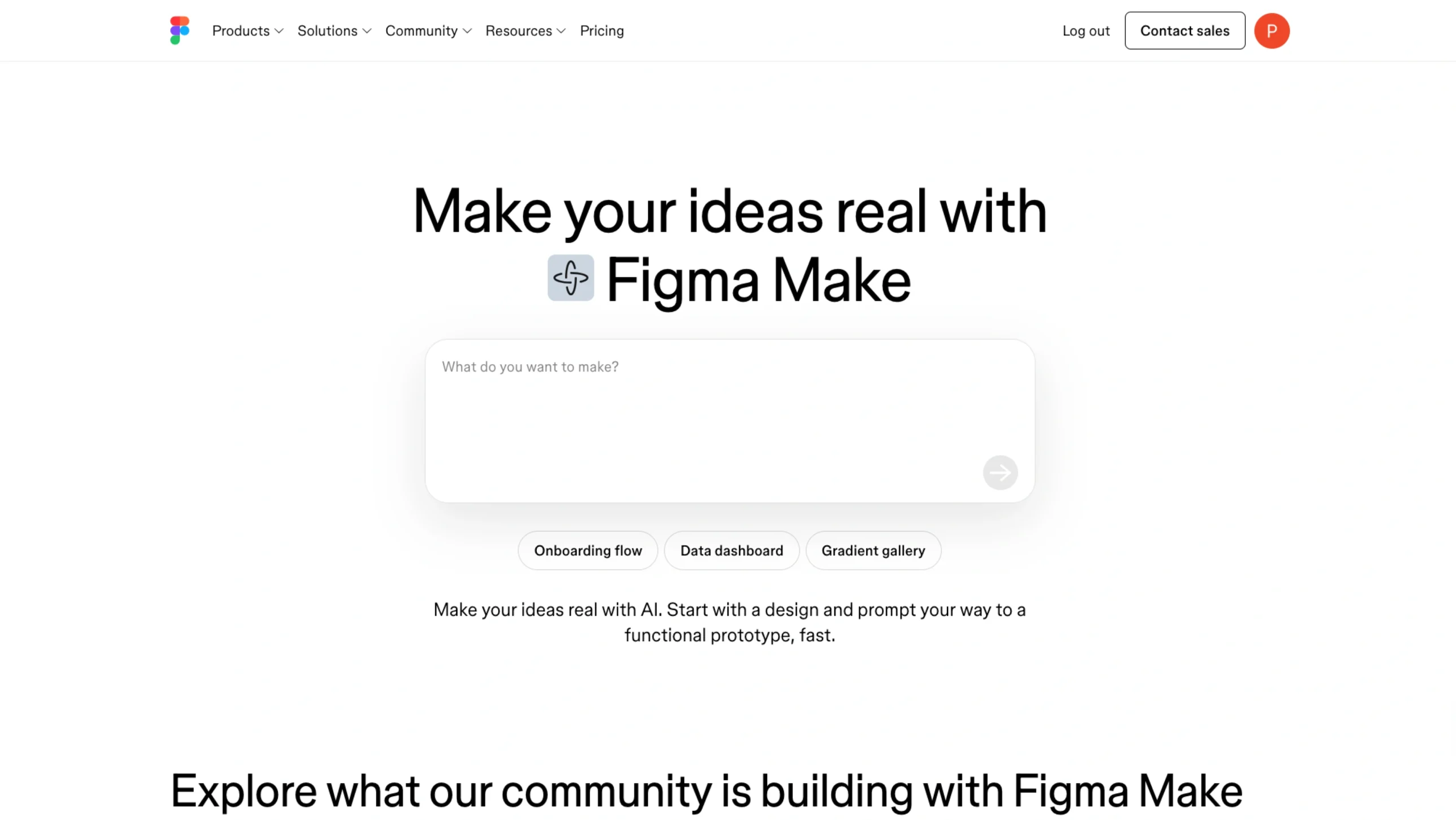
Figma Make is a revolutionary AI-driven “prompt-to-app” tool that bridges the gap between static design and functional code.
Figma Make: When Design Starts Talking Back
There’s a moment—if you’ve been in design long enough—when tools stop feeling like tools.
They start feeling… collaborative.
That’s roughly the vibe with Figma Make. It’s not just another feature tucked inside a menu. It feels like Figma quietly shifted the designer’s role from “pixel mover” to something closer to a director.
And honestly? That’s both exciting and a little unsettling.
So… what exactly is Figma Make?
At its core, Figma Make lets you describe what you want—and then it builds it.
Not perfectly. Not magically. But fast enough to make you pause.
You type something like:
“Create a dashboard with user stats, activity feed, and a clean sidebar”
And instead of staring at an empty canvas, you get a starting point. Structure. Layout. A rough idea that already exists.
That’s the key shift.
You’re no longer starting from zero.
You’re reacting.
The blank canvas problem (finally addressed?)
Let me explain.
Most designers won’t admit this openly, but the hardest part of design isn’t execution—it’s starting. That awkward moment when you open a new file and think, “Okay… now what?”
Figma Make quietly removes that friction.
Instead of:
- thinking → sketching → wireframing → iterating
You get:
- thinking → prompting → reacting → refining
It compresses the early-stage mess into something more manageable.
And honestly, that matters more than it sounds.
It’s not just AI—it’s context-aware AI
Here’s where things get interesting.
Figma Make isn’t operating in isolation. It understands:
- Your current file
- Your components
- Your layout system
So when it generates something, it’s not completely random. It tries (and I stress tries) to align with your existing design language.
That means:
- Buttons feel somewhat consistent
- Spacing isn’t totally chaotic
- structure follows familiar patterns
Is it perfect? Not even close.
But it’s not clueless either.
“Cool, but can I actually use this in real work?”
Short answer: yes… but with expectations.
Long answer: It shines most in the early stages.
Where it works really well:
- Wireframing quickly
- Exploring layout directions
- Generating variations without overthinking
- Breaking creative blocks
Where it still needs you (a lot):
- Polishing UI details
- Accessibility decisions
- Design system consistency
- Real product thinking
So no—it’s not replacing designers.
But it is changing how designers spend their time.
The weird part (and I mean that in a good way)
You know what?
Using Figma Make feels a bit like talking to a junior designer who’s fast—but unpredictable.
Sometimes it nails the structure.
Sometimes it gives you something slightly off… but interesting enough to rethink your approach.
And sometimes—yeah—it just misses the point entirely.
But even then, it sparks ideas.
And that’s kind of the hidden value here.
A small shift with big implications
Let’s zoom out for a second.
Tools like this aren’t just about speed. They’re about changing the entry point of design.
Before:
- You needed skills to begin
Now:
- You need clarity of thought to begin
That’s a big deal.
Because suddenly, the question isn’t:
“Can you design this?”
It becomes:
“Can you describe what should be designed?”
Subtle difference. Huge impact.
Where this fits in a modern UX workflow
If you’re working on SaaS dashboards, apps, or platforms (which, let’s be honest, most of us are), Figma Make fits right at the top of the funnel.
Think of it like this:
- Discovery phase → You explore ideas using prompts
- Definition phase → You refine structure and flows
- Design phase → You polish, align, and systematize
- Handoff → Business as usual
It doesn’t replace any stage.
It just accelerates the messy beginning.
But let’s not pretend—there are limits
And it’s important to say this clearly.
Figma Make:
- doesn’t understand business logic deeply
- doesn’t think about edge cases
- doesn’t care about user psychology (yet)
That’s still your job.
If anything, it makes your thinking more important, not less.
Because now you’re guiding something that moves fast.
Who should actually use Figma Make?
Honestly?
You’ll get the most value if you are:
- A UI/UX designer exploring concepts
- A product designer working on early-stage ideas
- A founder trying to visualize something quickly
- A developer who hates starting from blank screens
You might struggle if:
- You expect production-ready designs instantly
- You rely heavily on strict design systems
- You’re uncomfortable refining AI-generated outputs
It’s a tool for iteration, not perfection.
There’s something bigger happening here…
And this is where it gets a little philosophical.
Figma Make isn’t just about generating UI.
It’s part of a broader shift where:
- Tools don’t wait for instructions
- they participate
Design becomes less about “making” and more about “shaping.”
You guide. You adjust. You steer.
The tool fills in the gaps.
Final thoughts (no hype, just reality)
Figma Make isn’t flawless.
It’s not going to replace your design process overnight.
But it will change how you start, how you explore, and how quickly you move past that first hurdle.
And if you’ve ever stared at a blank Figma file for too long…
You’ll feel the difference almost immediately.
Featured on UIUXshowcase.com
A growing collection of tools, ideas, and inspiration shaping how designers actually work today—not just how we think we should.