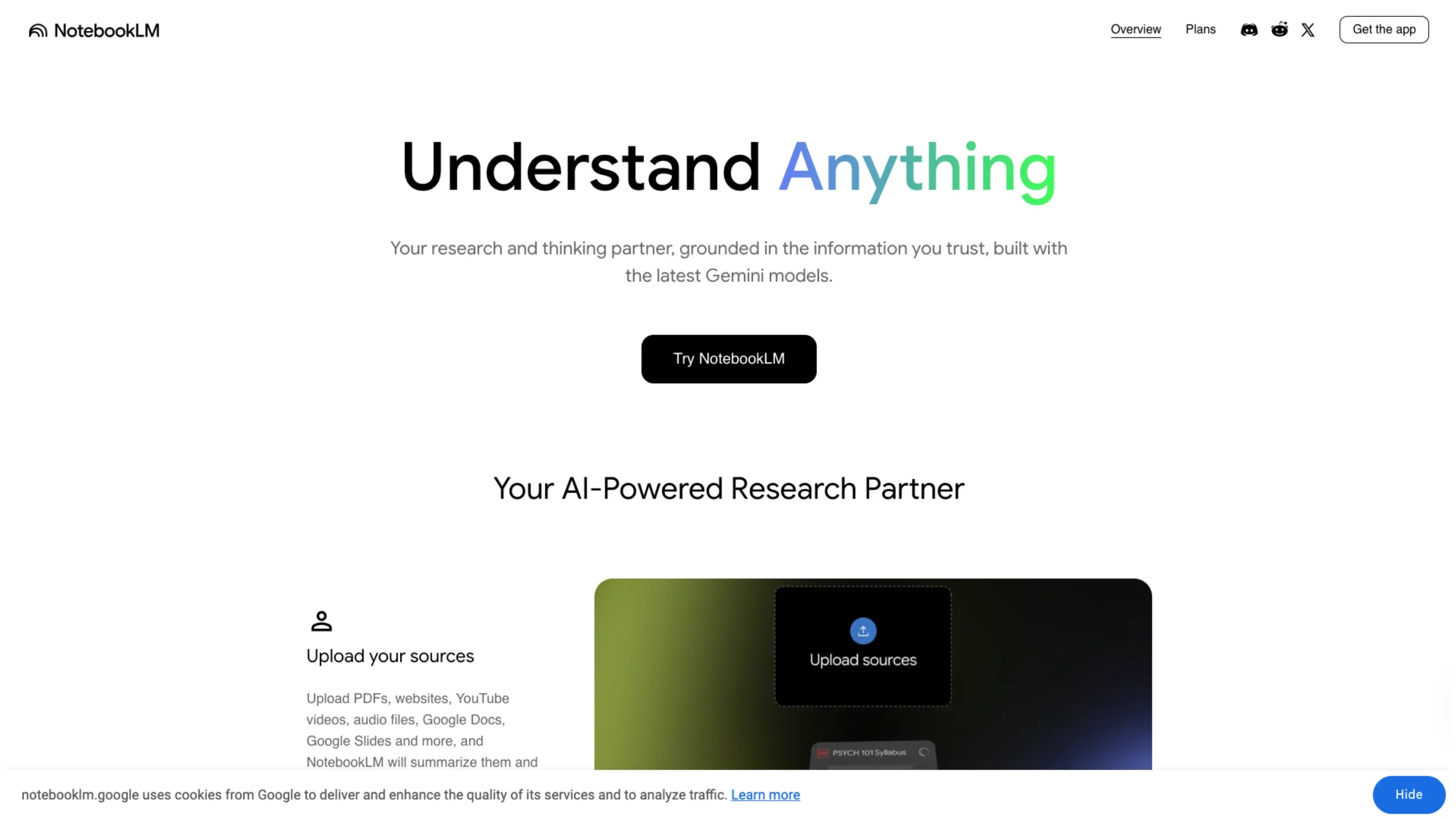
NotebookLM by Google is an AI-powered research and note-taking tool that turns your own documents into an interactive knowledge workspace.
You can upload PDFs, Docs, websites, and more, then ask questions, generate summaries, flashcards, quizzes, or even audio/video overviews that explain the material in a clear, conversational way.
It’s designed to act like a focused “research assistant” that stays grounded in your sources rather than the entire web.
📚 NotebookLM — Your AI-Powered Research Partner That Actually Understands Your Work
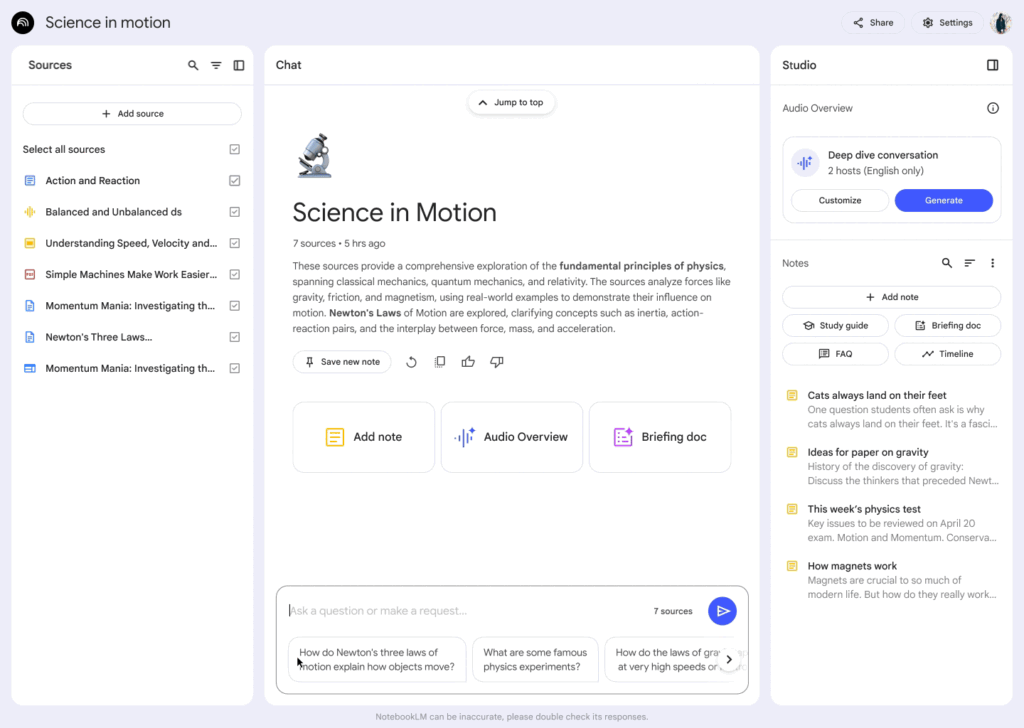
There’s a moment every researcher, designer, or student knows too well — you’ve got 10 tabs open, PDFs everywhere, notes scattered across tools… and somehow, everything still feels disconnected.
That’s exactly where NotebookLM steps in.
It’s not just another AI note-taking app. It’s more like a thinking partner — one that reads, understands, connects, and even explains your own data back to you. And the best part? It only works with your sources, not random internet noise.
🧠 What Makes NotebookLM Different?
Most AI tools try to answer everything.
NotebookLM does the opposite — it focuses only on what you give it.
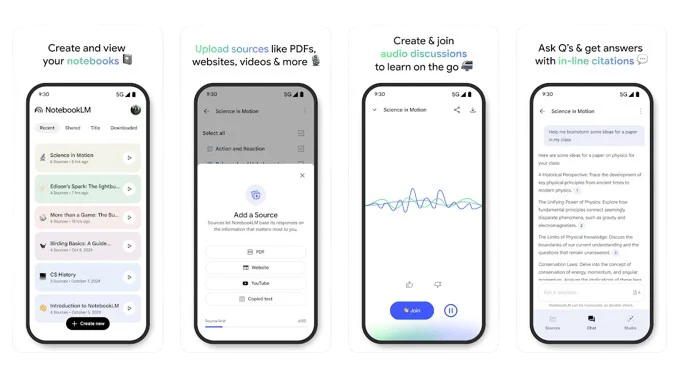
Upload your materials:
- PDFs
- Websites
- YouTube videos
- Audio files
- Google Docs & Slides
…and it transforms into a personalized AI expert trained on your knowledge base.
Instead of generic answers, you get:
- Context-aware explanations
- Deep insights
- Connections between ideas you might have missed
It feels less like “asking AI” and more like collaborating with your own research.
⚡ From Information Overload → Instant Insights
Once your sources are uploaded, NotebookLM starts doing something powerful:
👉 It doesn’t just summarize — it connects dots
You can:
- Ask complex questions
- Get simplified explanations
- Explore relationships between topics
- Generate structured outputs from messy data
And unlike typical AI tools, it shows you exactly where the answer came from.
🔍 “Don’t Just Trust Me — Here’s the Source.”
One of the biggest problems with AI today?
Hallucinations.
NotebookLM tackles this head-on.
Every response comes with:
- Clear citations
- Direct quotes from your uploaded content
So instead of wondering “Is this correct?”, you can actually verify it instantly.
That’s a huge UX win, especially for:
- Researchers
- Product designers
- Analysts
- Students
It builds something rare in AI tools: trust.
🎧 Learn While Walking — Audio Overviews
Here’s where things get really interesting.
NotebookLM can turn your content into a podcast-style “Deep Dive” discussion.
With one click, your research becomes:
- Engaging audio conversations
- Easy-to-consume summaries
- On-the-go learning experiences
Imagine turning:
- A 40-page research paper
- Or your UX case study
…into something you can listen to while driving or walking.
This is not just a feature — it’s a glimpse into a new format of learning interfaces.
🚀 How People Are Actually Using NotebookLM
🎓 1. Power Studying
Students and learners are using it to:
- Break down complex concepts
- Get real-world examples
- Reinforce understanding
Instead of rereading textbooks, they’re interacting with them.
🧩 2. Organizing Thoughts & Presentations
Upload your notes and let NotebookLM:
- Create structured outlines
- Suggest key talking points
- Back everything with evidence
It’s like having a presentation strategist built into your workflow.
💡 3. Idea Generation & Innovation
For designers, founders, and marketers:
Feed it:
- Market research
- Competitor analysis
- Brainstorming notes
…and it helps:
- Identify trends
- Generate product ideas
- Discover hidden opportunities
Honestly, this is where it becomes addictive.
🛡️ Privacy — Built for Real Work
One concern people always have with AI tools is:
👉 “Is my data being used to train models?”
NotebookLM keeps things clear:
- Your data stays private
- It’s not used for training unless you explicitly share feedback
- Ideal for organizations, schools, and professionals
This makes it suitable for:
- Confidential research
- Business strategy
- Internal documentation
🗣️ What People Are Saying
The buzz around NotebookLM is not subtle.
- “This could be the next killer app in generative AI.”
- “A glimpse into AI’s future in the workplace”
- “One of the most compelling demonstrations of AI’s potential yet.”
Even Andrej Karpathy pointed out how its podcast-style output might define an entirely new product category.
And honestly… that doesn’t feel like an exaggeration.
🎯 Why NotebookLM Matters (From a UX Perspective)
If you look at it through a UX lens, NotebookLM nails three critical things:
1. Context Over Generalization
It works with your data, not the internet.
2. Transparency Over Guessing
Citations build trust and reduce cognitive load.
3. Multimodal Learning
Text → Audio → Structured insights
This is next-gen information interaction design.
💬 Final Thoughts
NotebookLM isn’t trying to replace your thinking.
It’s trying to amplify it.
Whether you’re:
- A UI/UX designer doing research
- A student trying to understand complex topics
- A founder exploring new ideas
This tool helps you go from:
👉 “I have too much information.”
to
👉 “I actually understand this deeply.”
And that shift? That’s powerful.
🔗 Try It Yourself
If you’re curious (and you should be), explore it here: