


Above the Fold: What It Means, Why It Matters, and How It Impacts User Experience
Imagine opening a newspaper.
Before unfolding it, you only see the top half of the front page.
That’s where publishers place the biggest headlines, important stories, and attention-grabbing visuals.
Why?
Simple.
It’s the first thing readers notice.
The concept of “Above the Fold” in web design comes from that same idea.
It’s one of those terms designers, marketers, product managers, and website owners hear frequently. Yet many people misunderstand what it actually means—and why it still matters decades after the internet became mainstream.
Let’s break it down.
What Is Above the Fold?
Above the Fold refers to the portion of a webpage that users can see immediately without scrolling.
The moment a page loads, the visible area on the screen is considered Above the Fold.
Everything users must scroll down to see is considered Below the Fold.
Think about visiting a website for the first time.
Before you touch the mouse wheel.
Before you swipe your finger.
Before you scroll even a single pixel.
That’s the area we’re talking about.
It’s your website’s first impression.
And first impressions tend to stick.
A Newspaper Term That Refused to Retire
The phrase didn’t originate on the internet.
It came from the newspaper industry.
Newsstands displayed folded newspapers, leaving only the upper half visible to potential buyers.
Editors competed fiercely for that space.
The most important headlines lived there.
The strongest photos lived there.
Publishers knew they had seconds to capture attention.
The web adopted the same concept.
Only the “fold” changed.
Instead of paper, the fold became the bottom edge of a browser window or mobile screen.
The idea remained surprisingly similar.
Grab attention quickly or risk losing it.
Why Above the Fold Matters
Here’s the thing.
Visitors arrive with questions.
Sometimes conscious questions.
Sometimes unconscious ones.
Questions like:
- Am I in the right place?
- What does this company do?
- Can this product help me?
- Is this website trustworthy?
- What should I do next?
People look for answers almost immediately.
Research on user behavior consistently shows that visitors form impressions within seconds.
Not minutes.
Seconds.
That means the visible portion of a page carries a significant amount of responsibility.
A confusing opening screen can increase bounce rates.
A clear opening screen can encourage exploration.
The difference may seem small.
The impact often isn’t.
The First Five Seconds Matter More Than You Think
Let’s imagine you’re searching for project management software.
You click a result from Google.
The page loads.
You see a clear headline.
A short explanation.
A product screenshot.
A “Start Free Trial” button.
Within moments, you understand what the company offers.
Now picture a different experience.
The page loads.
Large stock photo.
Vague headline.
No explanation.
No clear action.
You start wondering:
“What exactly is this?”
That uncertainty creates friction.
People rarely wait around for answers.
They leave.
Above the Fold Isn’t About Cramming Everything In
This is where many websites go wrong.
Someone learns that Above the Fold is important.
Their reaction?
Put everything there.
Headline.
Subheadline.
Video.
Testimonials.
Five buttons.
Three banners.
A chatbot.
A popup.
An email form.
Social proof badges.
And suddenly the page feels like a crowded marketplace on a busy Saturday afternoon.
Ironically, trying to communicate everything often results in communicating nothing.
A strong Above the Fold section focuses attention rather than scattering it.
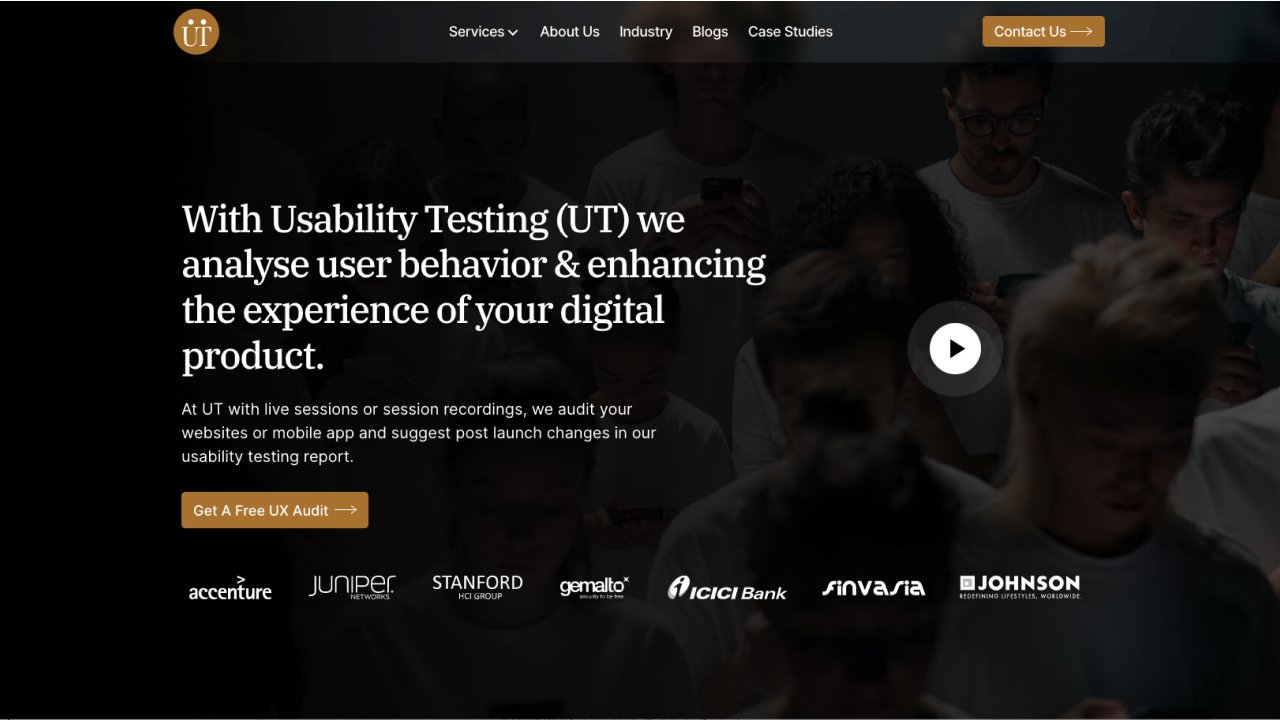
What Usually Appears Above the Fold?
The exact content varies by industry and audience.
Still, several elements appear frequently.
Headline
The headline usually communicates the primary value proposition.
Visitors should understand what the page is about almost instantly.
Supporting Text
A short description often sits beneath the headline.
This helps clarify the offer without overwhelming readers.
Call to Action (CTA)
Most landing pages include a primary action.
Examples include:
- Start Free Trial
- Get Started
- Book a Demo
- Learn More
- Download Guide
The CTA gives visitors a clear next step.
Hero Image or Product Screenshot
Visuals help explain products quickly.
Many SaaS companies showcase their dashboard.
Ecommerce websites often feature products.
Service businesses may highlight outcomes or customer success stories.
Navigation
Users need orientation.
A clear navigation menu helps people understand where they can go next.
Trust Signals
Sometimes you’ll see:
- Customer logos
- Review ratings
- Awards
- Security badges
- User counts
Trust matters.
Especially for new visitors.
Above the Fold and User Experience
UX designers often view Above the Fold as a conversation starter.
Not the entire conversation.
That’s an important distinction.
The purpose isn’t to explain every detail.
The purpose is to create enough clarity and confidence for users to continue exploring.
Think of it like a movie trailer.
A trailer doesn’t reveal the entire story.
It creates interest.
The website then delivers the rest.
Desktop Screens vs Mobile Screens
Here’s where things become interesting.
There isn’t one universal fold anymore.
Years ago, designers could roughly predict screen sizes.
Today, people browse using:
- Smartphones
- Tablets
- Laptops
- Ultrawide monitors
- Foldable devices
- Smart TVs
The visible area changes constantly.
A section that appears Above the Fold on a desktop monitor may sit far below the Fold on a mobile phone.
This reality has changed how designers think.
Rather than designing for a single fold, teams design for multiple viewing contexts.
Does Above the Fold Still Matter If People Scroll?
A fair question.
After all, modern users scroll constantly.
Social media trained us well.
Instagram.
LinkedIn.
TikTok.
X.
Facebook.
Scrolling feels natural.
Some designers argue that the fold isn’t as important as it once was.
They’re partly right.
Users scroll more today than they did twenty years ago.
Yet that doesn’t make Above the Fold irrelevant.
The opening screen still determines whether users continue scrolling.
Think of it as the cover of a book.
People can read hundreds of pages afterward.
The cover still influences whether they start reading.
Above the Fold and SEO
Search engines evaluate entire pages.
Not just the first visible section.
Still, Above the Fold can indirectly influence SEO performance.
Why?
User behavior matters.
A strong opening section may lead to:
- Longer session durations
- Lower bounce rates
- Better engagement
- Higher conversions
Search engines aim to surface pages that satisfy users.
A clear, useful opening experience often contributes to that goal.
Google has even emphasized page experience and user-centric design over the years.
The first screen plays a role in that experience.
Common Above the Fold Mistakes
Even experienced teams occasionally stumble here.
Vague Headlines
A headline that sounds clever but says nothing creates confusion.
Clarity usually beats creativity.
Too Many CTAs
Giving visitors six different actions often creates hesitation.
People appreciate direction.
Large Images With No Context
A beautiful image means very little if visitors don’t understand what they’re looking at.
Slow Loading Content
A blank screen creates frustration quickly.
Performance matters.
A lot.
Ignoring Mobile Users
Many websites look fantastic on desktop screens.
Then they collapse into chaos on mobile devices.
Since mobile traffic dominates many industries, this mistake can be costly.
How Successful Brands Handle Above the Fold
Take a look at companies like:
- Slack
- Airbnb
- Notion
- Canva
- Shopify
- Stripe
Their opening sections often share similar characteristics.
Clear headline.
Simple explanation.
Visible CTA.
Strong visual support.
Minimal distractions.
The formula sounds almost boring.
Yet it works remarkably well.
Sometimes simplicity wins.
Actually, simplicity wins more often than many people expect.
The Modern View: Above the Fold Is the Beginning, Not the Destination
Design thinking around Above the Fold has evolved.
Years ago, some marketers treated it as the most important part of a webpage.
Today, many professionals view it differently.
Still important.
Still influential.
Yet part of a larger experience.
A website isn’t judged solely by its opening section.
Users evaluate the entire experience.
The first screen creates momentum.
The rest of the page must keep that momentum alive.
That’s where good UX, content, design, performance, and storytelling come together.
Final Thoughts
Above the Fold refers to the content users see before scrolling.
The concept originated from newspapers, yet it remains highly relevant in modern web design.
The first visible section of a webpage helps visitors answer fundamental questions:
Who are you?
What do you offer?
Why should I care?
What should I do next?
A successful Above the Fold section doesn’t overwhelm users.
It guides them.
It creates clarity.
It builds confidence.
And perhaps most importantly, it gives people a reason to keep scrolling.
That may sound simple.
In practice, it often becomes one of the most influential sections of an entire website.
Frequently Asked Questions (FAQs)
What does Above the Fold mean in web design?
Above the Fold refers to the portion of a webpage that users can see immediately after a page loads, before they scroll down.
Why is Above the Fold important?
It creates the first impression of a website and helps users quickly understand what a page offers and what action they should take next.
Does Above the Fold affect SEO?
Indirectly, yes. A strong Above the Fold experience can improve user engagement, reduce bounce rates, and encourage visitors to stay on a page longer.
Is Above the Fold the same on every device?
No. The visible area varies depending on screen size, browser dimensions, device type, and display resolution.
What should be placed Above the Fold?
Common elements include a headline, supporting text, call-to-action button, navigation menu, product visuals, and trust signals.
Do users still scroll on modern websites?
Absolutely. Scrolling is a natural behavior today. The purpose of Above the Fold content is not to avoid scrolling but to motivate users to continue exploring the page.