


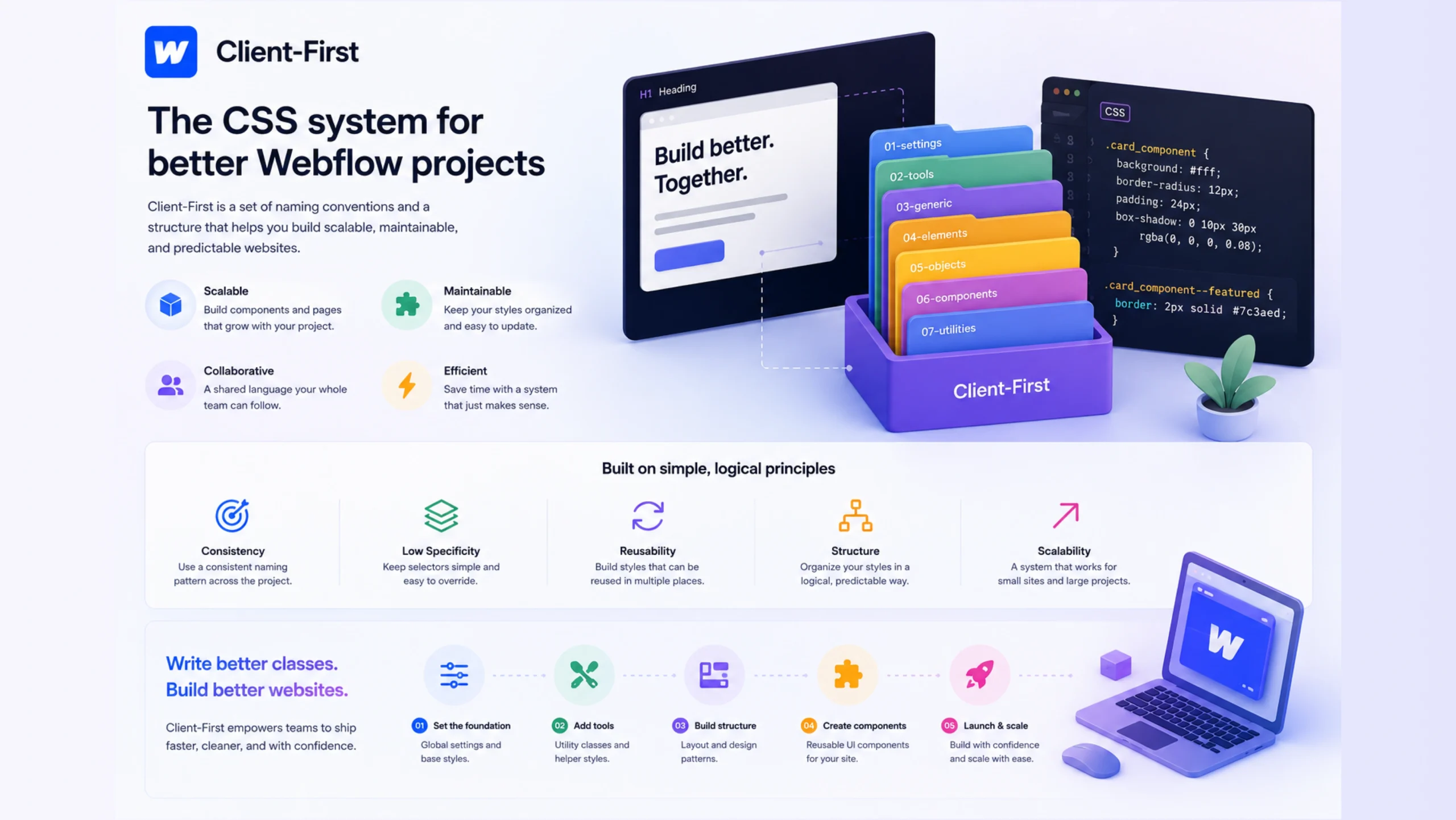
What Is Client-First?
Client-First is a website development framework created by the team at Finsweet. It provides a consistent way to organize classes, structure pages, and manage content inside Webflow projects.
Think of it like a filing system for a busy office. If every document is stored in a random drawer, finding information becomes frustrating. If everything follows a clear structure, anyone can locate what they need in minutes. Client-First applies that same idea to website development.
The framework gives designers and developers a shared language. A project becomes easier to understand, edit, and hand off to another team member.
Why Was Client-First Created?
Many websites start small. A homepage becomes a landing page. A landing page becomes a marketing site. Then new sections appear, new campaigns launch, and suddenly the project contains hundreds of classes.
Without a clear system, things get messy.
Developers often spend hours searching for the right class or figuring out why changing one element breaks another. Client-First was created to reduce that confusion and create a predictable workflow.
The goal is simple: build websites that remain organized long after launch.
How Client-First Works
Client-First uses naming conventions and structural guidelines that make projects easier to read.
Instead of assigning random class names, developers follow a logical pattern. Sections, containers, buttons, cards, and layouts receive names that describe their purpose.
For example:
page-wrappermain-wrappersection_heropadding-globalcontainer-large
Even someone opening the project for the first time can quickly understand what each class does.
That’s one reason agencies and freelance developers appreciate the framework. It reduces guesswork.
The Core Principles Behind Client-First
Clarity Over Cleverness
Fancy class names might feel creative for a moment. Six months later, they often become confusing.
Client-First favors names that explain exactly what an element does.
A class named “button-primary” tells a clearer story than a class called “blue-thing.”
Simple wins.
Consistency Matters
Consistency creates speed.
When sections follow the same structure across an entire website, editing becomes easier. Team members don’t need to relearn the project every time they open a new page.
Scalability Without Chaos
Interestingly, Client-First is built for growth.
A five-page website can use it. So can a website containing hundreds of pages and thousands of CMS items.
The organizational rules stay the same regardless of project size.
Team Collaboration
A website often passes through many hands—designers, developers, marketers, content managers, and clients.
Client-First creates a shared system that helps everyone work together more efficiently.
Why Developers Love Client-First
There’s a reason the framework has become popular within the Webflow community.
Faster Development
Developers spend less time searching and more time building.
A predictable structure means fewer mistakes and fewer surprises.
Easier Maintenance
Months after launch, updates feel manageable.
Adding new sections, replacing content, or adjusting layouts becomes much less stressful.
Better Handoffs
Clients frequently change agencies or bring new developers onto projects.
A well-organized Client-First project is easier for the next person to understand.
Improved Team Efficiency
When everyone follows the same conventions, collaboration becomes smoother.
The project feels like a shared workspace instead of a collection of personal preferences.
Client-First and Webflow: A Perfect Match
Client-First is closely associated with Webflow.
Webflow provides visual website building, while Client-First supplies structure and organization.
It’s a bit like owning a modern kitchen. The kitchen gives you the tools. The recipe tells you how to use them effectively.
Many Webflow professionals use Client-First as their default framework because it helps keep large projects organized.
The combination has become common among agencies, freelancers, and in-house web teams.
Common Client-First Naming Conventions
The framework includes several commonly used class names.
Examples include:
page-wrappermain-wrappersection-home-herocontainer-largepadding-globalbuttontext-size-large
These names are descriptive and easy to recognize.
The goal isn’t creativity. The goal is clarity.
Who Uses Client-First?
Client-First appeals to many different groups.
Freelance Web Designers
Freelancers often manage multiple client projects at once. A consistent system saves time and reduces confusion.
Agencies
Agencies frequently have multiple designers and developers working on the same project. Standardization improves teamwork.
In-House Teams
Companies maintaining large websites benefit from organized structures that remain easy to manage over time.
Webflow Beginners
New users often find that Client-First teaches strong organizational habits early in their learning process.
A Few Challenges to Keep in Mind
No framework is perfect.
Client-First introduces rules and conventions that require some learning.
At first, developers may feel slower because they’re adapting to a structured system. That’s normal.
The short-term learning curve often pays off later when projects become easier to maintain.
Another consideration is discipline. The framework works best when teams follow it consistently.
A partially organized project can become almost as confusing as an unorganized one.
Client-First vs Traditional Website Organization
Let’s compare the two approaches.
| Traditional Approach | Client-First Approach |
|---|---|
| Random class names | Standardized naming |
| Different structures per page | Consistent layouts |
| Harder team collaboration | Easier collaboration |
| Slower maintenance | Faster maintenance |
| More confusion over time | Greater long-term clarity |
The difference becomes more noticeable as a website grows.
Small projects might survive without structure.
Large projects rarely do.
Why Client-First Continues to Grow
The popularity of Webflow has increased significantly, and so has the need for organized workflows.
Businesses expect websites to evolve. New campaigns launch. New products appear. Content expands.
Client-First provides a framework that helps websites grow without becoming difficult to manage.
That’s a major reason many Webflow professionals adopt it from the beginning of a project rather than trying to organize everything later.
Final Thoughts
Client-First is a structured development system that helps Webflow users create websites that remain organized, understandable, and easier to maintain. By using clear naming conventions, consistent layouts, and predictable workflows, teams can build projects that stay manageable as they grow.
The framework doesn’t magically make websites better. What it does is create order—and in web development, order saves time, reduces frustration, and makes collaboration far easier.
FAQs
1. What is Client-First in Webflow?
Client-First is a website development framework that provides naming conventions and organizational guidelines for building and managing Webflow projects.
2. Who created Client-First?
Client-First was created by Finsweet, a company known for Webflow tools, resources, and development solutions.
3. Is Client-First only for Webflow?
Although it was built primarily for Webflow, many of its organizational concepts can be applied to other web development projects.
4. Why is Client-First popular?
It helps developers create cleaner projects, collaborate more effectively, and maintain websites with less effort.
5. Do beginners need Client-First?
No, but beginners often benefit from learning it early since it promotes strong project organization habits.
6. Is Client-First free to use?
Yes. The framework and documentation are publicly available and widely used within the Webflow community.