


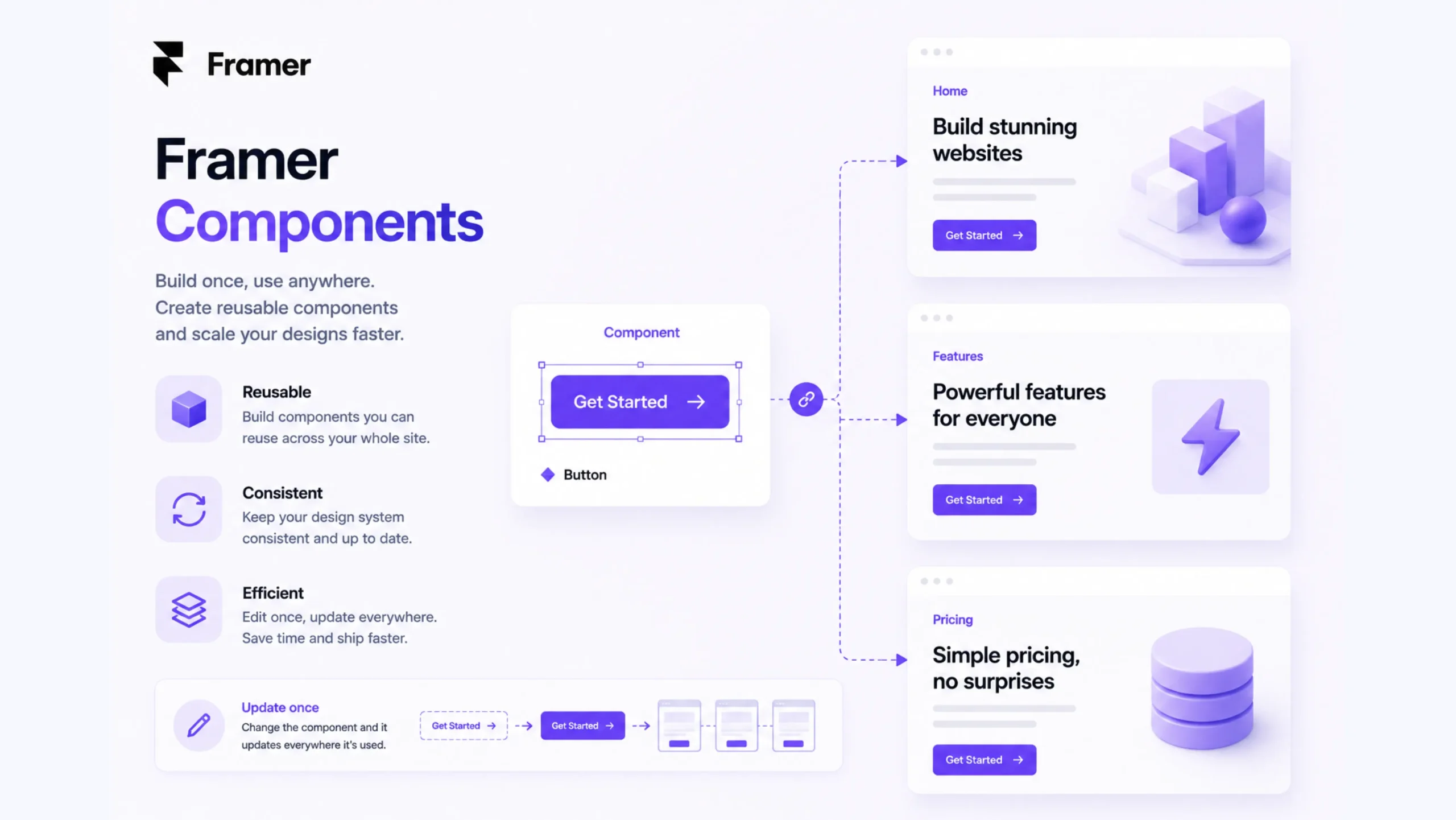
What Are Framer Components?
Framer Components are reusable building blocks that can be used across multiple pages and sections of a website. Instead of creating the same element repeatedly, designers build it once and reuse it wherever needed.
Think of them as digital LEGO pieces.
A button, navigation bar, pricing card, testimonial block, or contact form can all become components. Once created, these elements can be placed throughout a project while maintaining the same design and functionality.
This saves time, reduces mistakes, and keeps websites consistent.
Why Components Matter
Imagine managing a website with 50 pages.
Now imagine that every page contains the same navigation menu.
If the company changes its logo or adds a new menu item, updating 50 separate navigation bars would be frustrating.
Components solve that problem.
A single update made to the original component automatically appears everywhere that component is used.
Small change. Huge impact.
This simple concept has become one of the foundations of modern website creation.
The “Build Once, Reuse Everywhere” Idea
Here’s the thing.
Many people think components are only about speed. That’s partly true, yet there’s more happening behind the scenes.
Components create consistency.
Visitors notice when buttons look different from page to page. They notice inconsistent spacing. They notice layouts that feel disconnected, even if they can’t explain why.
Components help maintain a cohesive experience across an entire website.
The website feels unified because the same design rules are being reused throughout the project.
How Framer Components Work
In Framer, a component starts as a regular design element.
A designer can convert that element into a reusable component and place instances of it throughout the site.
When the original component changes, every connected instance updates automatically.
For example:
- Create a button component
- Use it on 20 pages
- Change its color once
- All 20 buttons update instantly
That’s the power of component-based design.
Types of Components in Framer
Buttons
Buttons are among the most common components.
Primary buttons, secondary buttons, call-to-action buttons, and form buttons can all be reused throughout a project.
Navigation Menus
Headers and navigation bars appear across many pages.
Turning them into components makes site-wide updates much easier.
Cards
Many websites display content using cards.
Examples include:
- Blog previews
- Product listings
- Team profiles
- Testimonials
A card component keeps layouts consistent across every instance.
Forms
Contact forms, newsletter signups, and registration forms can be saved as reusable components.
Footers
Since footers appear on nearly every page, they are perfect candidates for component-based design.
Variants: One Component, Multiple States
One of the more powerful features in Framer is the ability to create variants.
A variant allows a single component to display different states.
For example, a button might have:
- Default state
- Hover state
- Active state
- Disabled state
Instead of building four separate buttons, a designer manages everything from one component.
It feels cleaner. It stays organized.
Components and Design Systems
Design systems have become increasingly common among businesses, agencies, and product teams.
A design system acts like a rulebook for visual consistency.
Components serve as the building blocks inside that system.
Imagine a restaurant chain.
Every location follows the same menu, branding, and service standards. Components work in a similar way. They help every page follow the same visual rules.
Without components, maintaining consistency becomes much harder as websites grow.
Why Designers Love Framer Components
There are practical reasons behind the popularity.
Faster Workflows
Repeated design work disappears.
Instead of recreating elements, designers reuse existing components.
Easier Updates
One edit can update dozens or even hundreds of instances.
Better Collaboration
Team members work from the same component library, reducing confusion.
Improved Consistency
Design patterns stay consistent across the entire project.
Cleaner Project Structure
Large websites become easier to manage and maintain.
Real-World Examples
SaaS Websites
Software companies often reuse pricing tables, feature cards, testimonials, and call-to-action sections across multiple pages.
Components make that possible without constant duplication.
Agency Websites
Agencies frequently use components for project showcases, service sections, and contact forms.
Ecommerce Stores
Product cards, promotional banners, navigation elements, and checkout prompts often rely on reusable components.
Startup Landing Pages
Startups move quickly.
Components allow teams to update layouts and messaging without rebuilding entire sections.
Components vs Copy-and-Paste Design
At first glance, components and copied elements might seem similar.
They’re actually very different.
A copied element becomes independent.
A component remains connected to its source.
If a designer copies a button manually, every future update must be done individually.
If the button is a component, one update affects every instance.
That difference becomes enormous on larger projects.
A Small Detail That Saves Big Time
You know what?
Many designers don’t fully appreciate components until they work on large websites.
A five-page website may not reveal the value immediately.
A fifty-page website certainly will.
The larger the project becomes, the more valuable reusable systems become.
What starts as a convenience quickly turns into a necessity.
Common Challenges
Components are powerful, though they require planning.
Poorly organized component libraries can become difficult to manage.
Too many similar components may create confusion.
Teams need clear naming conventions and consistent structure to keep everything organized.
Fortunately, Framer provides tools that make component management relatively straightforward compared to many traditional workflows.
Why Components Matter More Than Ever
Modern websites are larger and more dynamic than they were a decade ago.
Businesses publish more content. Product catalogs grow. Marketing campaigns change frequently.
Managing all of this manually would be exhausting.
Components bring order to that complexity.
They help teams work faster while maintaining a polished, professional experience for visitors.
And honestly, once designers become comfortable with component-based workflows, going back feels surprisingly difficult.
Final Thoughts
Framer Components are reusable website elements that help designers create consistent, efficient, and scalable projects. By allowing updates from a single source, components reduce repetitive work and simplify website management.
From buttons and forms to navigation menus and pricing cards, components sit at the center of modern web design workflows. They save time, improve consistency, and make large projects far easier to maintain.
For anyone building websites in Framer, understanding components is one of the most valuable skills to develop.
FAQs
1. What are Framer Components?
Framer Components are reusable design elements that can be used across multiple pages and updated from a single source.
2. Why are components important in Framer?
Components help maintain design consistency, reduce repetitive work, and make site-wide updates easier.
3. What can be turned into a component?
Buttons, navigation bars, forms, cards, footers, pricing tables, testimonials, and many other design elements can become components.
4. What are component variants in Framer?
Variants allow a component to display multiple states, such as default, hover, active, or disabled versions.
5. Can updating a component affect every instance?
Yes. Changes made to the main component automatically update all connected instances across the website.
6. Are Framer Components useful for small websites?
Yes, though their value becomes even more noticeable as projects grow larger and require more frequent updates.