


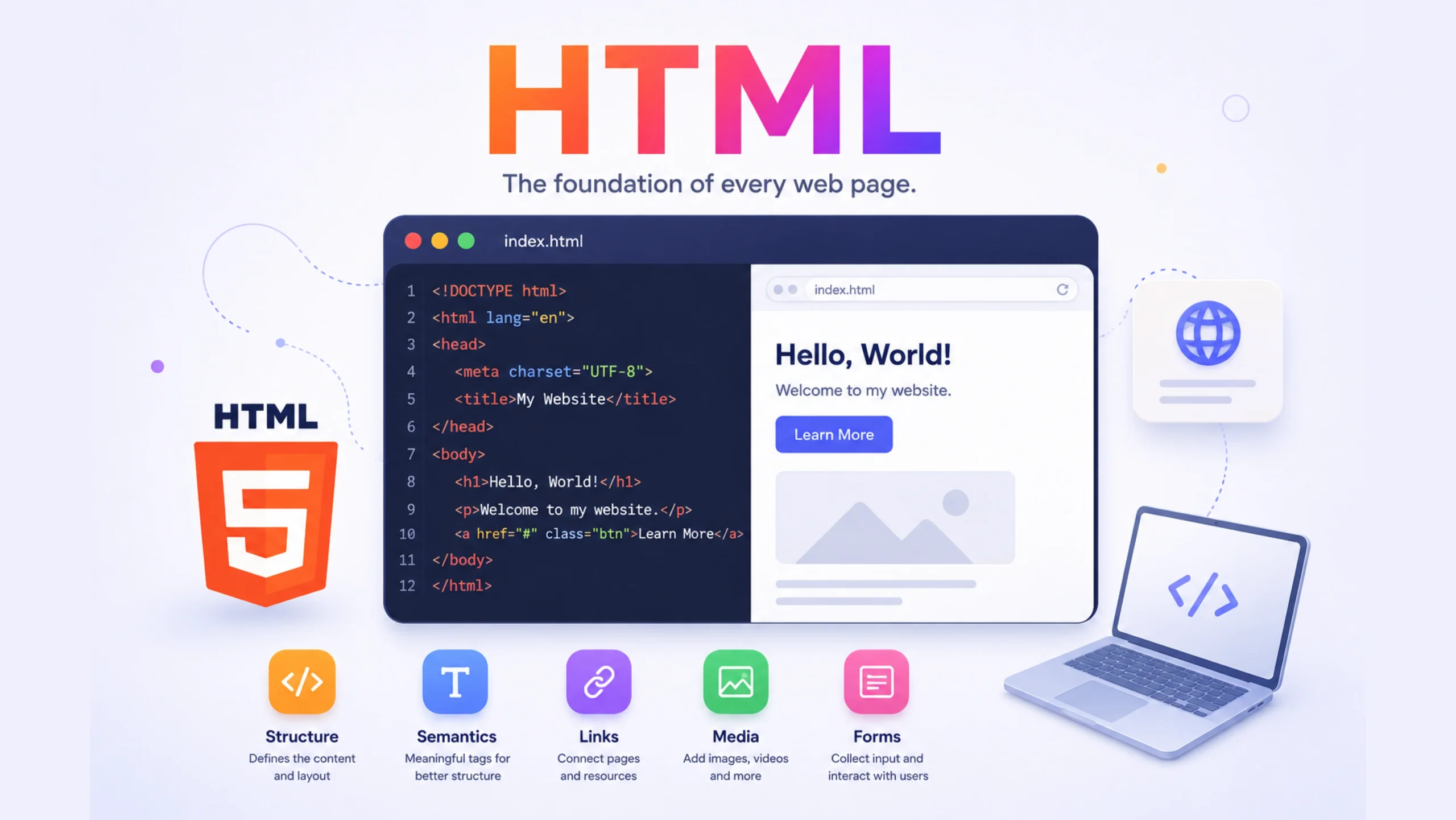
HTML: The Foundation of Every Web Page
Open almost any website on the internet. A news portal, an online store, a portfolio, a social media platform, or a blog.
Behind every one of them, you’ll find HTML.
People often talk about modern frameworks, AI-powered websites, animations, and complex web applications. Yet beneath all those layers sits a technology that has existed for decades and remains fundamental to the web.
That’s HTML.
Think of HTML as the skeleton of a building. The walls, paint, furniture, and decorations may change, but the structure underneath gives everything its shape and organisation.
Without HTML, websites simply wouldn’t exist in the form we know today.
So, What Exactly Is HTML?
HTML stands for HyperText Markup Language.
Let’s break that down.
HyperText
HyperText refers to text that contains links connecting one document to another.
When you click a link and move from one page to another, you’re using hypertext.
This idea helped create the interconnected web we use every day.
Markup
Markup means adding tags that describe content.
For example, a tag can tell a browser:
- This is a heading
- This is a paragraph
- This is an image
- This is a button
- This is a form field
The browser then displays the content appropriately.
Language
HTML follows a set of rules and standards that browsers understand.
Although it isn’t a programming language like JavaScript or Python, it provides instructions that browsers use to render web pages.
Why HTML Matters
Imagine receiving a book where every word appears in the same size, same style, and same position.
No headings.
No chapters.
No structure.
Reading it would be painful.
HTML solves this problem for websites.
It organizes content into meaningful sections so browsers and users can understand it.
A browser needs to know:
- Which text is a heading
- Which content is a paragraph
- Which item is a navigation menu
- Which image belongs to an article
- Which fields belong to a form
HTML provides that structure.
A Brief History of HTML
HTML was created by Tim Berners-Lee in 1991.
His goal was simple but ambitious: create a way for researchers to share documents across computer networks.
The first version of HTML was extremely basic.
Over time, the language evolved.
New versions introduced:
- Images
- Tables
- Forms
- Multimedia support
- Semantic elements
- Accessibility improvements
Today, HTML5 serves as the modern standard and powers billions of web pages worldwide.
How HTML Works
When someone visits a website, the browser requests an HTML file from a web server.
The browser then reads the HTML document and interprets its structure.
For example:
- Headings appear larger
- Paragraphs appear as body text
- Images load in designated locations
- Links become clickable
The browser transforms raw code into the visual experience users see on screen.
Interestingly, browsers don’t display HTML code itself.
They display the result of interpreting that code.
Understanding HTML Tags
HTML uses tags to define content.
Most tags have:
- Opening tag
- Content
- Closing tag
For example:
<h1>Welcome to My Website</h1>
The browser recognizes that this content is a main heading.
Different tags serve different purposes.
Heading Tags
Used for titles and section headings.
<h1>Main Title</h1>
<h2>Section Title</h2>
<h3>Subsection Title</h3>
Paragraph Tags
Used for body text.
<p>This is a paragraph.</p>
Link Tags
Used to create clickable links.
<a href="https://example.com">Visit Website</a>
Image Tags
Used to display images.
<img src="photo.jpg" alt="Description">
Each tag helps define what content represents.
HTML Is Structure, Not Design
Many beginners assume HTML controls how a website looks.
That’s only partially true.
HTML provides structure.
CSS handles presentation.
JavaScript adds behavior.
Think of it this way:
HTML = Structure
Defines:
- Headings
- Text
- Images
- Navigation
- Forms
CSS = Appearance
Controls:
- Colors
- Fonts
- Layout
- Spacing
- Animations
JavaScript = Interaction
Adds:
- Dynamic updates
- User interactions
- Form validation
- Real-time features
Together, these three technologies create modern websites.
Semantic HTML: Giving Meaning to Content
Modern HTML includes semantic elements.
These elements describe the purpose of content.
Examples include:
<header><nav><main><article><section><footer>
Instead of simply saying:
<div>
A developer can say:
<article>
This makes the page easier to understand for:
- Search engines
- Screen readers
- Developers
- AI systems
Semantic HTML creates cleaner and more meaningful code.
HTML and Accessibility
One of HTML’s most valuable features is accessibility support.
Accessibility helps people with:
- Visual impairments
- Hearing impairments
- Cognitive disabilities
- Motor limitations
Screen readers rely heavily on proper HTML structure.
For example:
A visually impaired user may never see a webpage.
Instead, a screen reader interprets the HTML and reads the content aloud.
When developers use proper headings, labels, and semantic elements, the experience becomes much smoother.
Accessibility isn’t an afterthought. Good HTML plays a major role in making the web available to everyone.
HTML Forms: Where Interaction Begins
Whenever you:
- Sign up for an account
- Submit feedback
- Make a purchase
- Log in
- Fill out a contact form
You’re interacting with HTML forms.
Forms allow websites to collect user input.
Common form elements include:
- Text fields
- Email fields
- Password fields
- Checkboxes
- Radio buttons
- Submit buttons
These simple components power many everyday online activities.
HTML in Modern Web Development
Some people hear about frameworks like React, Vue, Angular, or Webflow and assume HTML is becoming less important.
Actually, the opposite is true.
Those tools still generate HTML behind the scenes.
Even AI-powered website builders ultimately create HTML structures that browsers understand.
No matter how advanced web technology becomes, browsers still rely on HTML as the foundation for displaying content.
It’s the common language of the web.
Common HTML Elements You See Every Day
Without realizing it, you’re interacting with HTML constantly.
A news article uses:
- Headings
- Images
- Links
- Lists
An online store uses:
- Product descriptions
- Buttons
- Forms
- Navigation menus
A portfolio website uses:
- Sections
- Images
- Contact forms
Every visible webpage element begins with HTML.
That’s why web developers often learn HTML before anything else.
Why HTML Remains Relevant
Technology changes quickly.
Frameworks rise and fall.
Design trends shift.
New development tools appear every year.
HTML remains remarkably stable.
The reason is simple.
Web browsers need a universal way to understand content.
HTML provides that common structure.
Without it, websites would lack consistency and interoperability.
Three decades after its creation, HTML continues to be one of the most important technologies on the internet.
Final Thoughts
HTML is the language that gives structure to the web.
It tells browsers what content exists, how that content is organized, and how different elements relate to one another.
Many technologies sit on top of HTML, including CSS, JavaScript, content management systems, website builders, and AI-powered development tools. Yet HTML remains the starting point.
For designers, developers, marketers, content creators, and business owners, understanding HTML provides valuable insight into how websites actually work.
It may seem simple at first glance, and that’s part of its brilliance. HTML quietly powers the web every day, helping billions of pages display correctly across countless devices and browsers.
FAQs About HTML
1. What does HTML stand for?
HTML stands for HyperText Markup Language, the standard language used to structure content on web pages.
2. Is HTML a programming language?
No. HTML is a markup language. It structures content but does not perform logical operations like programming languages such as JavaScript or Python.
3. What is HTML used for?
HTML is used to create and organize webpage content, including headings, paragraphs, images, links, tables, forms, and multimedia elements.
4. What is the difference between HTML and CSS?
HTML provides structure and content, while CSS controls visual appearance such as colors, layouts, spacing, and typography.
5. Can a website work without HTML?
No. Browsers rely on HTML to understand and display webpage content. Even modern web frameworks generate HTML behind the scenes.
6. Is HTML still important in modern web development?
Yes. HTML remains a core web technology and serves as the foundation for websites, web applications, frameworks, and AI-generated web experiences.