


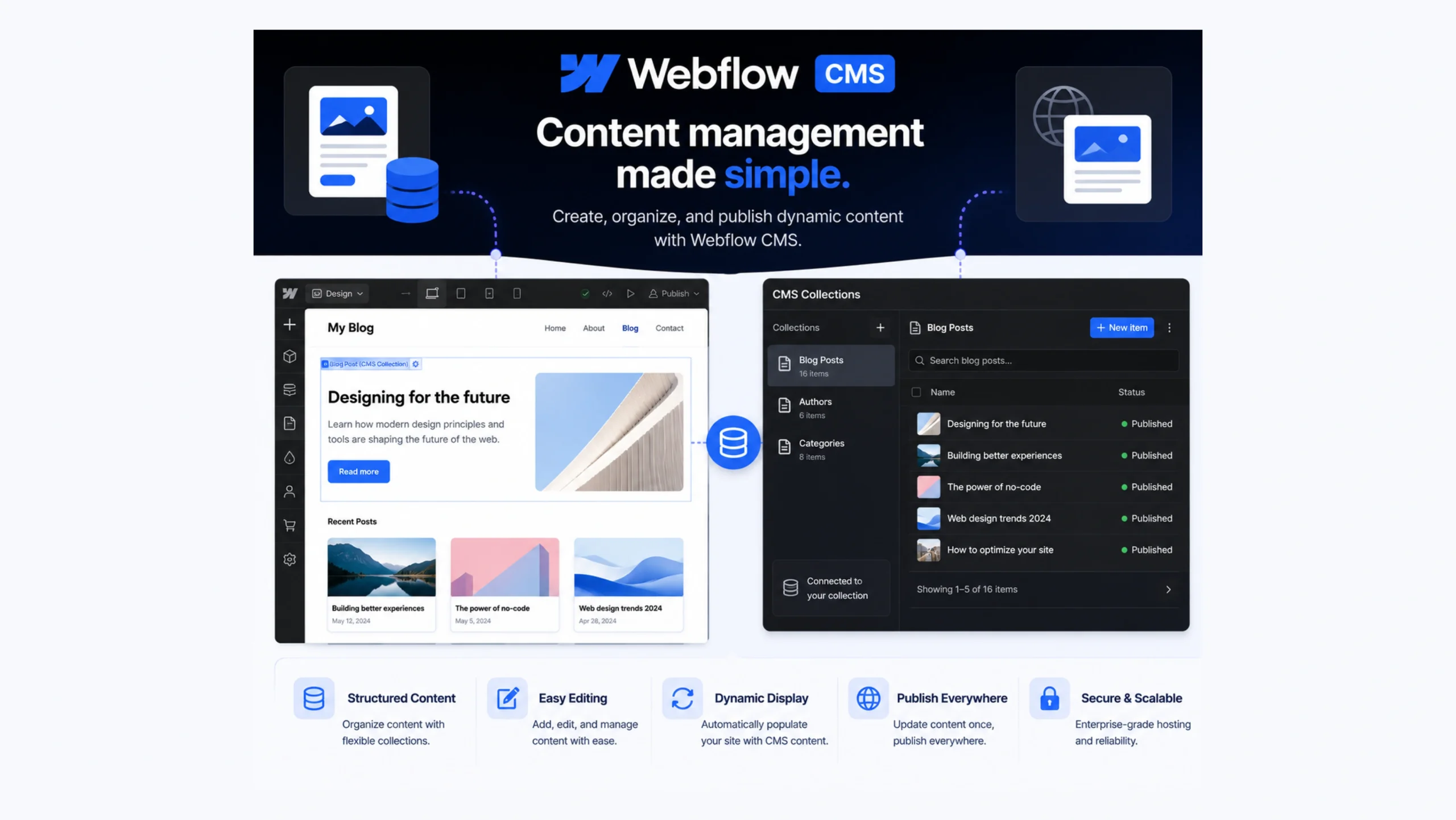
What Is Webflow CMS?
Webflow CMS is a content management system built into the Webflow platform that allows users to visually create, organise, and publish dynamic content. Instead of relying heavily on code or complex backend systems, users can manage website content through a clean visual interface.
Think of it as a bridge between website design and content management.
Designers can build layouts visually, while marketers, editors, and business owners can update content without touching the site’s structure.
This separation makes collaboration much easier.
Why Webflow CMS Matters
For years, creating dynamic websites often meant working with developers, databases, plugins, and backend configurations. That process worked, but it could become time-consuming.
Webflow CMS changed the experience by combining visual web design with content management.
A marketing team can publish blog posts.
A startup can update team member profiles.
An agency can manage client case studies.
All without editing code.
That’s a major reason why Webflow has gained popularity among modern web teams.
The Everyday Analogy
Imagine a restaurant menu.
The menu design stays the same, but the dishes can change every week.
You don’t redesign the entire menu whenever a new item is added.
You simply update the content.
Webflow CMS works in a similar way.
The design remains consistent while content updates automatically populate the correct sections of the website.
How Webflow CMS Works
Webflow CMS organizes content using something called Collections.
A Collection acts like a database for related content.
For example:
- Blog Posts
- Team Members
- Products
- Testimonials
- Events
- Case Studies
Each Collection contains fields that store information.
A blog post Collection might include:
- Title
- Author
- Featured Image
- Category
- Publish Date
- Content Body
When a new item is added, Webflow automatically places that content into the website’s designed templates.
This saves a tremendous amount of manual work.
Understanding Collections and Collection Items
Collections are the foundation of Webflow CMS.
Think of a Collection as a spreadsheet.
Each row represents a content item.
Each column represents a field.
For example:
| Team Member | Role | Photo |
|---|---|---|
| Sarah | Designer | Image |
| David | Developer | Image |
| Emma | Marketing Lead | Image |
The website pulls information directly from these fields and displays it wherever the designer has connected the content.
This dynamic structure makes scaling websites much easier.
Core Features of Webflow CMS
Visual Content Management
Content can be edited through an intuitive dashboard without coding knowledge.
Dynamic Templates
A single template can generate dozens or even hundreds of pages automatically.
Custom Fields
Users can create content fields that match their specific requirements.
Content Relationships
Collections can connect with one another.
For example, authors can connect to blog posts, and categories can connect to articles.
Scheduled Publishing
Content can be published immediately or scheduled for future release.
SEO Controls
Webflow includes built-in tools for managing titles, meta descriptions, URLs, and indexing settings.
Why Designers Love Webflow CMS
Designers often appreciate the control Webflow provides.
Traditional CMS platforms sometimes require templates that limit design freedom.
Webflow takes a different route.
Designers can create highly customized layouts while still maintaining dynamic content functionality.
This means creative freedom and structured content can coexist.
That’s a combination many teams have wanted for years.
Why Marketers Like It Too
Marketing teams frequently need speed.
Launching landing pages.
Publishing blogs.
Updating campaigns.
Managing content shouldn’t require waiting for developer resources.
Webflow CMS gives marketers more independence while maintaining brand consistency.
The result is faster publishing and fewer bottlenecks.
Benefits of Using Webflow CMS
Faster Website Updates
Content changes can happen in minutes instead of days.
Reduced Dependence on Developers
Routine updates become manageable for non-technical teams.
Consistent Design
Dynamic templates help maintain a uniform visual appearance.
Improved Team Collaboration
Designers, marketers, editors, and content managers can work within the same system.
Built-In Hosting
Webflow combines content management, hosting, and design tools in a single platform.
Better Content Scaling
As websites grow, managing large amounts of content becomes more efficient.
Webflow CMS vs Traditional CMS Platforms
Many people compare Webflow CMS with platforms like WordPress.
Both systems can power dynamic websites, but they take different approaches.
Webflow CMS
- Visual design-first workflow
- Built-in hosting
- Fewer plugin dependencies
- Strong design flexibility
Traditional CMS Platforms
- Larger plugin ecosystems
- Greater backend customization
- Extensive developer community
- Broader server control
Neither approach is automatically better.
The right choice depends on project requirements, team skills, and content goals.
Common Use Cases
Webflow CMS works particularly well for:
Blogs
Publishing and managing articles at scale.
Company Websites
Updating team members, services, and company information.
Portfolios
Displaying projects dynamically.
Agency Websites
Managing case studies and client work.
Directories
Listing businesses, resources, or products.
Event Websites
Publishing event details and schedules.
Its flexibility makes it useful across many industries.
Challenges and Limitations
No platform is perfect.
Webflow CMS has a few limitations worth mentioning.
Learning Curve
The visual interface is easier than coding, though it still requires some practice.
CMS Item Limits
Different pricing plans include different content limits.
Advanced Backend Logic
Projects requiring highly customized backend functionality may need additional tools or integrations.
Platform Dependency
Websites remain tied to the Webflow ecosystem.
For many users, these limitations are minor. For highly specialized projects, they may require extra planning.
Webflow CMS and Modern No-Code Development
The rise of no-code tools has changed how websites are built.
A few years ago, launching a dynamic website often required multiple specialists.
Today, designers and marketers can accomplish tasks that previously demanded significant development resources.
Webflow CMS plays a major role in that shift.
It gives teams greater control without sacrificing quality.
That’s one reason it has become a popular choice among startups, agencies, and growing businesses.
The Future of Webflow CMS
Content management continues to evolve.
AI-assisted content creation, personalized experiences, automation, and dynamic publishing workflows are becoming increasingly common.
Platforms like Webflow are adapting to these changes by expanding integrations, improving collaboration tools, and simplifying content operations.
As websites become more dynamic, visual CMS platforms will likely continue gaining momentum.
The demand for faster publishing and easier management isn’t going away anytime soon.
Final Thoughts
Webflow CMS combines visual design and content management into a single platform, making it easier to build and maintain dynamic websites.
Its Collection-based structure allows teams to organize content efficiently while keeping design consistent across pages.
For designers, marketers, agencies, and businesses that want greater control without heavy coding requirements, Webflow CMS offers a practical and modern solution.
As no-code development continues to grow, platforms like Webflow CMS are helping reshape how websites are created and managed.
Frequently Asked Questions
1. What is Webflow CMS?
Webflow CMS is a visual content management system that allows users to manage dynamic website content without extensive coding.
2. What are Collections in Webflow CMS?
Collections are content databases that store related information such as blog posts, products, team members, or testimonials.
3. Is Webflow CMS suitable for blogs?
Yes. Webflow CMS is widely used for blogs and content-driven websites because it supports dynamic content management and SEO features.
4. Do I need coding knowledge to use Webflow CMS?
No. Basic familiarity helps, but most content management tasks can be handled through Webflow’s visual interface.
5. How is Webflow CMS different from WordPress?
Webflow CMS focuses on visual design and integrated hosting, while WordPress offers a larger plugin ecosystem and broader backend customization options.
6. Can Webflow CMS handle large websites?
Yes. Many businesses use Webflow CMS for large content libraries, directories, portfolios, and marketing websites, depending on plan limits.