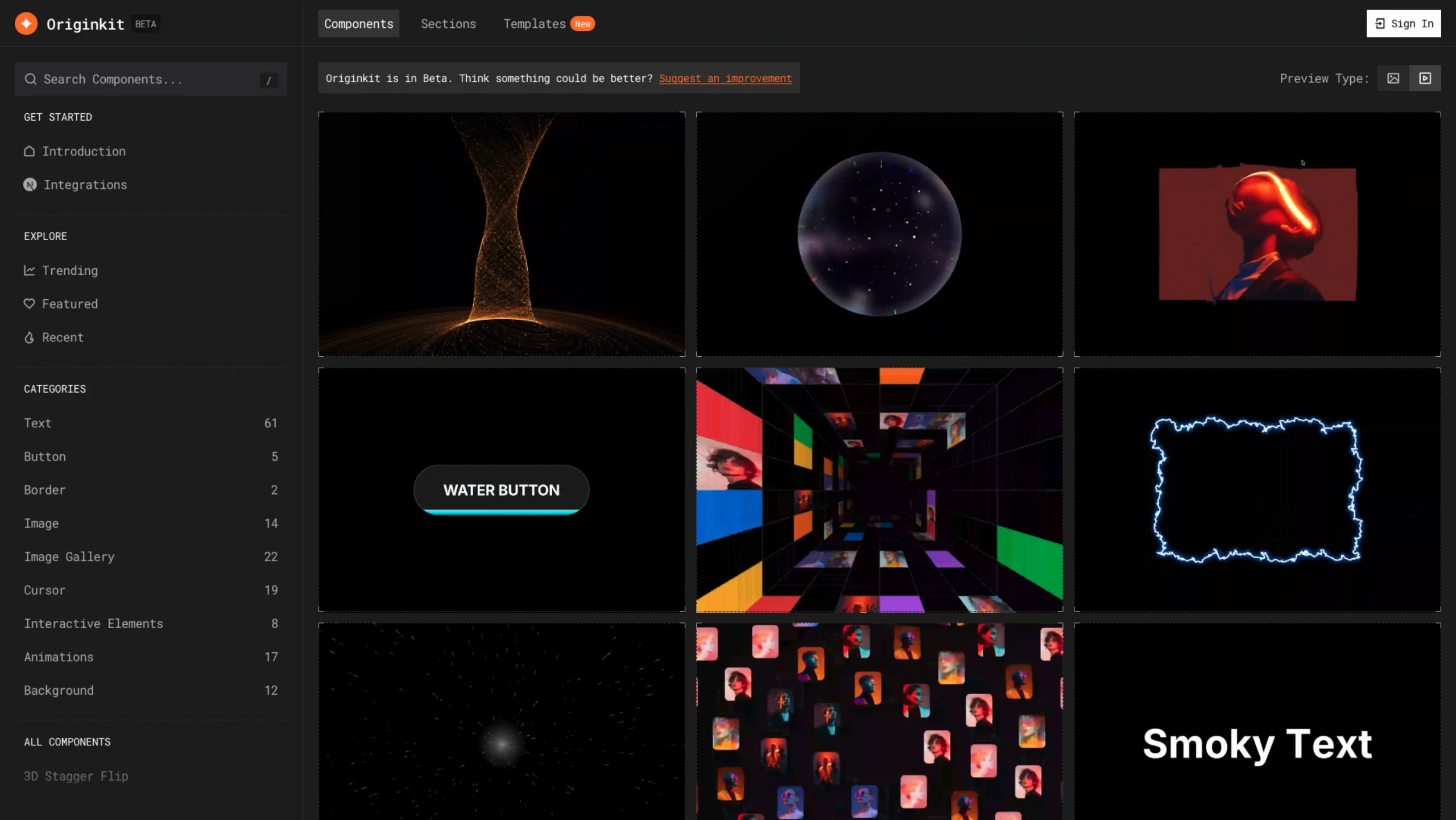
Originkit is a free animated component library for building modern websites with polished interactions and motion.
Introducing Originkit
Originkit is an animated component library for Framer, React, and AI tools through MCP. It gives designers and developers a collection of ready-to-use interactive components so they can build polished websites without creating every animation from scratch.
Each component comes with a live preview, simple customization options, and clean code that you can copy straight into your project.
The idea is simple: make it easier to add smooth, premium interactions to a website without spending days figuring out the animation code.
Get Started in Two Simple Steps
1. Pick and Customize
Choose a component, see how it works, and adjust things like colors, content, size, animation speed, and other settings to fit your project.
2. Copy and Use
Once you’re happy with it, copy the code or setup instructions and add the component to your Framer or React project, or use it in your AI workflow through MCP.
Originkit takes care of the heavy lifting, so you can spend more time on the overall experience and less time rebuilding animations from scratch.
How to use Originkit in Framer?
Adding Originkit components to Framer is quick and simple. Copy a component, paste it into your project, and customize it right from the property panel.
1. Choose a component
Open any component to see a live preview.
2. Copy to Framer
Click Copy to Framer to copy the component source.
3. Paste & customize
Go to Insert → Code → New Component, paste the code, and adjust the settings from the property panel.