


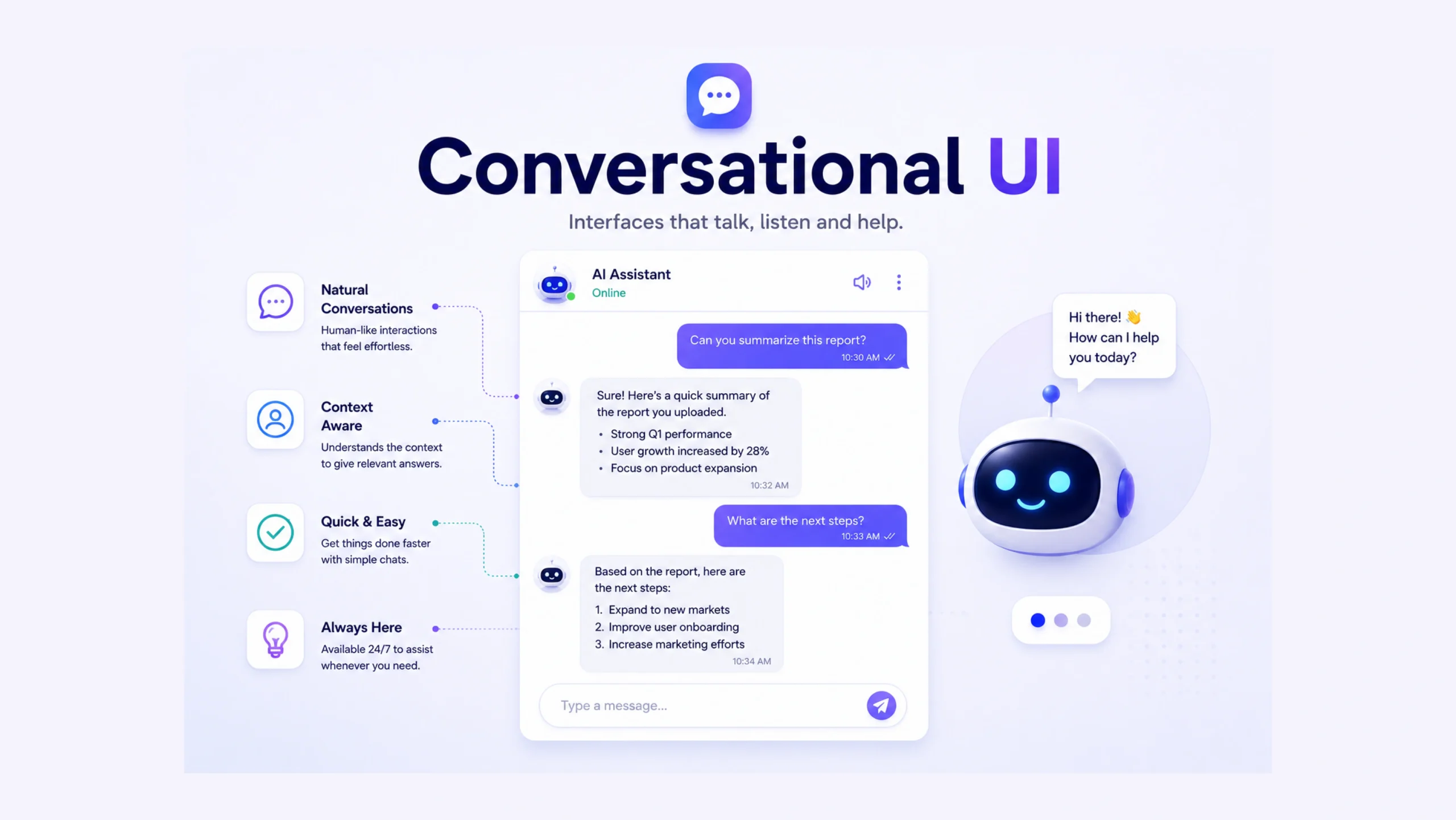
A User Interface That Talks Back
Think about the last time you asked a chatbot for help, spoke to a voice assistant, or typed a question into an AI tool.
You weren’t clicking through a maze of menus. You were having a conversation.
That’s the core idea behind Conversational UI.
Traditional interfaces ask users to learn the system. Conversational interfaces attempt to meet users where they already are—through language. Instead of hunting for the right button, a user can simply ask:
“What’s my account balance?”
“Book a dentist appointment for next Tuesday.”
“Show me sales data from last month.”
The system interprets the request and responds in a human-like way.
Simple in theory. Surprisingly powerful in practice.
Why Conversational UI Became So Popular
For decades, software relied on graphical user interfaces (GUIs)—buttons, navigation bars, forms, dropdowns, and dashboards.
Those still matter. A lot.
Yet many tasks feel easier when people can simply ask for what they want.
Imagine walking into a restaurant.
A traditional interface is like receiving a giant menu and searching for the right item yourself.
A conversational interface is like talking to a waiter:
“I’m vegetarian and want something spicy.”
The waiter interprets your request and suggests options.
The same principle applies to digital products.
As AI models became better at understanding human language, conversational experiences started appearing everywhere—from customer support systems to productivity tools and healthcare platforms.
What Makes a UI Conversational?
A conversational interface typically includes four elements:
User Input
The user communicates through:
- Text messages
- Voice commands
- Images (in advanced AI systems)
- Mixed forms of input
Language Understanding
The system interprets what the user means.
For example:
User says:
“Schedule a meeting tomorrow afternoon.”
The system understands:
- Action: Schedule
- Event: Meeting
- Date: Tomorrow
- Time: Afternoon
Response Generation
The system creates a meaningful reply.
Example:
“I’ve scheduled your meeting for tomorrow at 2:00 PM.”
Context Awareness
Good conversational interfaces remember what happened earlier in the conversation.
User:
“Show me restaurants nearby.”
System:
“Here are five options.”
User:
“Which one has outdoor seating?”
The system understands that “which one” refers to the restaurants already discussed.
Without context, conversations quickly become frustrating.
Text-Based vs Voice-Based Conversational UI
Conversational interfaces usually fall into two major categories.
Text-Based Interfaces
These include:
- Website chatbots
- AI assistants
- Customer support chats
- Messaging applications
Examples include:
- ChatGPT
- Intercom chatbots
- Slack AI assistants
- Customer service chat systems
Text interfaces are often easier to implement and review since users can see the conversation history.
Voice-Based Interfaces
These allow spoken interactions.
Examples include:
- Siri
- Google Assistant
- Alexa
- Voice-controlled smart devices
Voice feels natural because speaking is something humans learn long before reading.
Still, voice introduces challenges such as background noise, accents, pronunciation differences, and privacy concerns.
The Shift From Commands to Conversations
Early digital assistants relied on rigid commands.
Users had to say things exactly right.
For example:
“Set alarm for 7 AM.”
Anything slightly different could fail.
Modern AI systems work differently.
A person might say:
“Wake me up at seven tomorrow morning.”
Or:
“Can you remind me to get up early tomorrow?”
The system can often understand both requests.
That’s a major reason conversational interfaces feel more natural today than they did just a few years ago.
Where Conversational UI Is Used
Once you start noticing conversational interfaces, you see them everywhere.
Customer Support
Many companies use chatbots to answer common questions.
Users can:
- Track orders
- Request refunds
- Change account details
- Find documentation
Healthcare
Patients can:
- Book appointments
- Ask symptom-related questions
- Access medical information
- Receive reminders
Banking
Financial institutions use conversational systems for:
- Balance checks
- Transaction history
- Fraud alerts
- Financial guidance
E-Commerce
Online stores use conversational interfaces to help shoppers:
- Find products
- Compare options
- Track deliveries
- Get recommendations
Workplace Productivity
Modern AI assistants help employees:
- Summarize meetings
- Draft emails
- Search company knowledge
- Generate reports
Why Users Like Conversational Interfaces
There’s a reason people increasingly prefer chat-based interactions.
Lower Learning Curve
Most people already know how to have conversations.
They don’t need extensive training.
Faster Task Completion
Instead of navigating multiple screens, users can state their goal directly.
More Personal Experience
Conversations often feel more human than traditional interfaces.
A thoughtful response creates a stronger sense of engagement.
Better Accessibility
Voice interfaces can help users with:
- Visual impairments
- Motor limitations
- Reading difficulties
Accessibility is one of the strongest arguments for conversational design.
The Hidden Challenges Nobody Talks About Enough
Conversational UI sounds simple.
Building a good one isn’t.
In fact, many poorly designed chatbots have given the entire category a bad reputation.
You’ve probably encountered one.
You ask a simple question.
The bot misunderstands.
You rephrase.
It misunderstands again.
Eventually, you’re searching for the “Talk to Human” button.
That frustration highlights the biggest challenge of conversational design: language is messy.
People use slang.
They change topics.
They make spelling mistakes.
They ask incomplete questions.
A successful conversational system must handle all of that gracefully.
Context Is Everything
Here’s the thing.
Conversations aren’t a collection of separate messages.
They’re connected.
A good conversational UI remembers relevant information throughout an interaction.
Imagine ordering coffee.
You say:
“I’d like a latte.”
Then:
“Make it large.”
Then:
“Actually, oat milk please.”
The barista understands every change because context remains intact.
Conversational interfaces need the same capability.
Without context retention, conversations become repetitive and exhausting.
Conversational UI vs Traditional UI
Many people assume conversational interfaces will replace traditional interfaces.
That’s unlikely.
A better approach combines both.
Traditional UI Works Better For
- Complex dashboards
- Data-heavy screens
- Visual analytics
- Multi-step workflows
Conversational UI Works Better For
- Quick questions
- Information retrieval
- Customer support
- Task automation
- Personalized assistance
The strongest products often combine both approaches.
A user may ask a question through chat and then receive a visual dashboard as the answer.
That combination creates a smoother experience than either method alone.
Design Principles for Great Conversational UI
Designers often focus heavily on screens.
Conversational products require a slightly different mindset.
Be Clear
Responses should be concise and understandable.
Set Expectations
Users should know what the system can and cannot do.
Handle Errors Gracefully
People make mistakes.
Systems should help them recover.
Keep Context Relevant
Remember useful information without becoming intrusive.
Offer Human Escalation
Sometimes users need a real person.
Providing an easy transition builds trust.
AI and the Future of Conversational Interfaces
The rise of generative AI has dramatically changed conversational experiences.
Older chatbots followed predefined scripts.
Modern AI assistants can generate responses dynamically.
This creates interactions that feel less mechanical and more flexible.
We’re already seeing conversational interfaces appear inside:
- Design software
- Development tools
- Healthcare platforms
- Education systems
- Productivity applications
- Enterprise software
Interestingly, some modern applications are being built around conversation first, with traditional navigation becoming secondary.
That would have sounded unusual ten years ago.
Today, it feels increasingly normal.
Why Conversational UI Matters
At its core, Conversational UI reduces friction between people and technology.
Instead of forcing users to learn interface structures, the system adapts to natural communication patterns.
That doesn’t mean every product should become a chatbot.
Far from it.
A spreadsheet still works best as a spreadsheet.
A design tool still needs visual controls.
Yet for many tasks, asking a question feels faster, simpler, and more intuitive than clicking through layers of menus.
That’s why conversational interfaces continue gaining momentum.
They bring software a little closer to how humans naturally communicate—and that’s a direction many users appreciate.
FAQs About Conversational UI
1. What is Conversational UI?
Conversational UI is a user interface that allows people to interact with software through natural language using text, voice, or both.
2. How is Conversational UI different from traditional UI?
Traditional interfaces rely on menus, buttons, and forms, while conversational interfaces use dialogue and natural language interactions.
3. What are examples of Conversational UI?
Examples include ChatGPT, customer service chatbots, Siri, Alexa, Google Assistant, and AI-powered workplace assistants.
4. Is Conversational UI the same as a chatbot?
Not exactly. A chatbot is one type of conversational interface. Conversational UI is the broader design category that includes chatbots, voice assistants, and AI agents.
5. What are the benefits of Conversational UI?
Benefits include easier interactions, faster task completion, improved accessibility, personalized experiences, and reduced learning effort.
6. What challenges exist in Conversational UI design?
Common challenges include language ambiguity, context management, misunderstanding user intent, privacy concerns, and maintaining natural conversations.