


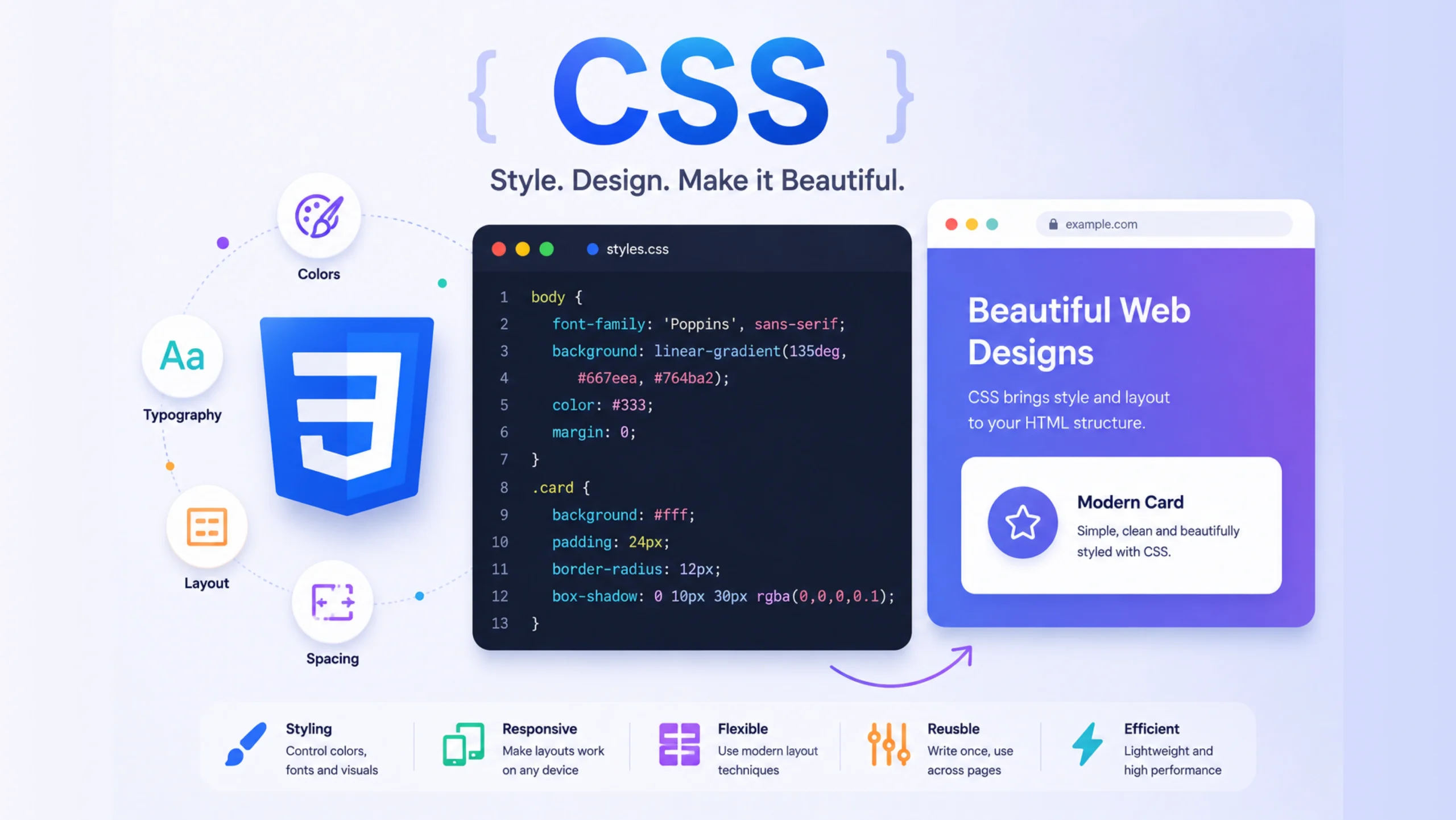
CSS: The Language That Makes the Web Look Good
Imagine visiting a website where every piece of text appears in plain black font.
No colors.
No spacing.
No buttons.
No layouts.
No visual hierarchy.
Technically, the content would still exist. You could read it. You could click links. The website would function.
It would also look terrible.
That’s where CSS enters the picture.
If HTML provides the structure of a webpage, CSS provides the personality. It controls how content looks, feels, and behaves visually. Every modern website—from simple blogs to sophisticated SaaS dashboards—relies on CSS to create engaging user experiences.
In many ways, CSS is the difference between a blueprint and a finished building.
What Is CSS?
CSS stands for Cascading Style Sheets.
It is a language used to style HTML elements and control how they appear in web browsers.
While HTML defines what content exists on a page, CSS determines:
- Colors
- Typography
- Layouts
- Spacing
- Borders
- Backgrounds
- Animations
- Responsive behavior
Think of HTML as the content and CSS as the presentation layer.
Without CSS, the web would feel unfinished.
Why CSS Exists
When the web first appeared, websites were mostly text documents connected through hyperlinks.
As the internet grew, people wanted websites that looked attractive and reflected their brands.
Early developers often mixed styling directly into HTML. This quickly became messy and difficult to maintain.
CSS was introduced to solve that problem.
Instead of placing visual instructions throughout the HTML code, developers could keep styling rules in a separate stylesheet.
This separation made websites easier to manage, update, and scale.
A single CSS file could control the appearance of hundreds or even thousands of pages.
Understanding the Relationship Between HTML and CSS
A useful analogy is building a house.
HTML Creates the Structure
HTML defines:
- Walls
- Doors
- Windows
- Rooms
CSS Handles the Appearance
CSS determines:
- Paint colors
- Furniture placement
- Flooring
- Lighting
- Decorative elements
The house exists without decoration, but decoration transforms how people experience the space.
The same principle applies to websites.
HTML gives structure.
CSS gives style.
How CSS Works
CSS applies styling rules to HTML elements.
A typical CSS rule contains:
- A selector
- One or more properties
- Values for those properties
For example:
h1 {
  color: blue;
  font-size: 40px;
}
This rule tells the browser:
- Find all
<h1>elements - Display them in blue
- Set the font size to 40 pixels
The browser reads these instructions and updates the page appearance accordingly.
Common Things CSS Controls
Most visual aspects of a website come from CSS.
Colors
Developers can style:
- Text colors
- Background colors
- Button colors
- Border colors
Typography
CSS controls:
- Font families
- Font sizes
- Font weights
- Line spacing
Typography alone can dramatically change the feel of a website.
A law firm’s website typically looks very different from a gaming platform, even if the content structure is similar.
Spacing
CSS manages:
- Margins
- Padding
- Gaps between elements
Good spacing improves readability and usability.
Layout
Modern CSS allows developers to create:
- Multi-column layouts
- Dashboards
- Landing pages
- Complex application interfaces
Animations
CSS can animate:
- Buttons
- Menus
- Loading indicators
- Hover effects
- Page transitions
These small details often make interfaces feel polished and responsive.
Why It’s Called “Cascading”
The word “cascading” confuses many beginners.
Here’s the idea.
Multiple CSS rules can affect the same element.
When conflicts occur, CSS follows a priority system to determine which rule wins.
The styles essentially “cascade” down through the document until the browser determines the final appearance.
This system allows developers to create flexible styling structures without repeating the same rules over and over.
At first it feels confusing.
After some experience, it becomes one of CSS’s most useful features.
CSS Selectors: Choosing What to Style
Selectors tell CSS which elements should receive styling.
Element Selector
Targets HTML tags.
p {
  color: black;
}
Class Selector
Targets reusable classes.
.button {
  background-color: blue;
}
ID Selector
Targets a specific element.
#header {
  background-color: gray;
}
Selectors act like instructions directing styles to the correct parts of a webpage.
Responsive Design and CSS
Modern users browse websites on:
- Phones
- Tablets
- Laptops
- Desktop monitors
- Large displays
A website that looks great on a desktop but breaks on a smartphone quickly frustrates users.
CSS solves this problem through responsive design techniques.
Developers can create layouts that automatically adapt to different screen sizes.
For example:
- Navigation menus may collapse into mobile menus
- Images may resize automatically
- Columns may stack vertically on smaller screens
Responsive design has become a standard expectation rather than a bonus feature.
CSS Layout Systems Changed Everything
For many years, web layouts were surprisingly difficult to create.
Developers used creative workarounds to position content.
Then came two major CSS layout systems:
Flexbox
Flexbox makes it easier to align and distribute items within containers.
It’s ideal for:
- Navigation bars
- Card layouts
- Button groups
- Responsive components
CSS Grid
Grid allows developers to create two-dimensional layouts.
It’s particularly useful for:
- Dashboards
- Magazine layouts
- Complex page structures
- Admin interfaces
These tools dramatically improved how developers build modern websites.
CSS and User Experience
Many people think CSS only affects appearance.
That’s partly true.
Yet appearance influences usability.
Imagine a button with:
- Poor contrast
- Tiny text
- Awkward placement
Users may struggle to interact with it.
Good CSS contributes to:
- Readability
- Accessibility
- Visual hierarchy
- Consistency
- User confidence
When people describe a website as clean, professional, modern, or polished, they’re often reacting to CSS-driven design decisions.
CSS Frameworks and Modern Development
Many development teams use CSS frameworks to speed up projects.
Popular examples include:
- Bootstrap
- Tailwind CSS
- Bulma
- Foundation
These frameworks provide prebuilt styling systems and reusable components.
Instead of creating every style from scratch, developers can work from established design patterns.
This reduces development time and helps maintain consistency.
Still, the underlying principles remain the same.
Frameworks are built on CSS, not replacements for it.
CSS and Web Performance
Visual design matters.
Page speed matters too.
Poorly written CSS can slow websites down.
Well-organized stylesheets help pages load efficiently and render correctly across devices.
Developers often optimize CSS by:
- Removing unused styles
- Combining files
- Minimizing file size
- Structuring code clearly
Small improvements can have a noticeable impact on performance.
CSS in the Age of AI
AI-powered website builders and design tools are becoming increasingly common.
A user might describe a website with a simple prompt and receive a working design within minutes.
What’s happening behind the scenes?
Most of these tools still generate HTML and CSS.
AI may speed up development, but browsers continue relying on CSS to determine how pages appear.
No matter how advanced design tools become, CSS remains a core web technology.
Why CSS Continues to Matter
Technology evolves constantly.
Frameworks change.
Design trends shift.
Development workflows improve.
CSS remains central to web design because every webpage needs visual presentation.
Without CSS, websites would function.
With CSS, websites communicate personality, brand identity, usability, and emotion.
That’s a big difference.
For designers, developers, marketers, and product teams, understanding CSS provides valuable insight into how digital experiences are crafted.
It may sit quietly behind the scenes, but it influences almost every visual detail users see online.
FAQs About CSS
1. What does CSS stand for?
CSS stands for Cascading Style Sheets, a language used to style and format web pages.
2. What is CSS used for?
CSS controls the appearance of websites, including colors, fonts, layouts, spacing, animations, and responsive behavior.
3. What is the difference between HTML and CSS?
HTML structures webpage content, while CSS controls how that content looks and appears to users.
4. Can a website work without CSS?
Yes. A website can function without CSS, but it will appear plain and lack visual styling and layout improvements.
5. What is responsive design in CSS?
Responsive design allows websites to adapt their layouts and appearance automatically across different screen sizes and devices.
6. Is CSS still relevant with modern frameworks and AI tools?
Absolutely. Modern frameworks and AI-generated websites still rely on CSS to control visual presentation and user interface design.