


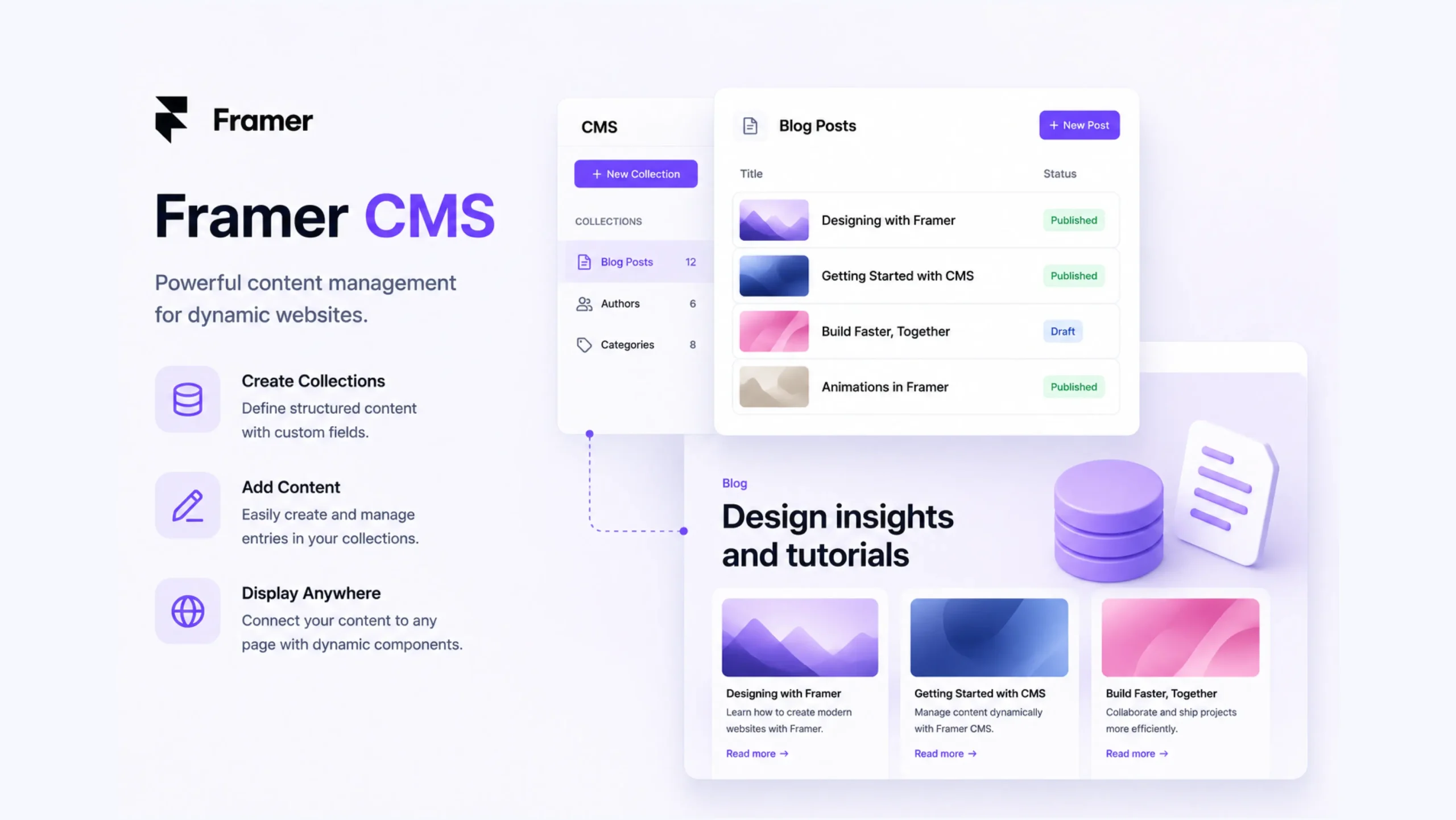
What Is Framer CMS?
Framer CMS is the built-in content management system available within the Framer platform. It allows users to manage dynamic content such as blog posts, case studies, portfolios, team profiles, product information, and other reusable website content without editing each page manually.
Think about a company blog with 100 articles. Updating every page individually would be exhausting. Framer CMS stores content in a structured database, allowing websites to generate pages automatically from that information.
The result is a faster and more organized way to manage growing websites.
Why Content Management Matters
Every website starts with a few pages.
Then content grows.
A company publishes blog articles, adds new team members, launches products, shares customer stories, and updates resources. Suddenly, maintaining content manually becomes difficult.
This is where a content management system becomes valuable.
A CMS creates a central location where content can be added, edited, and organized. The website then displays that information automatically.
Less repetition. Fewer mistakes. Much less frustration.
How Framer CMS Works
Framer CMS uses collections to store structured content.
A collection acts like a database table. Each entry contains fields that hold information.
For example, a blog collection might include:
- Article title
- Author name
- Featured image
- Publish date
- Category
- Content body
When a new article is added, Framer automatically generates the content based on predefined templates.
The design remains consistent while the content changes dynamically.
Dynamic Content Made Simple
Here’s where things become powerful.
Instead of creating ten separate pages for ten articles, you create one template.
The CMS fills that template with information from each content entry.
It’s similar to using a spreadsheet connected to a website.
Change the data once, and the website updates automatically.
This approach saves time and helps maintain consistency across large projects.
Key Features of Framer CMS
Content Collections
Collections store groups of related content.
Examples include:
- Blog posts
- Team members
- Products
- Testimonials
- Events
- Portfolio projects
Each collection can contain custom fields based on project requirements.
Visual Content Editing
Content creators don’t need design experience.
They can update text, images, and other information through a straightforward editing interface.
This separation allows marketers and writers to manage content without affecting layouts.
Dynamic Page Generation
Framer CMS automatically creates pages using collection data.
Adding new content becomes significantly faster because templates handle page structure.
Search and Organization
As websites grow, finding content quickly becomes important.
Collections help organize information into manageable groups, making updates easier.
SEO-Friendly Content
Framer CMS supports metadata, page titles, descriptions, and structured content that can contribute to better visibility in search engines.
Why Teams Like Framer CMS
Many organizations struggle with content bottlenecks.
A developer becomes responsible for every update. A designer must modify layouts for simple text changes. Small updates take longer than they should.
Framer CMS helps reduce those bottlenecks.
Marketing teams can publish articles. Content managers can update resources. Business owners can edit information independently.
The workflow becomes more efficient.
Framer CMS and Responsive Websites
Modern websites must work across different devices.
Framer CMS content automatically integrates into responsive page layouts created within Framer.
That means a single content entry can appear properly on:
- Smartphones
- Tablets
- Laptops
- Desktop monitors
The content remains consistent while the layout adapts to the screen size.
Common Use Cases for Framer CMS
Blogs
Publishing articles is one of the most common uses for Framer CMS.
Writers can add new posts while maintaining consistent formatting and structure.
Portfolios
Designers and creative professionals often use CMS collections to display projects dynamically.
Adding a new project becomes a simple content update.
Team Directories
Businesses can create staff directories that automatically update as employees join or leave.
Case Studies
Agencies frequently use Framer CMS for client success stories and project showcases.
Resource Libraries
Guides, ebooks, reports, and downloadable content can all be managed through CMS collections.
Framer CMS vs Traditional CMS Platforms
Traditional content management systems often rely on separate tools for design, hosting, and content management.
Framer takes a more unified approach.
| Traditional CMS | Framer CMS |
|---|---|
| Multiple tools may be required | Integrated within Framer |
| Separate design and content workflows | Unified workflow |
| Often requires plugins | Built-in functionality |
| Higher technical complexity | Visual management system |
| Additional setup steps | Faster deployment |
This simplicity appeals to many small businesses and creative teams.
A Few Challenges to Consider
Framer CMS works exceptionally well for many marketing websites and content-driven projects.
That said, larger enterprise systems may require specialized functionality that goes beyond its current feature set.
Organizations with highly customized workflows, advanced database relationships, or complex ecommerce requirements may still need dedicated enterprise platforms.
For many businesses, though, Framer CMS provides more than enough flexibility.
Why Framer CMS Is Becoming More Popular
Content drives modern websites.
Companies publish blogs, educational resources, case studies, newsletters, and product updates constantly.
Managing all of that content efficiently matters.
Framer CMS simplifies content management while keeping everything inside the same platform used for design and publishing.
That convenience continues to attract designers, startups, agencies, and growing businesses.
Final Thoughts
Framer CMS is a built-in content management system that allows users to organize, edit, and publish dynamic content directly within Framer. By combining content management, design, and publishing in a single platform, it helps teams maintain websites more efficiently while reducing technical overhead.
For businesses that regularly publish content, update resources, or manage growing websites, Framer CMS offers a streamlined way to keep information organized and easy to maintain.
FAQs
1. What is Framer CMS?
Framer CMS is a content management system built into Framer that helps users manage dynamic website content such as blogs, portfolios, and case studies.
2. What types of content can Framer CMS manage?
It can manage blog posts, team profiles, projects, products, testimonials, events, resources, and many other content types.
3. Do I need coding knowledge to use Framer CMS?
No. Framer CMS is designed for visual content management and can be used without coding experience.
4. Can Framer CMS create dynamic pages automatically?
Yes. Framer CMS can generate pages automatically using templates connected to collection data.
5. Is Framer CMS suitable for blogs?
Yes. Blogs are one of the most common use cases, making content publishing and management much easier.
6. How is Framer CMS different from traditional CMS platforms?
Framer CMS combines content management, design, and publishing within a single platform, reducing the need for multiple tools and integrations.