


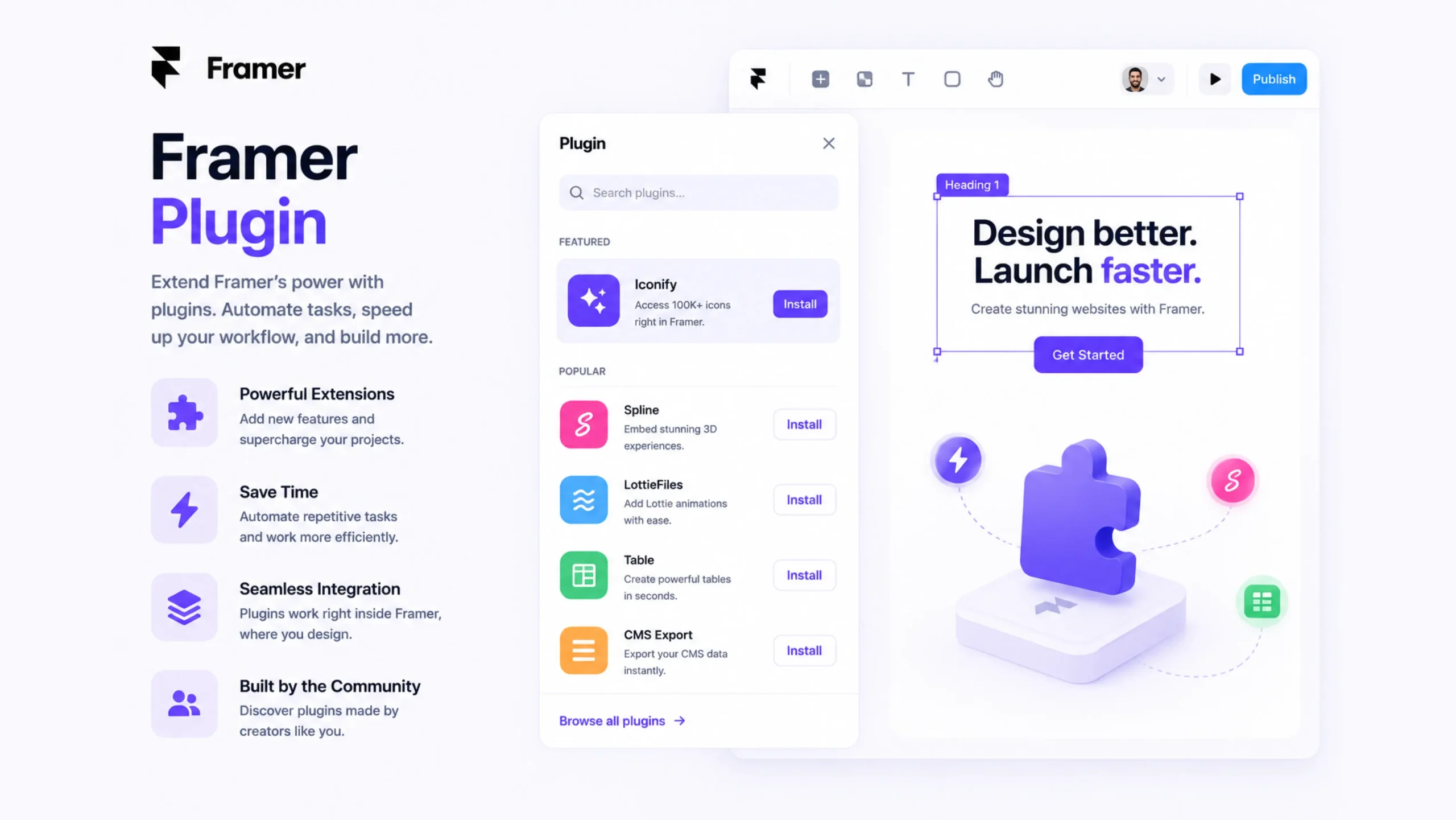
What Is a Framer Plugin?
A Framer Plugin is an add-on tool that extends the functionality of Framer. It helps designers and developers perform tasks that go beyond Framer’s native features, such as importing content, generating layouts, managing assets, connecting external services, or automating repetitive work.
Think of Framer as a smartphone.
The platform already comes packed with useful features. Plugins are like apps that add new capabilities whenever you need them. Instead of waiting for Framer to release every feature, creators can build plugins that solve specific problems.
This flexibility is one reason many designers enjoy working in Framer.
Why Do Framer Plugins Matter?
Design tools keep getting bigger.
Projects become more complex. Teams grow. Content changes daily. Repeating the same tasks over and over can quickly become frustrating.
That’s where plugins help.
A good plugin can reduce manual work, speed up production, and make certain workflows much easier.
Imagine manually adding hundreds of CMS entries or searching for stock images one by one. Now imagine a plugin doing much of that work in seconds.
The difference can be significant.
A Simple Definition
A Framer Plugin is a third-party or custom extension that adds new features, integrations, automation tools, or workflow improvements to Framer projects.
How Framer Plugins Work
Framer provides a plugin system that allows developers to build tools that interact with projects inside the platform.
Once installed, a plugin can perform actions such as:
- Creating content
- Editing layers
- Managing assets
- Connecting external data
- Generating layouts
- Automating repetitive tasks
Many plugins operate through a simple interface that appears directly inside Framer.
Designers can launch a plugin, select options, and apply changes without leaving their project.
The Different Types of Framer Plugins
Not all plugins serve the same purpose.
Some focus on design. Others focus on content management, productivity, or integrations.
Let’s look at the most common categories.
Content and CMS Plugins
These plugins help manage large amounts of content.
Common uses include:
- Importing blog posts
- Syncing databases
- Updating CMS collections
- Managing dynamic content
Teams handling content-heavy websites often rely on these tools.
AI-Powered Plugins
Artificial intelligence has found its way into design workflows.
AI plugins may help generate:
- Website copy
- Design suggestions
- Images
- Layout ideas
- Content summaries
These tools can speed up early-stage design work and content creation.
Asset Management Plugins
Design projects usually involve a large collection of images, icons, videos, and graphics.
Asset-focused plugins help organize and access these resources quickly.
Examples include:
- Stock image libraries
- Icon collections
- Media management tools
Productivity Plugins
Some plugins exist purely to save time.
They can automate:
- Layer organization
- Naming conventions
- Layout generation
- Content population
Small improvements add up, especially on larger projects.
Integration Plugins
Modern websites rarely operate in isolation.
Integration plugins connect Framer with:
- CMS platforms
- Marketing tools
- Analytics systems
- Databases
- External APIs
This helps create more connected digital experiences.
Popular Uses for Framer Plugins
Here’s where things get interesting.
Most teams don’t install plugins simply because they’re available. They install them because they solve real problems.
Common use cases include:
Filling Placeholder Content
Instead of manually writing dummy text or adding images, plugins can populate pages automatically.
Connecting External Data
Businesses often need content from outside sources.
Plugins can pull information from spreadsheets, databases, or APIs.
Speeding Up Design Work
A plugin might generate cards, grids, sections, or layouts instantly.
What once took an hour may take minutes.
Managing Large Websites
For content-heavy websites, plugins can simplify updates and content management.
This becomes increasingly valuable as projects grow.
Why Designers Love Framer Plugins
Let’s be honest.
Most designers would rather spend time solving creative problems than repeating the same task fifty times.
Plugins help remove some of that repetitive work.
Benefits include:
- Faster workflows
- Reduced manual effort
- Improved productivity
- Better project organization
- Easier collaboration
- Expanded platform capabilities
The result is more time spent designing and less time spent performing routine maintenance.
Why Businesses Benefit Too
The impact isn’t limited to designers.
Businesses gain advantages as well.
Projects can move faster.
Content updates become easier.
Teams spend fewer hours on repetitive tasks.
Over time, those saved hours translate into lower operational costs and quicker project delivery.
A small plugin can sometimes create a surprisingly large business impact.
Framer Plugins vs Built-In Features
People often ask why plugins exist if Framer already includes powerful features.
The answer is flexibility.
Built-in features are created for broad use cases.
Plugins solve more specialized problems.
| Feature | Built-In Tools | Plugins |
|---|---|---|
| Core Design Functions | Yes | No |
| Specialized Workflows | Limited | Strong |
| Third-Party Integrations | Limited | Extensive |
| Automation Options | Basic | Advanced |
| Custom Solutions | Limited | High |
The two work together rather than competing with each other.
Real Examples of Plugin Use
You might encounter plugins being used for:
- Importing hundreds of CMS records
- Generating placeholder content
- Accessing stock photography
- Managing icon libraries
- Connecting Google Sheets
- Creating AI-generated copy
- Organizing project layers
Many agencies use several plugins during a single project lifecycle.
A Few Things to Watch Out For
Plugins are helpful, but they aren’t perfect.
There are moments when restraint is useful.
Too Many Plugins
Installing dozens of plugins can create clutter.
Sometimes the simplest workflow is the best one.
Compatibility Issues
A plugin may stop working after platform updates.
It’s wise to choose actively maintained tools.
Performance Concerns
Some plugins process large amounts of data.
Testing before rolling them into production workflows is usually a smart move.
Security and Permissions
Plugins often request access to project data.
Teams should review permissions carefully before installation.
The Growing Future of Framer Plugins
Framer continues to attract designers, startups, agencies, and product teams.
As the ecosystem grows, plugins are becoming a larger part of the platform experience.
AI-generated content, workflow automation, external integrations, and design productivity tools are expanding rapidly.
Many designers now see plugins as a normal part of their workflow rather than optional extras.
That trend shows no signs of slowing down.
Final Thoughts
Framer Plugins extend what Framer can do. They help designers automate repetitive tasks, connect external services, manage content, and streamline project workflows.
The biggest advantage isn’t simply adding more features.
It’s reducing friction.
A well-chosen plugin can save hours of manual work, improve collaboration, and make complex projects easier to manage. From AI-powered content generation to CMS automation and asset management, plugins help teams work smarter and move faster.
For anyone building websites in Framer, plugins can become valuable tools that make everyday work smoother and more efficient.
Frequently Asked Questions (FAQs)
1. What is a Framer Plugin?
A Framer Plugin is an extension that adds extra features, integrations, automation tools, or workflow improvements to Framer projects.
2. Are Framer Plugins free?
Some plugins are free, while others offer paid plans or premium features.
3. Can I create my own Framer Plugin?
Yes. Developers can build custom plugins using Framer’s plugin development tools and APIs.
4. Do Framer Plugins require coding knowledge?
Most plugins can be used without coding. Creating custom plugins typically requires programming skills.
5. Are Framer Plugins safe to use?
Generally yes, though users should review permissions and install plugins from trusted sources.
6. Can plugins improve website development speed?
Yes. Many plugins automate repetitive tasks, manage content, generate assets, and simplify workflows, helping teams complete projects more efficiently.