


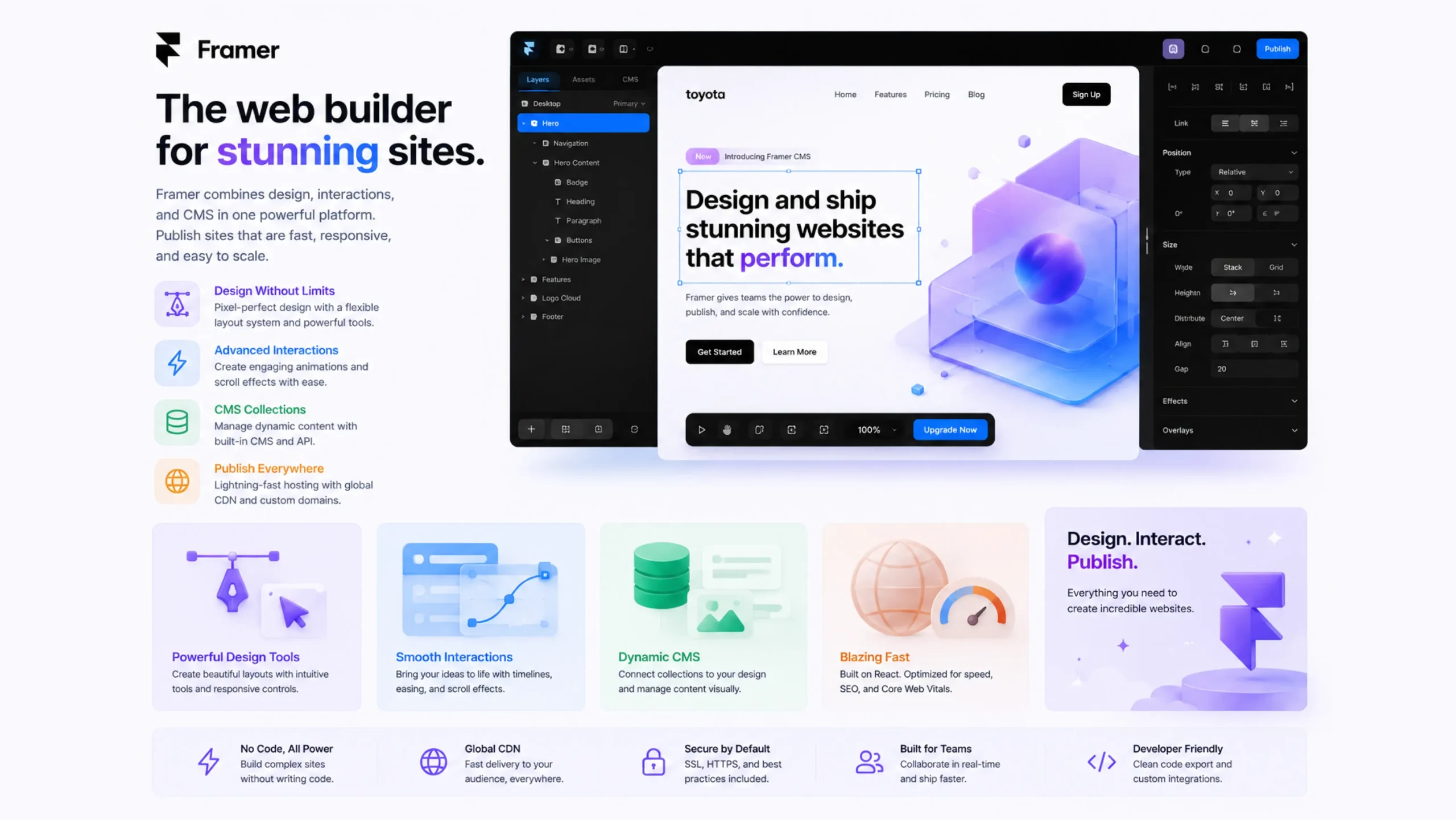
What Is Framer?
Framer is a visual website-building platform that combines design, prototyping, content management, and publishing in a single workspace. It allows users to create modern websites with interactive elements and responsive layouts without writing large amounts of code.
Many people describe Framer as a bridge between design tools and website builders. Designers can move from an idea to a live website without switching between multiple applications.
That’s one reason the platform has gained attention among freelancers, startups, agencies, and marketing teams.
How Framer Works
At its core, Framer uses a visual editing environment.
Users drag elements onto a page, arrange layouts, add animations, customize styles, and publish websites directly from the platform.
The experience feels similar to designing in a graphic design tool, yet the output becomes a functioning website rather than a static mockup.
Here’s the interesting part: much of the technical work happens behind the scenes. Framer generates the structure needed to make pages responsive and interactive across devices.
From Design Tool to Website Platform
Framer didn’t start as the website builder many people know today.
Earlier versions focused heavily on interactive prototyping. Designers used it to create advanced product demonstrations and interface concepts.
Over time, the platform expanded. Publishing features, content management capabilities, and hosting options transformed Framer into a complete website creation solution.
Today, many users build and launch entire websites without touching traditional development workflows.
Why Framer Feels Different
Design Comes First
Many website builders start with templates and content.
Framer begins with design flexibility.
Users can position elements freely, experiment with layouts, and create highly customized experiences without feeling restricted by rigid structures.
Real-Time Editing
Changes appear immediately.
Move a section, update text, adjust spacing—everything updates visually as you work.
This immediate feedback speeds up the design process and helps ideas take shape faster.
Interactive Experiences
Modern websites often include subtle movement, hover effects, scrolling animations, and transitions.
Framer makes these interactions accessible without requiring deep programming knowledge.
Key Features of Framer
Visual Website Builder
The drag-and-drop editor allows users to create pages visually while maintaining professional-level control over layouts and styling.
Responsive Design Tools
Websites need to work on phones, tablets, laptops, and large monitors.
Framer includes responsive controls that help designers adapt layouts for different screen sizes.
Built-In CMS
Framer offers content management features that allow teams to update blogs, articles, portfolios, case studies, and other dynamic content without rebuilding pages.
Animations and Effects
Interactive elements can be added directly within the platform.
Transitions, scroll effects, and micro-interactions help create engaging user experiences.
Hosting and Publishing
Users can publish websites directly through Framer without relying on separate hosting providers.
This simplifies the launch process considerably.
Why Businesses Use Framer
Businesses often want speed without sacrificing design quality.
Framer helps teams launch websites quickly while maintaining a polished appearance.
Marketing departments appreciate the ability to update content independently. Designers enjoy creative freedom. Founders like the shorter path from concept to launch.
It’s one platform serving multiple needs at the same time.
Framer vs Traditional Website Development
Traditional website projects often involve several stages:
- Design creation
- Developer handoff
- Coding
- Testing
- Deployment
Framer compresses many of those steps into a single workflow.
That doesn’t mean developers become unnecessary. Complex applications and custom functionality may still require development expertise.
For marketing websites, landing pages, portfolios, and business sites, Framer can significantly reduce production time.
Responsive Design Without the Headaches
Responsive design has become a standard expectation.
Visitors might view a website on a smartphone during breakfast and revisit it later on a desktop computer.
Framer helps creators adjust layouts for different screen sizes without building separate versions of a website.
Elements can resize, rearrange, and adapt automatically, creating a smoother experience for visitors.
Popular Use Cases for Framer
Startup Websites
Startups often need polished websites quickly. Framer’s visual workflow makes rapid launches possible.
Landing Pages
Marketing teams frequently use Framer for campaign pages and product launches.
Portfolios
Designers, photographers, and creative professionals use Framer to showcase their work with visually rich presentations.
Company Websites
Small and medium-sized businesses can build professional websites without maintaining large development teams.
Product Showcases
Interactive product demonstrations and feature pages work particularly well within Framer.
A Few Things to Consider
No platform fits every situation.
Framer excels at design-focused websites and marketing experiences. Highly complex web applications may require custom development solutions.
Teams transitioning from traditional development environments may also need time to adjust to Framer’s visual approach.
Still, many users find that the speed and simplicity outweigh the learning curve.
Why Framer Is Becoming More Popular
Website expectations have changed.
Businesses want beautiful websites. They want them quickly. They want flexibility without technical bottlenecks.
Framer addresses many of those goals by bringing design, content management, and publishing together.
Its growing community, expanding feature set, and focus on visual creation continue to attract designers and companies looking for faster workflows.
Final Thoughts
Framer is a visual website-building platform that combines design, content management, interactivity, and publishing into a single system. It helps creators build responsive websites with modern animations and professional layouts while reducing reliance on traditional coding workflows.
For designers seeking greater creative control and businesses looking for faster website production, Framer offers an appealing balance between flexibility and simplicity.
FAQs
1. What is Framer used for?
Framer is used to design, build, and publish responsive websites with interactive features and visual editing tools.
2. Does Framer require coding knowledge?
No. Most websites can be built visually without coding, though developers can add custom code when needed.
3. Is Framer good for beginners?
Yes. Its visual interface makes website creation accessible for beginners while still offering advanced capabilities for experienced users.
4. Can Framer create responsive websites?
Yes. Framer includes responsive design tools that help websites adapt to different screen sizes and devices.
5. Does Framer include a CMS?
Yes. Framer provides content management features that make updating dynamic content easier.
6. How is Framer different from traditional website development?
Framer combines design, building, hosting, and publishing into one workflow, reducing the need for separate design and development stages.