


What Are Webflow Memberships?
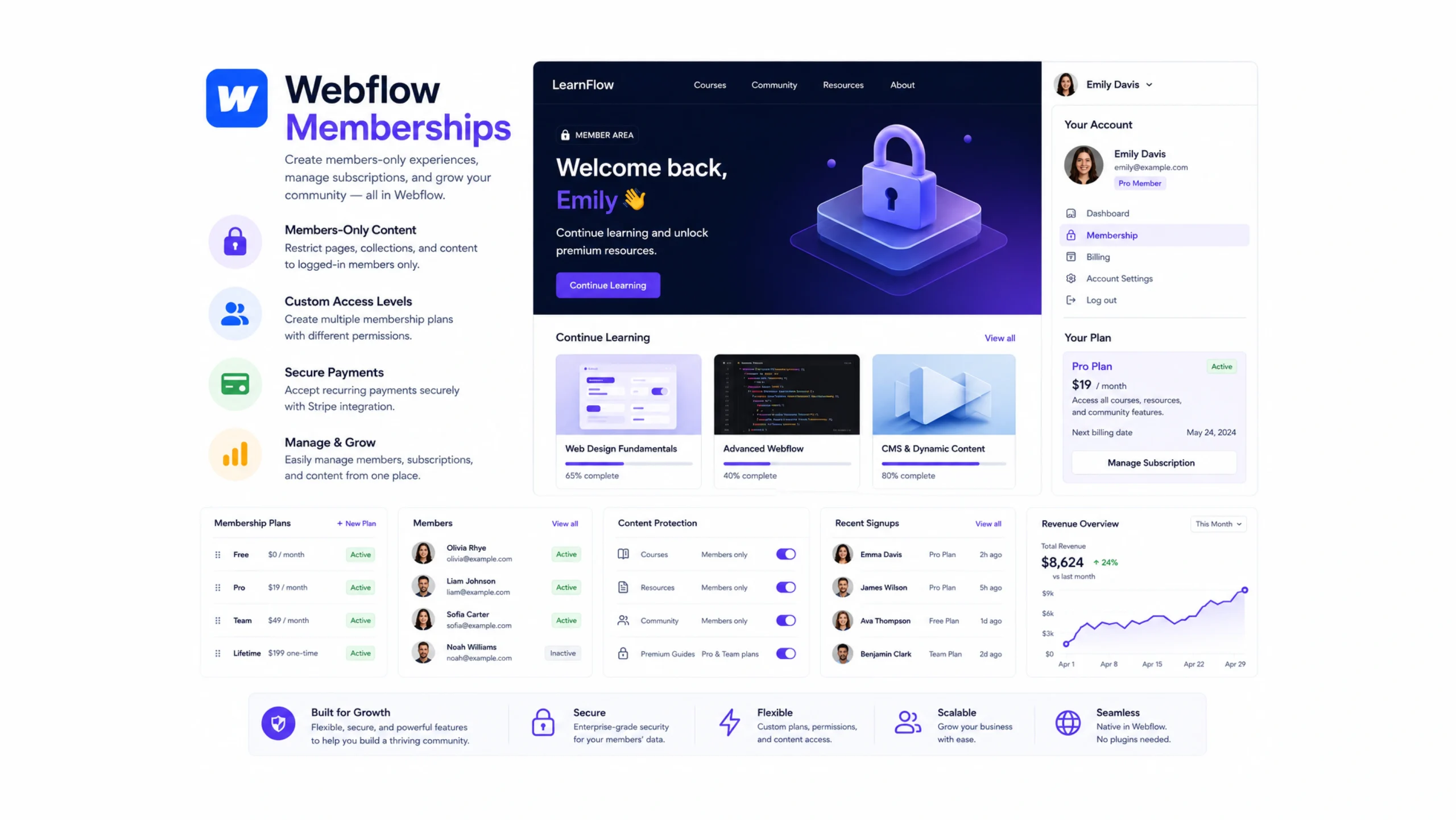
Webflow Memberships is a feature that allows website owners to create secure, members-only areas within their Webflow sites. Visitors can sign up, log in, access restricted content, manage their accounts, and interact with content based on membership permissions.
Instead of relying on several third-party tools, site owners can manage member experiences directly within Webflow.
Think of it as adding a private section to your website where access is granted only to approved users.
Why Membership Websites Are Becoming Popular
Many businesses no longer rely solely on one-time purchases.
Subscription services, exclusive communities, online learning platforms, and premium content libraries have become increasingly common.
People enjoy personalized experiences and exclusive access.
Businesses appreciate predictable recurring revenue.
The result is a growing demand for membership-driven websites.
That’s exactly where Webflow Memberships fits.
A Digital Clubhouse for Your Audience
Imagine running a private club.
Anyone can walk past the building and see the entrance.
Members, though, gain access to special rooms, events, and resources.
A membership website works in much the same way.
Public visitors see general content.
Registered members gain access to additional features, premium content, or exclusive resources.
How Webflow Memberships Work
The system is designed around user authentication and access control.
Member Registration
Visitors create accounts through signup forms.
User Login
Members access protected areas using their credentials.
Access Rules
Site owners decide which content is public and which content requires membership.
Account Management
Members can update profiles and manage account information.
Protected Content
Exclusive pages, resources, and experiences remain hidden from non-members.
The process feels familiar because most people already use memberships on streaming platforms, learning sites, and community platforms.
Core Features of Webflow Memberships
Several features make membership management easier.
User Authentication
Visitors can register, log in, and manage accounts.
Gated Content
Specific pages and resources can remain accessible only to approved members.
Member Accounts
Users receive personalized account experiences.
Access Controls
Different content can be assigned to different membership levels.
Integrated Experience
Membership features work within the Webflow ecosystem.
Design Flexibility
Membership pages can match the site’s visual identity without relying heavily on prebuilt templates.
Why Businesses Use Membership Models
Membership websites create opportunities that standard websites often cannot provide.
Recurring Revenue
Subscriptions can create steady income streams.
Stronger Customer Relationships
Members tend to engage more frequently.
Community Building
Exclusive areas often encourage deeper audience connections.
Premium Content Delivery
Creators can share specialized resources with paying members.
Customer Retention
Membership programs often increase long-term loyalty.
A visitor may arrive once.
A member often returns repeatedly.
That’s a meaningful difference.
Common Membership Models
Membership websites take many forms.
Online Courses
Students access lessons, videos, and educational materials.
Premium Content Sites
Publishers provide exclusive articles, research, or reports.
Coaching Programs
Members gain access to training materials and support resources.
Communities
Private discussion groups and member networks operate behind login walls.
Subscription Services
Businesses provide ongoing content or services through recurring plans.
Resource Libraries
Members access templates, downloads, guides, and tools.
The structure varies, yet the goal remains similar: providing value to registered users.
The Psychology Behind Memberships
Here’s something interesting.
People often value access differently when they belong to something.
A free article is useful.
A member-exclusive article can feel more valuable.
The content may even be similar.
The difference lies in exclusivity and perceived value.
That’s why many brands use memberships to strengthen engagement.
Members often feel connected to the experience rather than simply consuming content.
Webflow Memberships vs Traditional Membership Platforms
Webflow Memberships competes with several membership-focused tools.
Examples include:
- Memberstack
- Kajabi
- Circle
- Patreon
- Teachable
Each serves different needs.
Webflow Memberships
Works directly inside the Webflow ecosystem and focuses on seamless website integration.
Kajabi
Strong focus on courses and digital products.
Circle
Built around online communities.
Patreon
Designed primarily for creator subscriptions.
Memberstack
Provides membership functionality across multiple platforms.
Webflow Memberships often appeals to users who want design flexibility and membership management in one place.
Common Use Cases
Many industries benefit from membership functionality.
Education
Schools, coaches, and trainers provide protected learning content.
Media Companies
Publishers restrict premium articles and research.
Agencies
Client portals provide secure access to project information.
SaaS Businesses
Members access account-specific resources and support.
Professional Organizations
Members gain access to directories, documents, and private content.
Creative Businesses
Artists, designers, and creators share exclusive content.
The possibilities are surprisingly broad.
Challenges and Limitations
Membership websites are powerful, though they come with responsibilities.
Content Expectations
Members expect ongoing value.
User Management
Growing communities require active administration.
Support Requirements
Members often need account assistance.
Content Production
Exclusive content must remain fresh and useful.
Strategic Planning
Membership programs succeed when they solve a clear audience need.
Technology helps, but content quality still matters most.
Tips for Building a Successful Membership Site
A few practical approaches can improve results.
Focus on Value First
People join memberships for benefits, not features.
Keep Registration Simple
Reduce friction during signup.
Create Consistent Content
Regular updates encourage retention.
Communicate Clearly
Members should understand what they receive.
Design a Smooth User Experience
Easy navigation increases engagement.
Listen to Members
Feedback often reveals opportunities for improvement.
A successful membership feels alive rather than static.
The Future of Membership Websites
Membership models continue to evolve.
Several trends are shaping the future:
- Community-driven experiences
- Personalized member content
- Subscription-based learning
- Creator-focused business models
- AI-assisted member experiences
- Private digital communities
As audiences seek deeper connections with brands and creators, memberships are likely to remain a major part of the web.
Final Thoughts
Webflow Memberships allows businesses, creators, educators, and organizations to create member-only experiences directly within their websites.
By combining user accounts, gated content, and flexible design tools, it helps website owners build stronger relationships with audiences while creating opportunities for recurring revenue and long-term engagement.
For businesses focused on community, education, premium content, or subscription services, Webflow Memberships provides a practical way to turn visitors into active members.
Frequently Asked Questions
1. What are Webflow Memberships?
Webflow Memberships is a feature that allows websites to create user accounts and restrict content to registered members.
2. Can I create paid memberships with Webflow?
Yes. Membership plans can be connected with payment systems to support subscription-based access.
3. What type of content can be gated?
Articles, videos, downloads, courses, resources, and private pages can all be restricted to members.
4. Do users need technical skills to manage memberships?
No. Most membership management tasks can be handled through Webflow’s visual interface.
5. Is Webflow Memberships suitable for online courses?
Yes. Many creators use membership systems to provide structured educational content.
6. Can I have different membership levels?
Yes. Different member groups can receive access to different content and experiences.