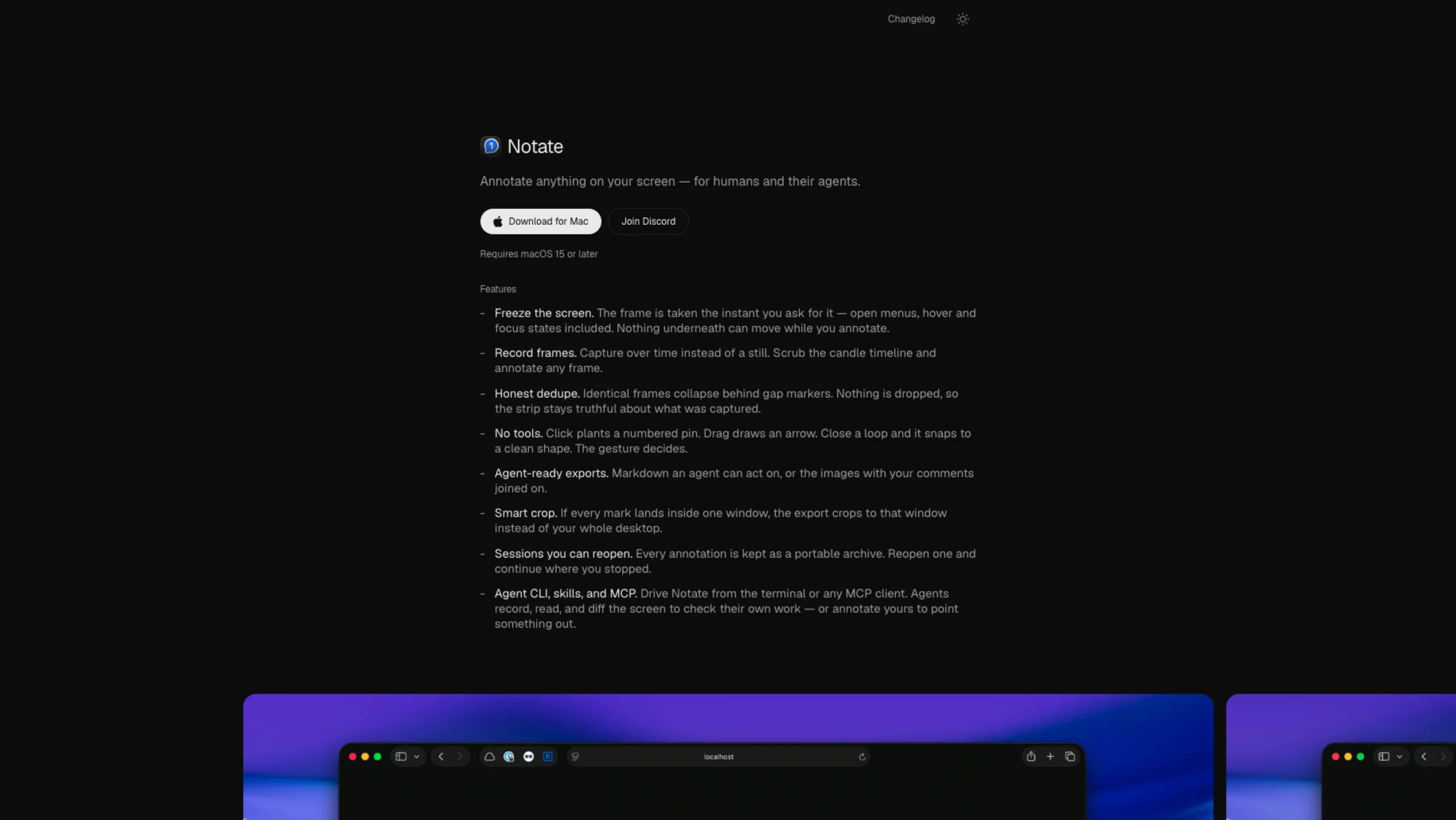
Notate is a free, open-source macOS annotation tool that lets users capture and annotate anything on their screen with remarkable precision.
It can freeze live interfaces, record screen frames over time, add pins, arrows, and shapes without switching tools, and export annotations in AI-friendly Markdown or image formats.
Designed for designers, developers, QA teams, and AI-assisted workflows, Notate makes it easy to communicate visual feedback, review interfaces, and collaborate with both teammates and coding agents.
Notate — Annotate Your Screen, Without the Back-and-Forth
Sometimes a screenshot isn’t enough.
A hover state disappears. An animation breaks between frames. A tiny UI detail is difficult to explain in words. Or you’re trying to tell a developer exactly what needs changing without writing a paragraph of instructions.
Notate makes those moments easier to communicate.
It’s a Mac app that lets you capture what’s on your screen, add numbered annotations, and share the exact details your teammate—or coding agent—needs to understand.
What Can You Use Notate For?
Pretty much anything where showing is easier than explaining.
Designers can use it for UI reviews, motion feedback, and design handoffs. Product teams can annotate walkthroughs and prototypes. Developers can mark up bugs, code changes, or visual differences.
You can even capture things that traditional screenshot tools often miss, such as a hover or focus state, a particular animation frame, or the exact moment something goes wrong.
Add numbered pins and comments directly to the capture, then send the annotated context to someone else without a long explanation.
Simple Capture Workflow
Notate is designed to stay out of your way.
When you capture something, the image is saved to a folder on your Mac. The file path and your comments are also copied to your clipboard, making it easy to drop the information into your existing workflow.
Two Ways to Export
Notate gives you two straightforward export options:
Text & Image
Copies your comments as Markdown, including the numbered annotations, while saving the captured image separately.
Image
Creates a single image with the annotations and comments combined.
Choose whichever format makes the most sense for where you’re sending the feedback.
Keep Your Sessions Editable
Notate also uses its own .notate file format.
Think of it as a portable archive of an annotation session. It keeps the images and comments together, so you can reopen the file later and continue adding or editing your notes.
This is particularly useful when feedback happens over several rounds rather than in a single pass.
Why Screen Recording Permission?
Notate needs Screen Recording permission on macOS so it can access your screen when you’re capturing something.
The permission is used specifically for the screen capture functionality.
Is Notate Free?
Yes.
Notate is free to download and use. It’s distributed as a DMG directly from the Notate website.
Who Is Notate For?
Notate can be especially useful for:
- UI/UX designers reviewing interfaces
- Product designers sharing visual feedback
- Developers reporting and fixing UI bugs
- Product managers reviewing product experiences
- Design teams working on handoffs
- Teams working with coding or AI agents
- Anyone who finds themselves writing long explanations for things that would be easier to point at
Our Take
Notate solves a small but very real problem: explaining what’s wrong with something on screen.
Instead of switching between screenshots, messages, and lengthy explanations, you can capture the exact moment, point to what matters, and add context right where it’s needed.
It’s a simple idea, but one that fits naturally into modern design and development workflows—especially when visual context matters as much as the words describing it.
Sometimes the fastest way to explain something is simply to point at it.