


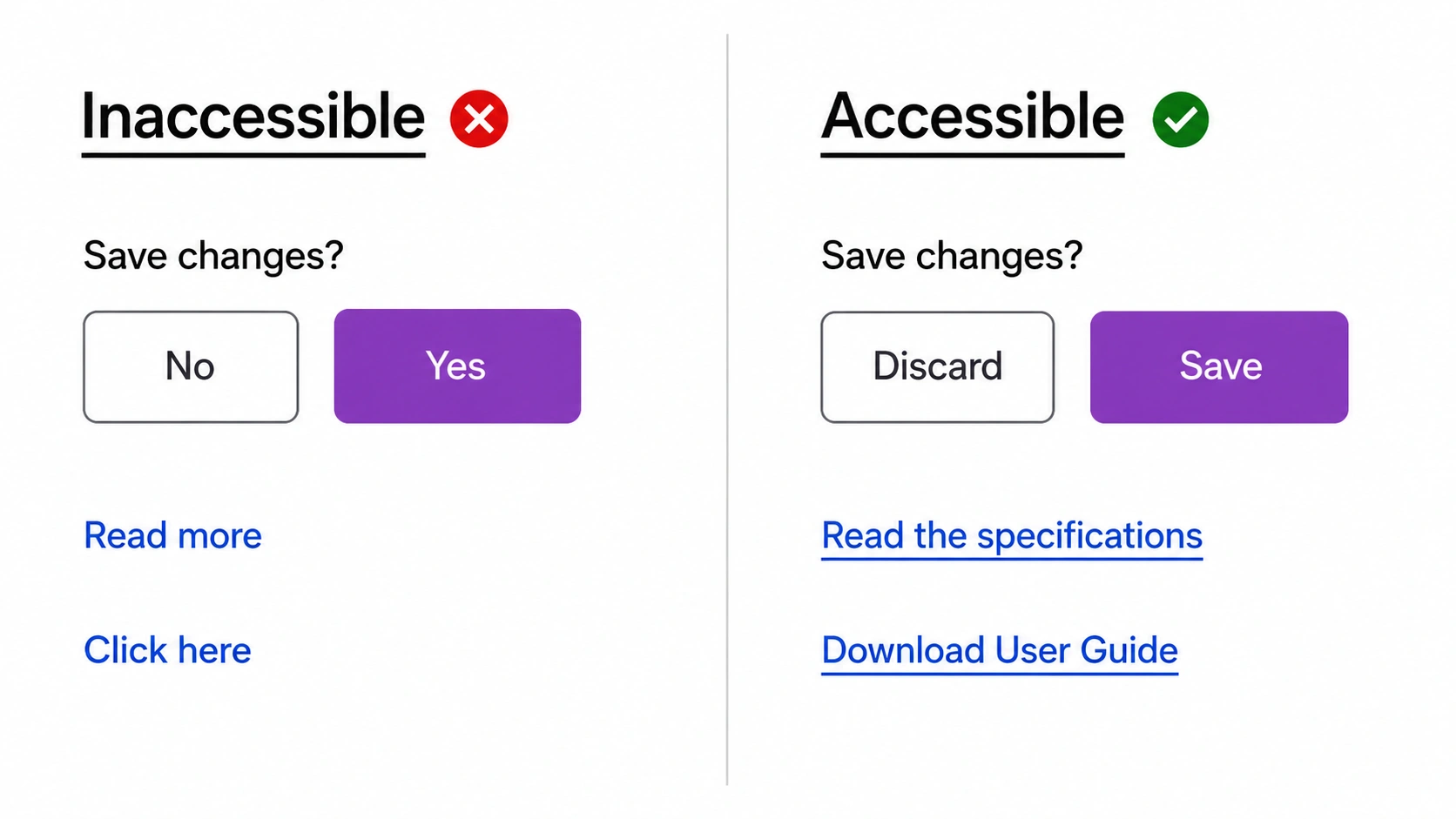
Accessibility: Designing Digital Experiences Everyone Can Use.
Imagine visiting a website and being unable to read the text.
Or trying to complete a payment form but discovering you can’t navigate it with your keyboard.
Or opening an app where the color contrast is so poor that important information practically disappears.
For many people, this isn’t an occasional inconvenience. It’s a daily experience.
That’s where Accessibility comes in.
Accessibility is one of the most important concepts in design, development, and product creation. It focuses on making digital experiences usable by people with a wide range of abilities, disabilities, devices, and situations.
The goal sounds simple: make products that more people can use.
Yet the impact reaches much further than most teams realize.
What Is Accessibility?
Accessibility refers to the practice of creating products, services, environments, and digital experiences that can be accessed and used by as many people as possible.
In digital design, accessibility means removing barriers that prevent people from interacting with websites, apps, software, and online content.
An accessible product allows users to:
- Read content
- Navigate interfaces
- Complete tasks
- Understand information
- Interact with controls
- Access services independently
The focus isn’t limited to people with permanent disabilities.
Accessibility supports everyone.
Accessibility Is About People
Sometimes accessibility gets reduced to a checklist.
Add alt text.
Increase contrast.
Label form fields.
Done.
The reality is much bigger.
Accessibility is fundamentally about people.
A parent holding a baby with one arm.
Someone recovering from an injury.
An older adult with declining vision.
A commuter using a phone in bright sunlight.
A user relying on a screen reader.
Different situations create different needs.
Accessibility helps bridge those gaps.
Why Accessibility Matters
Let’s pause for a moment.
Think about physical buildings.
Most people immediately understand the importance of ramps, elevators, handrails, and accessible entrances.
Digital products need similar accommodations.
A website can create barriers just as easily as a staircase.
The difference is that digital barriers are often invisible to those who don’t encounter them.
Accessibility removes those barriers.
Who Benefits From Accessibility?
A common misconception is that accessibility only helps people with disabilities.
Actually, accessibility benefits nearly everyone.
People With Visual Disabilities
This includes users who are:
- Blind
- Partially sighted
- Color blind
- Experiencing age-related vision changes
Many rely on screen readers, magnification tools, or high-contrast displays.
People With Hearing Disabilities
Users with hearing impairments often depend on:
- Captions
- Subtitles
- Transcripts
- Visual notifications
People With Motor Disabilities
Some users cannot use a mouse effectively.
They may navigate through:
- Keyboard controls
- Voice commands
- Adaptive hardware
- Assistive technologies
People With Cognitive Disabilities
Clear layouts and understandable content can help users with:
- Dyslexia
- Learning disabilities
- Memory challenges
- Attention-related conditions
Temporary Limitations
Accessibility isn’t limited to permanent conditions.
Consider:
- A broken arm
- Eye strain
- Migraines
- Recovery after surgery
These situations can affect interaction with digital products.
Situational Challenges
Even people without disabilities benefit from accessibility.
Examples include:
- Using a phone in bright sunlight
- Watching videos without sound
- Using a slow internet connection
- Holding groceries while browsing
Accessibility often improves convenience for everyone.
The Four Core Principles of Accessibility
Most digital accessibility guidance is built around four principles commonly known as POUR.
These principles provide a useful framework for evaluating experiences.
Perceivable
Users must be able to perceive information.
Content shouldn’t rely entirely on a single sense.
For example:
- Images need alternative text.
- Videos need captions.
- Color shouldn’t be the only way to communicate information.
People must be able to access the content somehow.
Operable
Users must be able to interact with the interface.
Buttons, menus, forms, and controls should work through different input methods.
A user should not be forced to use a mouse if they rely on a keyboard.
Understandable
Information should be clear and predictable.
Navigation should remain consistent.
Instructions should be easy to follow.
Error messages should explain what happened and how to fix it.
Confusion creates barriers.
Robust
Content should function across devices, browsers, and assistive technologies.
As technology changes, accessible content should continue working properly.
Accessibility in UI/UX Design
Accessibility influences almost every design decision.
Let’s look at some common areas.
Color Contrast: More Important Than Many Realize
A beautiful color palette isn’t always an accessible one.
Low contrast often makes content difficult to read.
For example:
Light gray text on a white background may look elegant during a design review.
For many users, it becomes frustrating to read.
Strong contrast improves readability and usability.
Typography and Readability
Accessibility and typography go hand in hand.
Readable text generally includes:
- Clear font choices
- Appropriate line spacing
- Adequate font sizes
- Logical hierarchy
People shouldn’t have to struggle to consume content.
Reading should feel natural.
Keyboard Navigation
Many users navigate without a mouse.
An accessible interface allows users to:
- Move between controls
- Open menus
- Complete forms
- Activate buttons
All through keyboard commands.
This area is frequently overlooked during design reviews.
Forms: The Hidden Source of Frustration
Forms are often where accessibility issues appear.
Common problems include:
- Missing labels
- Unclear instructions
- Poor error messages
- Tiny click targets
A form might seem straightforward during testing.
Then a real user encounters obstacles that stop them from completing the task.
Accessibility helps prevent those moments.
Images Need Context Too
Images can communicate valuable information.
Screen readers cannot interpret visuals the same way humans do.
Alternative text helps bridge that gap.
Good alt text describes the image’s purpose rather than listing every visual detail.
The goal is context.
Video Accessibility
Video content should accommodate different needs.
Helpful additions include:
- Closed captions
- Subtitles
- Audio descriptions
- Written transcripts
These features improve accessibility and often improve engagement as well.
Accessibility Standards and Guidelines
Many organizations follow established accessibility standards.
The most widely recognized is the Web Content Accessibility Guidelines (WCAG).
WCAG provides recommendations covering:
- Visual accessibility
- Keyboard interaction
- Content structure
- Multimedia accessibility
- Navigation
- User interaction
Many governments and organizations reference WCAG when establishing accessibility requirements.
Common Accessibility Mistakes
Even experienced teams make mistakes.
Some appear surprisingly often.
Using Color Alone
A red label might indicate an error.
A green label might indicate success.
Users who cannot distinguish colors may miss the message.
Additional indicators help solve this issue.
Small Click Areas
Tiny buttons create frustration for many users.
Larger touch targets improve usability.
Missing Focus States
Keyboard users need visual feedback showing where they are on the page.
Without focus indicators, navigation becomes difficult.
Auto-Playing Content
Unexpected motion, sound, or animations can create problems for some users.
Giving users control is usually a better experience.
Accessibility Testing: Don’t Guess
Design teams sometimes assume a product is accessible.
Assumptions can be expensive.
Testing provides answers.
Accessibility testing may involve:
- Screen reader testing
- Keyboard-only navigation
- Contrast analysis
- Automated auditing tools
- User testing with people who have disabilities
Real-world feedback often reveals issues that automated tools miss.
Accessibility Is Not the Enemy of Creativity
This myth appears often.
Some people assume accessibility limits creativity.
Actually, the opposite is frequently true.
Constraints often encourage better thinking.
Designers become more intentional.
Writers become clearer.
Developers produce cleaner code.
Products become easier to use.
Creativity doesn’t disappear. It becomes more purposeful.
The Business Side of Accessibility
Accessibility is often viewed as a social responsibility.
It is that.
It’s also a smart business decision.
Accessible products can:
- Reach larger audiences
- Improve customer satisfaction
- Reduce abandonment rates
- Support legal compliance
- Strengthen brand reputation
A product that excludes users loses opportunities.
A product that welcomes users gains trust.
Accessibility and Inclusive Design
Accessibility and inclusive design are closely connected.
Accessibility focuses on removing barriers.
Inclusive design considers diverse needs from the beginning.
Think of accessibility as making sure everyone can enter the building.
Inclusive design considers how comfortable and effective the experience feels once they’re inside.
Both perspectives matter.
The Future of Accessibility
Technology continues to evolve.
Artificial intelligence, voice interfaces, augmented reality, virtual reality, and wearable devices are creating new opportunities and new challenges.
Yet one principle remains constant.
Technology should adapt to people.
People should not be forced to adapt to technology.
That idea sits at the center of accessibility.
Final Thoughts
Accessibility is the practice of creating digital products and experiences that can be used by the widest possible range of people, including those with disabilities, temporary limitations, and situational challenges.
Accessible design improves readability, navigation, interaction, and overall usability. It helps users complete tasks independently while creating better experiences for everyone.
Far from being a checklist or compliance exercise, accessibility is a mindset. It encourages designers, developers, and product teams to think about real people with different abilities, contexts, and needs.
The best digital products don’t work for most people.
They work for as many people as possible.
That’s what accessibility is really about.
Frequently Asked Questions (FAQs)
What is accessibility in UX design?
Accessibility in UX design refers to creating products and experiences that people with different abilities can use effectively, independently, and comfortably.
Why is accessibility important?
Accessibility removes barriers that prevent people from accessing information, completing tasks, and using digital products. It creates more inclusive experiences and helps organizations reach wider audiences.
What are the four principles of accessibility?
The four principles are Perceivable, Operable, Understandable, and Robust. Together, they form the foundation of many accessibility standards.
What is WCAG?
WCAG stands for Web Content Accessibility Guidelines. It is a widely recognized framework that provides recommendations for making websites and digital products more accessible.
Does accessibility only help people with disabilities?
No. Accessibility benefits everyone, including users with temporary injuries, older adults, people using different devices, and those in challenging environments such as bright sunlight or noisy locations.
How can designers improve accessibility?
Designers can improve accessibility by using proper color contrast, creating clear typography, supporting keyboard navigation, adding alternative text to images, providing captions for videos, and testing experiences with real users.