


What Are Animations?
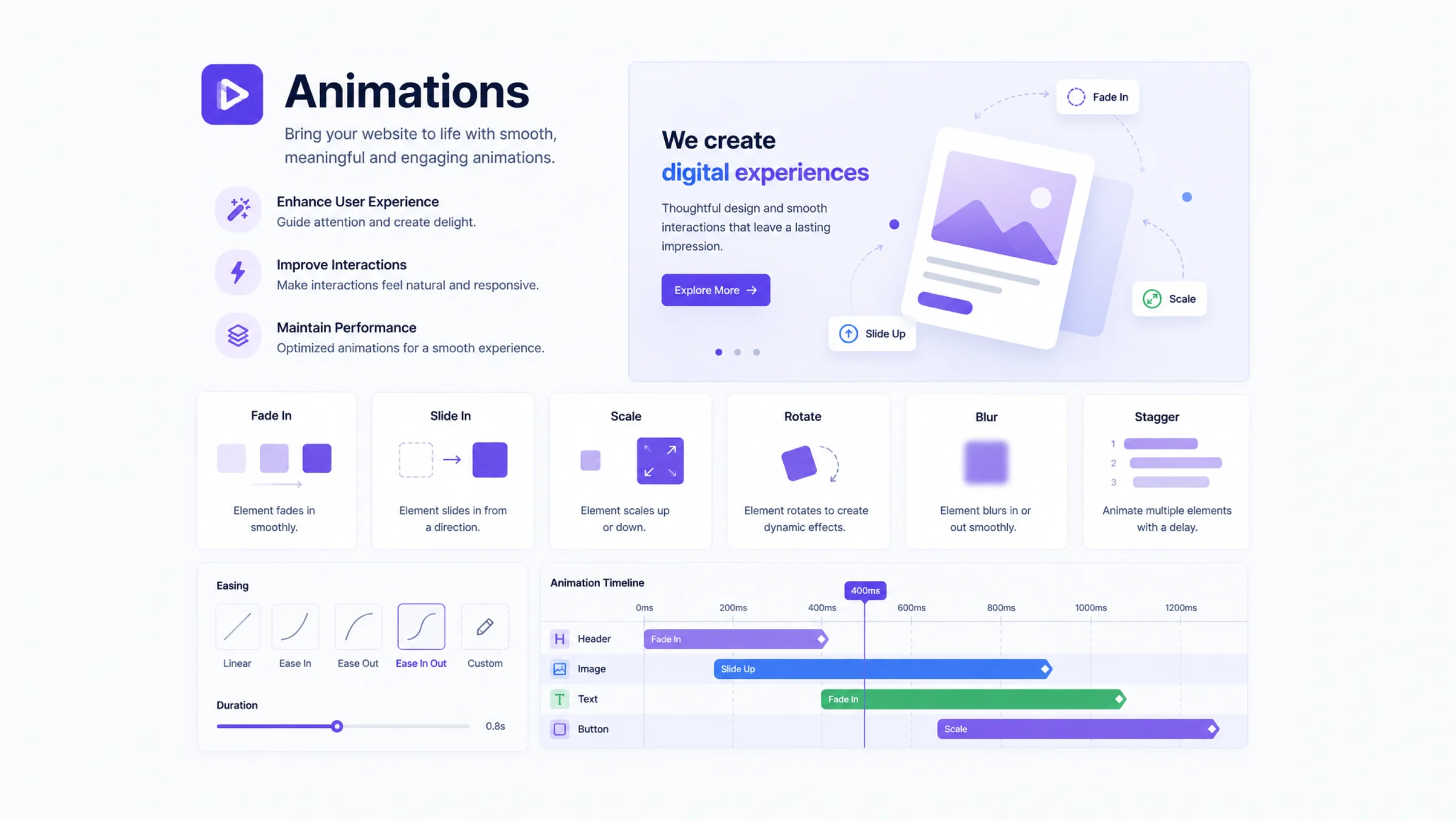
Animations are visual movements or transitions that occur within a digital interface. They help elements move, fade, slide, expand, rotate, or change state in response to user actions or system events.
When a menu smoothly opens, a button reacts to a click, or a loading icon spins, animation is at work.
At first glance, animations may seem decorative. Yet they serve a practical purpose. Good animation helps users understand what is happening on a screen.
Without motion, digital experiences can feel abrupt or confusing.
More Than Visual Flair
Many people think animation exists purely for aesthetics.
That’s partly true.
Animations can make products feel polished and modern.
Still, their biggest value often comes from communication.
Imagine clicking a button and instantly jumping to another screen without any transition. The change may feel jarring.
Now imagine a smooth transition that visually connects the action and the result.
The experience feels more natural.
Small moments like these help users stay oriented.
Why Animations Matter
Human brains naturally notice movement.
Designers use this behavior to guide attention toward important content or actions.
Animations can help users:
- Understand interface changes
- Notice important updates
- Follow navigation paths
- Receive feedback after interactions
- Feel more connected to the experience
A well-placed animation acts like a visual guide, quietly directing users through a product.
Think of Animations as Digital Body Language
People communicate through gestures, facial expressions, and movement.
Digital products don’t have those advantages.
Animations fill part of that gap.
A button shrinking slightly when pressed signals acknowledgment.
A notification sliding into view signals something new.
A progress indicator moving forward signals activity.
These movements communicate information without requiring words.
How Animations Work
Animations typically involve changes over time.
An element may transition from one state to another by adjusting:
- Position
- Size
- Opacity
- Color
- Rotation
- Scale
Developers create these effects using technologies such as CSS animations, JavaScript libraries, mobile development frameworks, or design tools like Figma and After Effects.
The underlying technology varies, but the goal remains the same: make interactions clearer and more engaging.
Common Types of Animations
Different animations serve different purposes.
Hover Animations
Appear when users move a cursor over an element.
Buttons often change color, size, or shadow.
Loading Animations
Indicate that a process is running.
Spinners and progress bars are common examples.
Page Transitions
Create smooth movement between screens or pages.
Microinteractions
Small animations tied to specific user actions.
Think of a heart icon filling after a “like” action.
Scroll Animations
Appear as users move through a page.
Content may fade in, slide upward, or reveal itself gradually.
Modal Animations
Help dialogs and popups appear naturally rather than suddenly.
The Rise of Microinteractions
One of the most influential trends in digital design is the use of microinteractions.
These tiny animations often last less than a second.
Examples include:
- Toggle switches
- Button feedback
- Form validation indicators
- Notification badges
- Like and favorite actions
Small? Absolutely.
Powerful? Very much so.
Users may barely notice them consciously, yet they contribute significantly to overall usability.
Animations in User Experience Design
Animation and user experience often work hand in hand.
Good UX focuses on clarity.
Animation supports that goal.
For example, if a shopping cart icon briefly expands after an item is added, users instantly know the action succeeded.
Without feedback, uncertainty can creep in.
Did the click work?
Should they try again?
Motion removes that doubt.
Benefits of Using Animations
Thoughtful animation can improve digital products in several ways.
Better User Feedback
Animations confirm actions and system responses.
Improved Navigation
Movement helps users understand where content is located and how screens connect.
Stronger Engagement
Interfaces feel more dynamic and interactive.
Increased Clarity
Transitions explain changes that might otherwise feel sudden.
Brand Personality
Motion can reflect a company’s style and identity.
Many modern brands use distinctive animation styles to create memorable experiences.
Web Animations vs App Animations
The purpose remains similar, though implementation can differ.
Web Animations
Usually built using:
- CSS
- JavaScript
- Animation libraries
Web animations must balance creativity with performance.
Mobile App Animations
Often use platform-specific tools.
Examples include:
- iOS animation frameworks
- Android animation APIs
- Cross-platform frameworks
Mobile environments typically support more advanced interactions and gestures.
Speed Matters More Than You Think
An animation can be beautiful and still create frustration.
Timing plays a major role.
Animations that move too slowly can make products feel sluggish.
Animations that move too quickly may become difficult to notice.
Many designers aim for subtle motion that supports the experience without slowing it down.
Users rarely praise good animation directly.
They often notice bad animation immediately.
Common Animation Mistakes
Animations can improve experiences, but poor implementation creates problems.
Too Much Motion
Excessive animation can distract users from important content.
Inconsistent Behavior
Different motion styles across a product create confusion.
Slow Transitions
Long animations may frustrate users trying to complete tasks quickly.
Decorative Motion Without Purpose
Animations should communicate or support interaction.
Movement that serves no purpose often becomes visual noise.
Accessibility and Motion Design
Motion affects people differently.
Some users experience discomfort, dizziness, or motion sensitivity.
Good design accounts for these needs.
Accessibility-friendly approaches include:
- Reducing excessive movement
- Offering motion controls
- Supporting reduced-motion preferences
- Avoiding rapid flashing effects
Many operating systems now allow users to reduce animations globally.
Modern websites and apps should respect those settings.
Animations in Modern Design Systems
Large organizations often define animation standards inside their design systems.
These standards may include:
- Motion duration
- Easing curves
- Transition styles
- Interaction patterns
This creates consistency across products and teams.
A familiar motion language helps users learn interfaces more quickly.
AI and the Future of Animations
Artificial intelligence is beginning to influence motion design.
Some tools can generate animations automatically from design layouts.
Others recommend transitions based on user behavior.
Design software increasingly includes motion features that once required specialized expertise.
As these tools improve, creating polished animations may become easier for designers, developers, and no-code creators alike.
Still, technology doesn’t replace good judgment.
The most effective animations remain those that serve a clear purpose.
Final Thoughts
Animations are moving visual elements that help users understand actions, transitions, and changes within digital products.
Far from being simple decoration, they improve feedback, guide attention, strengthen usability, and add personality to interfaces.
When used thoughtfully, animations create experiences that feel smoother, clearer, and more human. When overused, they can distract and frustrate.
The secret lies in balance—motion that supports users without demanding attention.
Frequently Asked Questions
1. What are animations in UI design?
Animations are visual movements and transitions that help users understand interactions, changes, and system responses within an interface.
2. Why are animations important in UX?
They improve clarity, provide feedback, guide attention, and make interactions feel smoother and more intuitive.
3. What is a microinteraction?
A microinteraction is a small animation tied to a specific action, such as clicking a button, liking a post, or toggling a switch.
4. Can animations improve website usability?
Yes. Well-designed animations help users understand navigation, actions, and interface changes more easily.
5. Do animations affect website performance?
Poorly optimized animations can slow down a website. Efficient animation techniques help maintain performance while delivering smooth experiences.
6. Should animations be accessible?
Yes. Designers should respect reduced-motion preferences and avoid excessive movement that may cause discomfort for some users.