


UX Design: Creating Digital Experiences People Actually Enjoy.
Have you ever used an app that felt effortless?
Everything was easy to find. Tasks took seconds instead of minutes. Nothing seemed confusing. You simply opened the app, completed what you needed, and moved on with your day.
Now think about the opposite experience.
A website where buttons seem hidden. A checkout process that asks for the same information twice. A mobile app that leaves you wondering, “What am I supposed to do next?”
The difference often comes down to UX design.
UX design plays a huge role in shaping how people feel when interacting with products, websites, applications, and digital services. It influences satisfaction, trust, efficiency, and even customer loyalty.
Many people see UX design as something related to screens and interfaces. That’s partly true. Yet the discipline reaches much deeper than visual appearance.
Let’s explore what UX design really means and why it has become one of the most important fields in digital product development.
What Is UX Design?
UX design stands for User Experience Design.
It is the practice of creating products, systems, and services that are useful, easy to understand, efficient, and enjoyable to use.
The term “user experience” refers to the complete experience a person has while interacting with a product.
This includes:
- First impressions
- Ease of use
- Accessibility
- Performance
- Emotional responses
- Overall satisfaction
UX designers focus on people first.
Their goal is to understand user needs, frustrations, motivations, and behaviors, then design experiences that solve real problems.
A beautiful interface can attract attention.
A great user experience keeps people coming back.
UX Design Is Bigger Than Screens
One common misconception is that UX design only applies to websites and apps.
Actually, user experience exists almost everywhere.
Think about:
- Online banking
- Food delivery apps
- Smart watches
- Self-checkout kiosks
- Hospital booking systems
- Airline websites
- Streaming platforms
Even physical products involve user experience.
The process of opening a package, setting up a device, or finding information on a product can influence how people feel.
UX design examines all these interactions.
Why UX Design Matters
People have choices.
Lots of them.
If one website feels confusing, users can leave within seconds and find another solution.
That’s why user experience has become a major competitive advantage.
Strong UX design helps people:
- Complete tasks faster
- Make fewer mistakes
- Feel more confident
- Trust products more easily
- Enjoy using a service
Businesses benefit as well.
Good experiences often lead to:
- Higher conversion rates
- Better customer retention
- Reduced support costs
- Increased customer satisfaction
- Stronger brand perception
You could spend millions on marketing.
If the product experience is frustrating, users may not stay.
UX Design vs UI Design: What’s the Difference?
People often use UX and UI interchangeably.
They’re related, but they’re not the same thing.
Think of a house.
UX design determines how the house functions.
Where are the rooms?
How do people move through the space?
Is it comfortable and practical?
UI design focuses on appearance.
What colors are used?
What materials were selected?
How does the house look?
In digital products:
UX Design focuses on:
- Research
- User needs
- Information architecture
- User flows
- Problem solving
- Usability
UI Design focuses on:
- Colors
- Typography
- Layout
- Visual elements
- Branding
- Interface aesthetics
One influences functionality.
The other influences presentation.
The strongest products combine both.
The Human-Centered Nature of UX Design
At its core, UX design revolves around people.
Not assumptions.
Not personal opinions.
Not stakeholder preferences alone.
Real users.
UX designers spend significant time learning about user behavior.
They ask questions like:
- What are users trying to accomplish?
- What obstacles do they face?
- What frustrates them?
- What motivates them?
- What expectations do they have?
Answers to these questions guide design decisions.
This approach reduces guesswork and creates solutions based on evidence rather than assumptions.
Core Principles of UX Design
Many UX methodologies exist, yet several principles appear repeatedly.
Usability
Products should be easy to learn and use.
Users shouldn’t need extensive instructions for simple tasks.
If people constantly struggle, usability issues are usually present.
Clarity
Information should be understandable.
Labels, buttons, navigation systems, and content should communicate clearly.
Confusion creates friction.
Clarity removes it.
Consistency
Predictable experiences reduce mental effort.
Users feel more comfortable when similar elements behave in similar ways.
Consistency builds trust.
Accessibility
Digital experiences should accommodate people with varying abilities and needs.
Accessibility benefits everyone, not only individuals with disabilities.
We’ll return to this idea later because it’s often misunderstood.
Efficiency
Good experiences help users accomplish goals with minimal effort.
Nobody wants unnecessary steps.
Nobody enjoys repeating tasks.
Efficiency respects users’ time.
The UX Design Process
UX design is rarely a straight line.
It involves exploration, testing, learning, and refinement.
Different organizations follow different frameworks, yet most projects include several common stages.
User Research
Research forms the foundation.
UX designers gather insights through:
- Interviews
- Surveys
- Usability testing
- Analytics
- Observation
- Customer feedback
Research helps reveal actual user behavior.
Interestingly, users often behave differently than stakeholders predict.
Defining Problems
Research findings are analyzed and organized.
Teams identify:
- User goals
- Pain points
- Opportunities
- Business objectives
This stage creates a clearer picture of what needs improvement.
Information Architecture
Information architecture focuses on organization.
Designers determine:
- Navigation structure
- Content hierarchy
- Categories
- Relationships between information
Think of it as creating a blueprint before constructing a building.
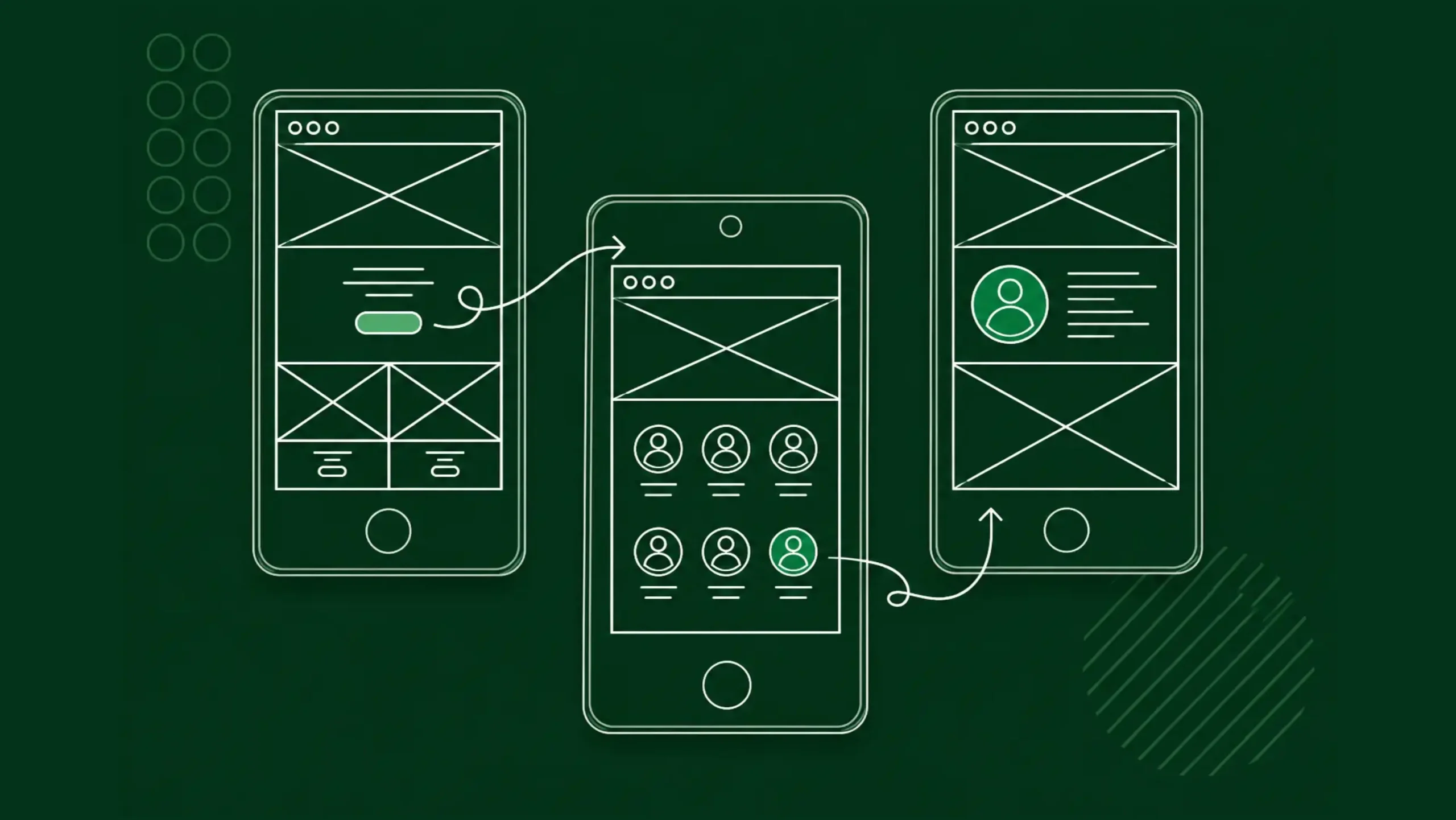
User Flows
User flows map the steps people take while completing tasks.
Examples include:
- Creating an account
- Booking an appointment
- Purchasing a product
- Submitting a form
Flows help identify obstacles before development begins.
Wireframing
Wireframes are simplified layouts.
They focus on structure rather than visual styling.
Designers use wireframes to explore ideas and test functionality early in the process.
Prototyping
Prototypes simulate real interactions.
Users can click, tap, and navigate through experiences before development starts.
Tools such as Figma, Axure, Adobe XD, and Framer are frequently used for this purpose.
Usability Testing
Testing reveals how people interact with designs.
Sometimes users behave exactly as expected.
Other times they surprise everyone.
Testing exposes issues early, which often saves considerable time and money later.
Iteration
Design rarely reaches perfection on the first attempt.
Teams gather feedback, refine designs, test again, and continue improving.
UX design is an ongoing cycle rather than a one-time activity.
Common UX Design Deliverables
UX designers create many artifacts throughout projects.
These may include:
- Personas
- Journey maps
- User flows
- Wireframes
- Site maps
- Prototypes
- Research reports
- Usability findings
- Design recommendations
Each deliverable helps teams understand users and make informed decisions.
UX Design Across Different Industries
UX design isn’t limited to technology companies.
Today, nearly every industry benefits from user-centered design.
Healthcare
Patients need clear appointment systems, medical portals, and telehealth platforms.
Poor experiences can create confusion during already stressful situations.
Finance
Banking applications require trust, clarity, and security.
A confusing financial interface can lead to costly mistakes.
E-Commerce
Shopping experiences influence purchasing behavior directly.
Simpler checkout processes often result in higher sales.
Education
Learning platforms must support students with varying skill levels and learning styles.
Strong UX can improve engagement and retention.
Government Services
Public services often involve complex processes.
Good UX helps citizens access information more efficiently.
Accessibility and UX Design
Some people view accessibility as a separate discipline.
In reality, accessibility plays a major role within user experience.
Consider users who:
- Use screen readers
- Have low vision
- Experience color blindness
- Have limited mobility
- Navigate using keyboards
- Require larger text
Designing with accessibility in mind creates experiences that work for a broader audience.
Many accessibility improvements benefit everyone.
Clear labels, readable typography, and strong contrast make interfaces easier to use across the board.
Common UX Design Mistakes
Even experienced teams encounter problems.
Several mistakes appear repeatedly across products.
Designing for Yourself
Designers are not always representative users.
Personal preferences should never replace research.
Skipping Research
Without research, teams often solve the wrong problems.
That can be expensive.
Too Many Choices
People appreciate flexibility.
They don’t always appreciate overwhelming complexity.
Excessive options can slow decision-making.
Ignoring Mobile Experiences
Many users interact primarily through smartphones.
Desktop-only thinking creates gaps in the experience.
Prioritizing Visuals Over Usability
A beautiful interface that confuses users still has a problem.
Appearance matters.
Functionality matters just as much.
UX Design and Business Success
Good UX isn’t solely about making users happy.
Though that certainly helps.
User experience influences measurable business outcomes.
Organizations often see improvements in:
- Conversion rates
- Customer retention
- Task completion rates
- Product adoption
- Customer satisfaction
- Revenue growth
This relationship explains why UX design has gained so much attention across industries.
Businesses increasingly recognize that experience affects performance.
Emerging Trends in UX Design
Technology continues to evolve, and UX design evolves alongside it.
Several trends are shaping future experiences.
Artificial Intelligence
AI-powered systems are creating personalized experiences, smart recommendations, and conversational interfaces.
Designers must determine how these interactions remain transparent and trustworthy.
Voice Interfaces
Voice assistants continue expanding into homes, vehicles, and workplaces.
Designing voice interactions requires different thinking than designing screens.
Augmented and Virtual Reality
Immersive experiences introduce entirely new interaction models.
Spatial design and user behavior become even more important.
Cross-Platform Experiences
Users frequently switch between devices.
A task may begin on a smartphone and finish on a laptop.
Consistency across platforms remains a major focus.
Is UX Design a Good Career?
Many people ask this question.
The answer is often yes, especially for individuals who enjoy problem solving, psychology, research, technology, and creativity.
UX design combines analytical thinking with creative thinking.
One day may involve interviewing users.
The next may involve building prototypes.
Then comes testing, refinement, and collaboration.
The work stays interesting because human behavior is never static.
People change.
Technology changes.
Expectations change.
UX design adapts alongside them.
Final Thoughts
UX design is the practice of creating products and services that work well for the people who use them. It blends research, psychology, technology, business goals, and design thinking into a process focused on solving real user problems.
A successful user experience often goes unnoticed.
People simply accomplish their goals without frustration.
That may sound simple.
In reality, creating those smooth experiences requires deep research, thoughtful planning, testing, collaboration, and continuous improvement.
The next time you use an app that feels effortless, there’s a good chance a UX designer spent countless hours making it seem that way.
And honestly, that’s one of the highest compliments a UX designer can receive.
Frequently Asked Questions (FAQs)
What does UX design mean?
UX design stands for User Experience Design. It focuses on creating products, services, and digital experiences that are useful, usable, accessible, and enjoyable for users.
What is the difference between UX and UI design?
UX design focuses on user needs, usability, research, and overall experience. UI design focuses on visual appearance, layouts, typography, colors, and interface elements.
Why is UX design important?
UX design helps users complete tasks efficiently, reduces frustration, improves satisfaction, and supports business goals such as customer retention and conversions.
What skills does a UX designer need?
Common skills include user research, wireframing, prototyping, usability testing, information architecture, problem solving, communication, and collaboration.
What tools do UX designers use?
Popular tools include Figma, Axure, Adobe XD, Framer, Miro, UserTesting, and various analytics platforms.
Is UX design only for websites and apps?
No. UX design applies to websites, mobile apps, software platforms, wearable devices, kiosks, healthcare systems, physical products, and many other user-facing experiences.