


Imagine you’re planning to buy a new car.
Before making the final purchase, you’d probably want a test drive.
You’d want to feel how it handles, see how comfortable the seats are, and check if everything works as expected.
A prototype serves a similar purpose in product design.
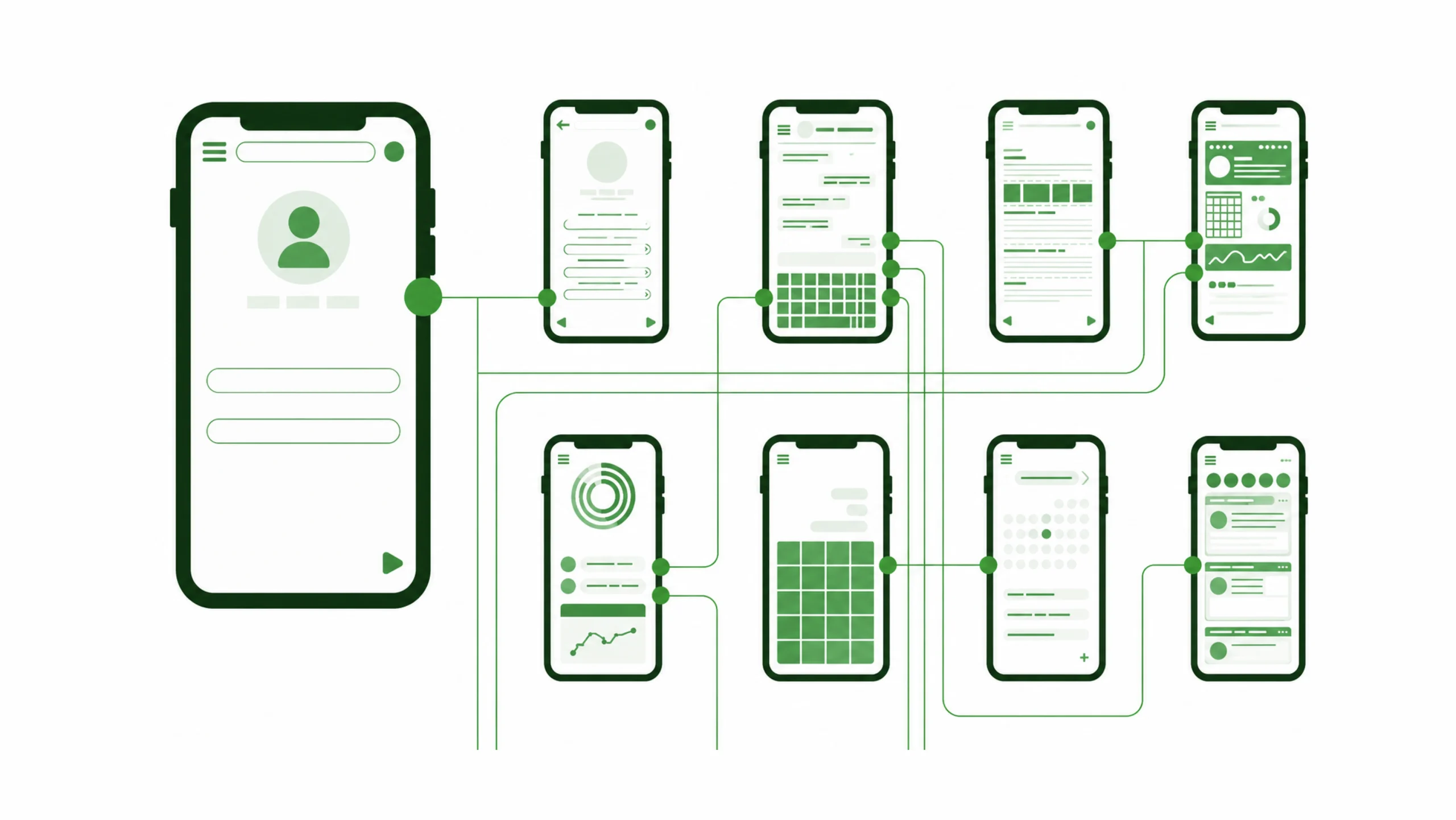
A prototype is an interactive representation of a digital product that allows users and stakeholders to experience how a website, app, or software might work before development begins.
Unlike static designs, prototypes simulate interactions.
Users can click buttons, navigate screens, complete tasks, and experience the flow of the product.
Think of a prototype as a rehearsal before the main performance.
It gives teams a chance to spot problems before expensive development work starts.
Why Prototypes Matter
Great ideas often look perfect on paper.
Then real users interact with them.
That’s when surprises appear.
A button that seemed obvious becomes confusing.
A checkout process takes longer than expected.
A navigation path feels awkward.
Prototypes reveal these issues early.
Instead of debating how something might work, teams can watch people actually use it.
That shift from assumptions to observation is incredibly valuable.
More Than a Pretty Screen
Many people confuse prototypes with visual designs.
That’s understandable.
Modern prototypes can look almost identical to finished products.
Yet appearance isn’t the main goal.
Interaction is.
A prototype helps answer questions like:
- Can users complete important tasks?
- Does the navigation make sense?
- Are important actions easy to find?
- Where do users become confused?
- Does the experience feel natural?
These insights often shape the final product.
The Main Purpose of a Prototype
The purpose of prototyping is validation.
Teams use prototypes to test ideas before investing time, money, and development resources.
A prototype helps reduce uncertainty.
Instead of guessing how users will react, designers can gather real feedback.
That feedback often saves projects from costly mistakes.
Sometimes a small change discovered during testing prevents weeks of rework later.
Different Types of Prototypes
Not every prototype contains the same level of detail.
The type depends on the project’s goals and stage.
Paper Prototypes
Paper prototypes are simple hand-drawn screens.
Users interact by pointing, tapping, or describing actions.
A facilitator manually changes screens.
It sounds basic.
And it is.
Yet paper prototypes remain surprisingly effective for early idea exploration.
Low-Fidelity Prototypes
These prototypes use simple layouts and placeholder content.
Visual design remains minimal.
The focus stays on flow and structure.
Low-fidelity prototypes are quick to create and easy to modify.
Mid-Fidelity Prototypes
Mid-fidelity prototypes include more realistic layouts and interface elements.
Users can navigate through key interactions.
Teams often use them during usability testing.
They provide a balance between speed and detail.
High-Fidelity Prototypes
High-fidelity prototypes closely resemble the finished product.
They often include:
- Real content
- Accurate layouts
- Interactive components
- Transitions
- Microinteractions
Users may believe they are using the final product.
That’s exactly why these prototypes can generate valuable feedback.
The Core Components of a Prototype
A prototype combines several elements that work together.
Screens
Every prototype contains screens that represent pages or views within a product.
Examples include:
- Home screens
- Product pages
- Settings screens
- Checkout pages
Each screen supports a specific task.
Navigation Paths
Users need a way to move between screens.
Navigation paths simulate the routes people follow while using the product.
This helps designers evaluate flow and structure.
Interactive Elements
Buttons, links, menus, forms, and search fields become clickable.
Interaction transforms a static design into a realistic experience.
User Flows
A prototype often demonstrates specific tasks.
Examples include:
- Creating an account
- Making a purchase
- Booking an appointment
- Updating profile information
These flows reveal potential friction points.
Feedback States
Good prototypes show system responses.
Examples include:
- Success messages
- Error messages
- Loading screens
- Confirmation prompts
These details often affect usability more than people expect.
Prototype vs Wireframe vs Mockup
These three terms frequently create confusion.
Let’s clear that up.
Wireframe
A wireframe focuses on structure.
It shows layout, content placement, and functionality.
Visual styling remains minimal.
Mockup
A mockup focuses on appearance.
It includes:
- Colors
- Typography
- Branding
- Images
Mockups show how the final interface may look.
Prototype
A prototype focuses on behavior.
Users can interact with screens and experience workflows.
Think of it like this:
Wireframe = Structure
Mockup = Appearance
Prototype = Interaction
The Prototyping Process
Most UX teams follow a similar approach.
Step 1: Define Objectives
Teams begin by identifying what needs validation.
Maybe it’s a checkout process.
Maybe it’s onboarding.
Maybe it’s a new navigation system.
Clear goals guide the prototype.
Step 2: Create Wireframes
Most prototypes start with wireframes.
This establishes structure before interactions are added.
Step 3: Build Interactions
Screens become connected.
Buttons lead somewhere.
Forms respond.
Menus open and close.
The experience starts to feel real.
Step 4: Test with Users
This is where things get interesting.
Users rarely behave exactly as expected.
They click unexpected areas.
They miss obvious buttons.
They take surprising routes.
Those observations provide valuable insights.
Step 5: Refine the Prototype
Feedback leads to revisions.
The prototype evolves through multiple iterations.
Each version becomes more polished and user-friendly.
Why Teams Love Prototyping
There are many reasons.
Faster Decision Making
Seeing interactions often resolves debates quickly.
Instead of discussing theories, teams evaluate real experiences.
Lower Development Risk
Finding issues before coding begins saves significant time and money.
Changes made during prototyping are usually inexpensive.
Changes made after development are rarely inexpensive.
Better Communication
Prototypes help stakeholders visualize ideas.
Developers understand functionality more clearly.
Clients understand expectations more accurately.
Everyone benefits.
Improved User Experience
Testing interactions before launch often leads to smoother experiences.
Users encounter fewer obstacles.
Tasks become easier to complete.
Common Prototyping Mistakes
Even experienced designers make mistakes.
Several appear frequently.
Building Before Research
A prototype without user insight often reflects assumptions rather than reality.
Research should guide decisions.
Adding Too Much Detail Too Early
Some teams spend days perfecting visuals before validating concepts.
This can slow learning.
Early prototypes should encourage experimentation.
Testing with the Wrong Audience
Feedback loses value when participants don’t represent actual users.
The closer the participants are to the target audience, the better.
Ignoring Negative Feedback
It’s tempting to defend a design.
The smarter move is listening carefully.
User frustration often points directly to improvement opportunities.
Popular Prototyping Tools
Many tools support modern prototyping.
Popular choices include:
- Figma
- Axure RP
- Adobe XD
- Sketch
- Framer
- ProtoPie
- InVision
- UXPin
Each tool offers different strengths.
The tool matters.
The thinking behind the prototype matters even more.
A Real-World Example
Imagine a food delivery app.
The team wants users to order meals quickly.
Before development begins, designers create a prototype showing:
- Restaurant browsing
- Search functionality
- Cart management
- Checkout flow
- Order tracking
User testing reveals that participants struggle to find delivery fees.
The issue gets fixed before development starts.
A small discovery saves time, money, and future customer frustration.
That’s the practical power of prototyping.
Why Prototypes Continue to Matter
Design tools evolve every year.
Artificial intelligence can generate interfaces.
Design systems speed up production.
Templates appear everywhere.
Yet prototypes remain one of the strongest validation tools available.
Why?
Because people experience products through interaction.
Static screens cannot fully reveal how a product feels.
A prototype bridges the gap between concept and reality.
It transforms ideas into experiences.
And experiences reveal the truth.
Why Every UX Team Uses Prototypes
Prototypes help teams explore ideas, validate assumptions, gather feedback, and reduce risk before development begins.
They bring concepts to life.
They turn discussions into observations.
They replace guesses with evidence.
Behind many successful websites, mobile apps, SaaS platforms, and digital products, there’s usually a prototype that helped shape the final experience long before launch day arrived.
That’s why prototyping remains a cornerstone of UX and product design.
Frequently Asked Questions (FAQs)
1. What is a prototype in UX design?
A prototype is an interactive model of a website, app, or software product that allows users to experience functionality and workflows before development begins.
2. Why is prototyping important?
Prototyping helps teams test ideas, gather user feedback, identify usability issues, and reduce development risks early in the design process.
3. What is the difference between a prototype and a wireframe?
A wireframe focuses on structure and layout, while a prototype adds interaction and simulates how users move through the product.
4. What are high-fidelity prototypes?
High-fidelity prototypes closely resemble finished products and often include realistic content, visual design, and interactive behaviors.
5. Which tools are commonly used for prototyping?
Popular tools include Figma, Axure RP, Framer, ProtoPie, Adobe XD, UXPin, Sketch, and InVision.
6. Should prototypes be tested with real users?
Yes. User testing helps uncover usability issues, validate design decisions, and improve the overall experience before development begins.